Website Migration SEO: Keep Your Rankings After a Move
How to redesign, replatform or change domains without losing Google traffic: risk levels, a redirect map example, launch-day checks and post-launch monitoring.
Website migration SEO is the work of protecting your Google rankings and traffic when you redesign, change platform or move to a new domain. Most of the risk comes from URLs that change without a matching 301 redirect, pages that are accidentally blocked from search, and tracking that silently stops working. Google warns that rankings fluctuate during a move and that a small to medium-sized site can take a few weeks for most pages to move across. Get the redirect map complete, run a proper launch-day check and watch Search Console closely for the first month, and most Singapore SMEs come through without a lasting drop. Before switching traffic to the new site, confirm its SSL certificate covers every public hostname you plan to keep.
This guide is written for business owners rather than SEO specialists. It explains how risky your particular move is, what to ask your agency to deliver, and what to check yourself before and after launch.
In short
- Any change to URLs, platform or domain is a migration. A visual refresh on the same URLs carries the least risk; a platform switch plus a domain change carries the most.
- Every old URL that had traffic, links or rankings needs a permanent (301 or 308) redirect to its closest new equivalent. Google recommends keeping redirects for at least a year.
- Benchmark Search Console and GA4 data before launch, so you can tell a normal wobble from a real problem.
- The Change of Address tool in Search Console is only for moves from one domain or subdomain to another, not for HTTPS or www changes.
- Re-check GA4, Google Ads conversions, forms, WhatsApp buttons and your Google Business Profile link on launch day.
What counts as a website migration
For SEO purposes, a migration is any change that alters how search engines find, crawl or understand your pages. That includes more projects than most owners expect:
- Redesign on the same URLs: new look, same page addresses and roughly the same content.
- Redesign with a new structure: pages merged, renamed or removed, and the menu reorganised.
- Platform change: for example WordPress to Shopify, Wix to WordPress, or a custom build to WooCommerce.
- Domain change: a rebrand, moving from a .com to a .sg domain, or consolidating several sites into one.
- Protocol or host change: HTTP to HTTPS, or www to non-www.
If your project is mainly about design, content and project management, our corporate website redesign guide covers those steps. This article stays on the search side: redirects, indexing, tracking and monitoring.
Website migration SEO risk: four levels by type of move
The more things change at once, the harder it is for Google to connect your old pages to the new ones, and the harder it is for you to diagnose a drop. Use this table to set expectations with your team.
| Risk level | Type of move | What usually goes wrong | Minimum safeguards |
|---|---|---|---|
| 1. Low | Redesign, same URLs and content | Headings, page titles or text removed in the new design; staging block left on | Compare titles and main content page by page; crawl before and after |
| 2. Medium | HTTPS or www change; a few URLs renamed | Redirect chains, mixed old and new internal links | Site-wide redirect rule, updated internal links and canonical tags |
| 3. High | Platform change or new URL structure | Hundreds of URLs change; old product and blog URLs return 404 | Full URL inventory and one-to-one redirect map, tested before launch |
| 4. Very high | New domain, often combined with a platform change | All rankings must transfer; backlinks and Google Business Profile point to the old domain | Everything above, plus Change of Address in Search Console and keeping the old domain |
If you can avoid stacking a domain change on top of a platform change, do: two stages make problems easier to trace.
Before launch: benchmark, crawl and inventory
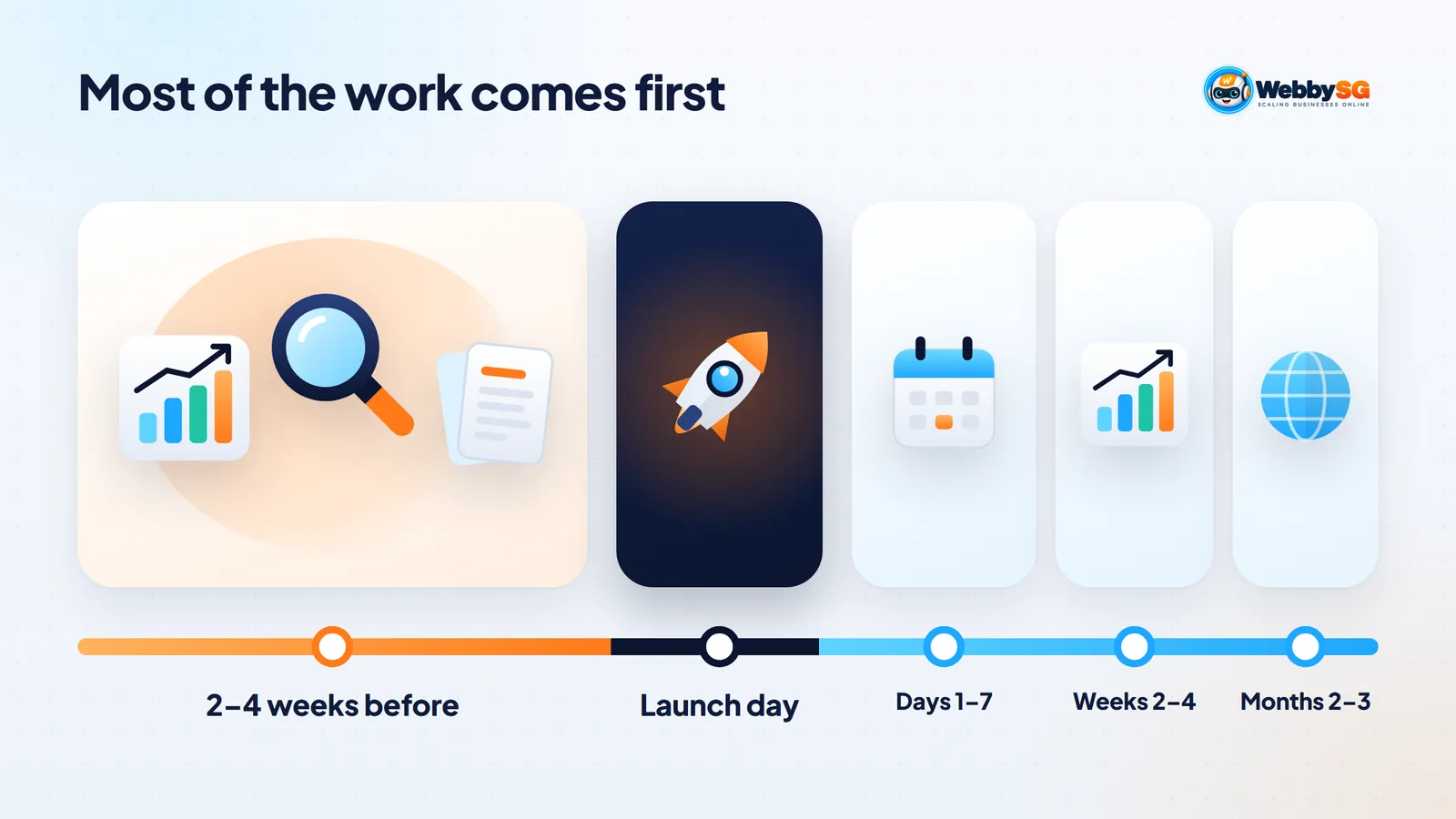
Do this work two to four weeks before launch, while the old site is still live.
- Export a performance baseline. From Google Search Console, export clicks, impressions and queries for the last 12 months (or as far back as you have), plus the top pages. From GA4, export sessions, key events (conversions) and landing pages for the same period.
- Crawl the old site. Use a crawler such as Screaming Frog to list every URL, its status code, page title, meta description and H1.
- Collect URLs the crawler misses. Add URLs from your XML sitemap, Search Console's top pages, GA4 landing pages and any URLs that other sites link to. Old campaign landing pages and PDFs often turn up here.
- Mark the important pages. Flag the pages that bring most of your search clicks and enquiries. These are the ones to check first after launch.
- Record local listings. Note the website link on your Google Business Profile and on directories such as your industry association, so you can update them later.
- Block the staging site properly. Use password protection on the staging site rather than relying only on robots.txt, and make sure that block cannot be copied to the live site.
Building and testing the 301 redirect map
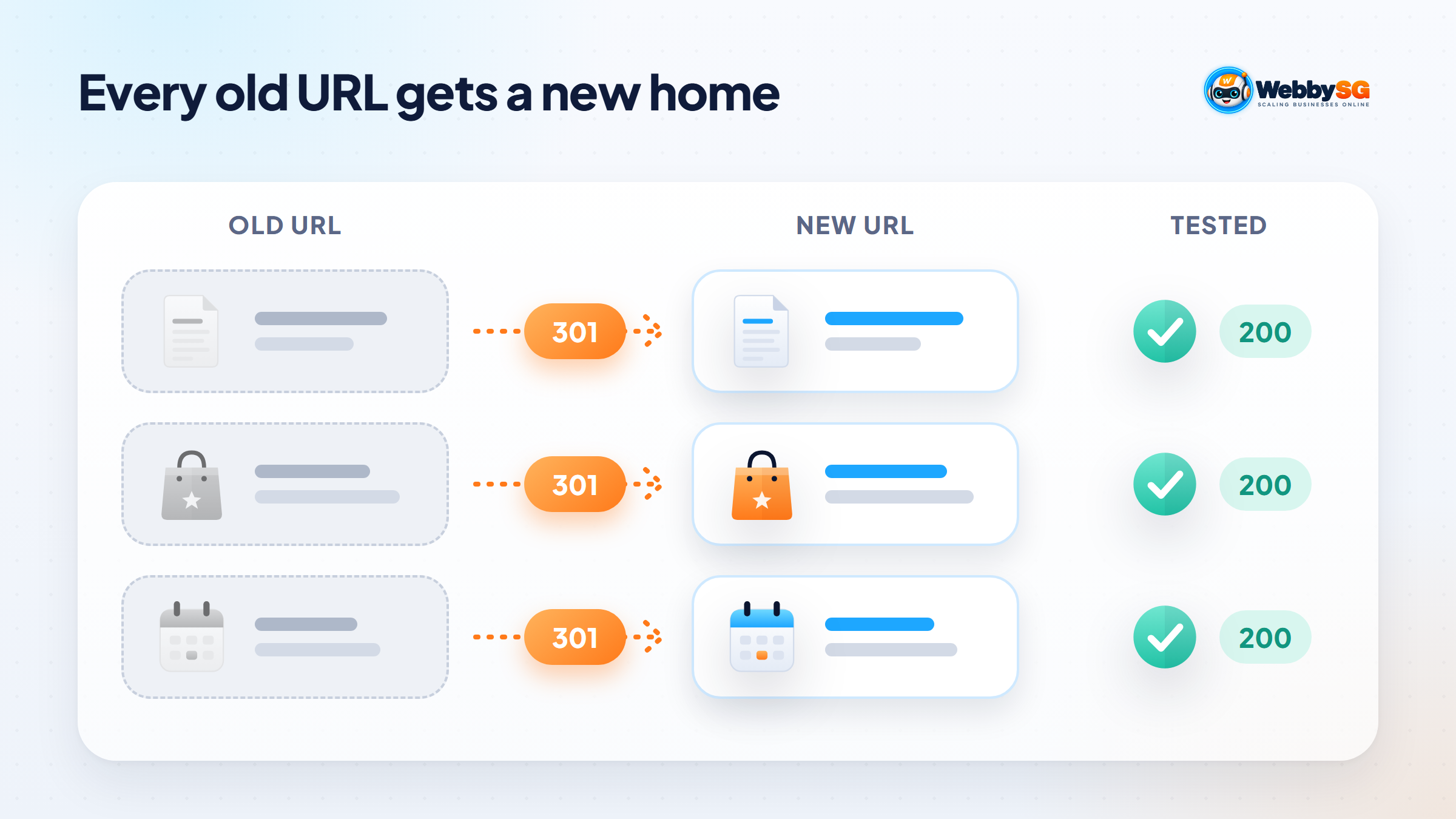
The redirect map is a spreadsheet with one row for every old URL and the new URL it should point to. It is the single most important document in a migration. Google's guidance on redirects and Google Search explains that permanent redirects (301 and 308) tell Google the new URL should be treated as the canonical one, while temporary redirects (302 and 307) do not. JavaScript redirects are a last resort because Google may not see them. For a multilingual website, map each language’s URLs separately before you move them.
A short worked example for a small Singapore business moving from WordPress to Shopify:
| Old URL | New URL | Note |
|---|---|---|
| /shop/rattan-chair/ | /products/rattan-chair | Product: one-to-one |
| /product-category/outdoor/ | /collections/outdoor | Category: one-to-one |
| /about-us/ | /pages/about | Page renamed |
| /2024/05/care-guide/ | /blogs/news/rattan-care-guide | Blog post moved |
| /old-promo-cny/ | /collections/sale | Retired page: closest relevant page |
Rules that keep the map clean:
- Redirect to the closest equivalent, not to the homepage. Mass-redirecting old pages to the homepage loses most of their value.
- Avoid chains. If /a once redirected to /b, and /b now moves to /c, point /a straight to /c.
- Let truly dead pages go. A page with no traffic, links or equivalent can return a 404 or 410.
- Test before launch. Load the map on the staging site, or run the old URL list through a crawler on launch day, and confirm every row returns one 301 and lands on a page that returns 200.
Launch-day checklist
Pick a launch slot when enquiries are quiet. For a retailer that means not the week before 11.11 or Chinese New Year; for a B2B firm, a Tuesday morning usually beats a Friday evening. Keep the developer on call for the rest of the day, then work through this list:
- Remove staging blocks: any site-wide noindex tag, robots.txt "Disallow: /" or password protection.
- Switch on the redirect map and spot-check your 20 most important old URLs in a browser.
- Crawl the new site to catch broken internal links, redirect chains and missing page titles.
- Check that canonical tags point to the new live URLs, not to staging or the old domain.
- Submit the new XML sitemap in Search Console. Google's site move guidance says you can then remove the old sitemap.
- For a domain change only, start the move with the Change of Address tool. You need to own both properties in Search Console and have the old homepage 301-redirecting to the new one.
- Run through each form, checkout and WhatsApp button on desktop and phone.
Keeping analytics, ads and forms tracking intact
Tracking is the part of a migration that most often breaks without anyone noticing. A new theme or platform can drop your Google Tag Manager container, change the thank-you page URL a conversion depends on, or replace a form plugin with one that fires no event at all.
| What to check | How |
|---|---|
| GA4 and Tag Manager | Confirm the same measurement ID or container is on every template, then check visits in GA4's real-time report |
| Key events (conversions) | Submit a test enquiry and check the event appears; update any rule based on an old thank-you URL |
| Google Ads | Update final URLs in ads and sitelinks to avoid redirects, and confirm conversion actions still record |
| WhatsApp and call buttons | Check the number is correct and click events are still tracked |
| Forms and PDPA | Confirm submissions reach the right inbox and the consent wording and privacy policy link survived the move |
| Google Business Profile | Update the website link to the new URL, especially after a domain change |
Local listings matter for Singapore service businesses that rely on map results. Our local SEO guide for Singapore explains which listings carry the most weight.
After launch: monitoring and fixing drops
Google's site move documentation says to expect temporary ranking fluctuation, and that a small to medium-sized site can take a few weeks for most pages to move across in the index. Bigger sites take longer, because Google has to recrawl every old and new URL. Here is the routine we would expect an agency to follow:
- Days 1 to 7: check Search Console's Pages report daily for new "Not found (404)" and "Excluded by noindex" errors, and fix each one with a redirect or a corrected tag.
- Weeks 2 to 4: compare clicks and impressions for your important pages against the baseline. A gentle dip that recovers is normal; a page that disappears entirely usually points to a missing redirect or changed content.
- Months 2 to 3: review queries that lost clicks, check backlinks still resolve, and ask key referring sites to update their links to the new URLs.
If traffic keeps falling after a month, check the basics in this order: are old URLs redirecting, is the new site indexable, did page titles and main content change, and has page speed got worse.
Platform notes: WordPress, Shopify and Wix
WordPress and WooCommerce
WordPress gives you the most control: you can keep your existing URL structure on a redesign, and redirects can be handled with a plugin or at server level. WooCommerce product and category URLs follow settings you can change, so check them before launch. See our WordPress website design page for how we approach rebuilds.
Shopify
Shopify uses fixed URL prefixes such as /products/ and /collections/, so moving from WordPress almost always changes every product and category URL. Shopify's help centre on URL redirects explains how to import redirects in bulk from a CSV file, which is how a redirect map is usually loaded. Note that Shopify only redirects URLs that no longer exist in the store.
Wix
Wix product pages and blog posts sit under default prefixes (/product-page/ and /post/), which you can customise in Wix's SEO settings but which rarely match an old WordPress structure. Redirects are managed in Wix's URL Redirect Manager, which supports single and group redirects. If Wix is on your shortlist, our Wix website design page sets out where it fits.
Questions to ask your web agency before you migrate
You do not need to run the migration yourself, but you should be able to hold your agency to a clear standard. Ask for written answers to these questions before work starts:
- Will you deliver a full redirect map, and can I see it before launch?
- Which sources will you use to build the old URL list (crawl, sitemap, Search Console, analytics)?
- How will you keep the staging site out of Google, and how will you remove that block at launch?
- Who checks GA4, Tag Manager, Google Ads conversions and forms on launch day?
- Will page titles, meta descriptions and headings carry over, or be rewritten?
- Who updates the Google Business Profile and directory links?
- Who monitors Search Console for the first month, and what happens if traffic drops?
- Are the domain, hosting and Search Console access in my company's name?
If your agency is building on a new platform or rebuilding a site with a lot of existing traffic, these points should be in the scope of work. Our web development service includes redirect mapping and launch checks as standard on rebuilds, and if you would like someone to review a migration plan you already have, get in touch.
Frequently asked questions
Will a website redesign hurt my SEO?
Not if URLs, page titles and the main content of important pages stay the same or are carefully redirected and carried over. Most drops after a redesign come from changed URLs without redirects, content removed in the new design, or a staging noindex tag left in place.
How long does it take to recover rankings after a migration?
Google says to expect temporary fluctuation and that a small to medium-sized site can take a few weeks for most pages to move. Larger sites and domain changes usually take longer. If traffic is still falling after about a month, look for missing redirects, indexing blocks or content changes rather than waiting.
Should I keep the old domain after moving?
Yes. Google's Change of Address help suggests keeping the old domain registered for at least a year, and in practice it is worth renewing it for as long as old links point at it. If the old domain lapses, someone else could register it and the value of every link pointing to it is lost.
How long should 301 redirects stay in place?
Google recommends keeping redirects for at least one year, and as long as possible. For visitors arriving from old links and bookmarks, there is little reason ever to remove them. When using the Change of Address tool, keep them for at least 180 days and longer if old URLs still receive search traffic.
Do I need to resubmit my sitemap after a migration?
Yes. Submit the new XML sitemap in Search Console on launch day so Google discovers the new URLs quickly. Google's site move guidance says you can remove the old sitemap once the new one is in place, and that warnings about old sitemap URLs redirecting can be ignored.