WordPress vs Custom Website: Which Should You Choose?
Compare WordPress and custom-built websites on 3-year cost, speed, security, editing and ownership, with five questions to decide what suits your business.
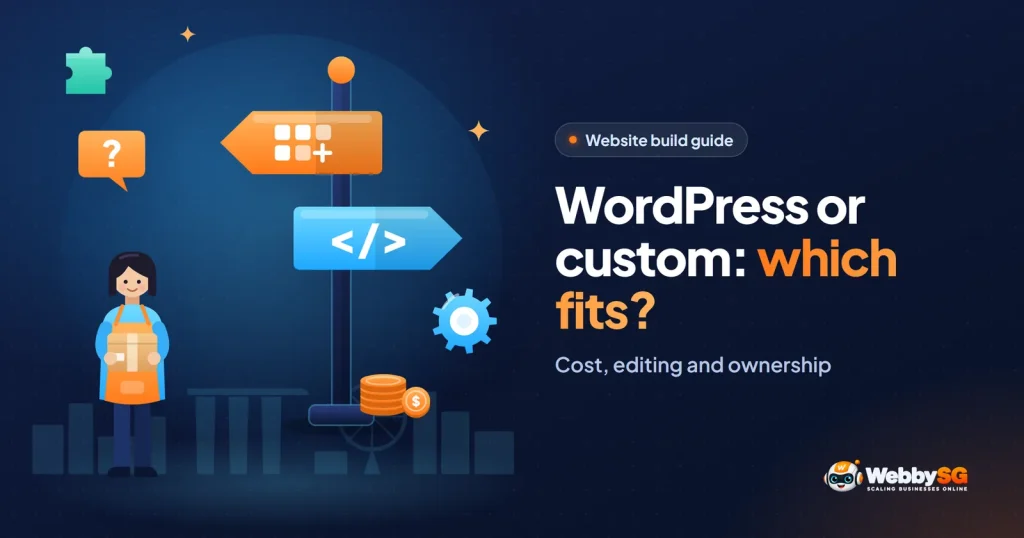
WordPress vs custom website is really a question of who will run the site, how unusual its features are, and what you can afford to maintain for the next three years. For most Singapore SMEs with a brochure site, a blog or a standard enquiry flow, a well-built WordPress site is the practical choice: it is cheaper to launch, your team can edit it without a developer, and many developers can support it. A fully custom website earns its higher cost when the site has to do something a content management system does poorly, such as complex booking logic, customer portals or deep integrations with your own systems.
Below, we put the options side by side on cost, speed, security, editing, maintenance and ownership. Five questions at the end will settle it for most projects.
In short
- There are three options, not two: a WordPress theme site, a custom-designed WordPress site, and a fully custom build. The middle option suits most SMEs.
- WordPress is used by 38.7% of all websites, according to W3Techs data as of 14 November 2026, so skills, plugins and support are easy to find.
- Compare cost over three years, not just the build. Hosting, updates, security and later changes often decide which option is cheaper.
- Speed and security depend more on how a site is built and maintained than on the platform name.
- Whichever you choose, make sure your company owns the domain, hosting account, code and admin logins.
What we mean by WordPress and by a custom website
WordPress is open-source content management software, released under the GPL licence. You install it on your own hosting, then add a theme for the design and plugins for features such as forms, SEO settings and booking. Pages and posts are edited in a browser-based editor. Note that this means self-hosted WordPress (from wordpress.org), not the separate hosted service at wordpress.com.
A custom website is built by developers for your business, usually with a web framework rather than an off-the-shelf content management system. Every page template and feature is written for your requirements. If the site needs to be edited by non-developers, a content management layer has to be added, often a headless CMS or a custom admin panel. Our guide to what custom web development involves explains this in more detail. If you need the flexibility of a custom frontend and still want an editor for your team, consider a headless CMS.
Three options, not two: themes, custom WordPress, fully custom
Most comparisons pit a cheap WordPress template against a premium hand-coded build. That leaves out the option most Singapore agencies, ours included, actually build for business clients.
| Option | How it is built | Best for | Main risk |
|---|---|---|---|
| WordPress with a ready-made theme | A bought or free theme, customised with your content and a page builder | Tight budgets, simple sites, quick launches | Looks like other sites; heavy themes and many plugins can slow it down |
| Custom-designed WordPress | A design made for your brand, built as a lean theme on WordPress, with only the plugins you need | Most SME corporate, service and content sites | Depends on good build quality and regular updates |
| Fully custom build | Developers write the front end and back end for your requirements | Portals, complex logic, unusual integrations, high-scale apps | Higher cost; dependence on the developer who built it |
The custom-designed WordPress option gives you a site that looks and works the way your business needs, while keeping a familiar editor and a large pool of people who can maintain it. It is what most businesses mean when they say they want "a custom website" but also want to update it themselves.
Cost over three years, not just the build
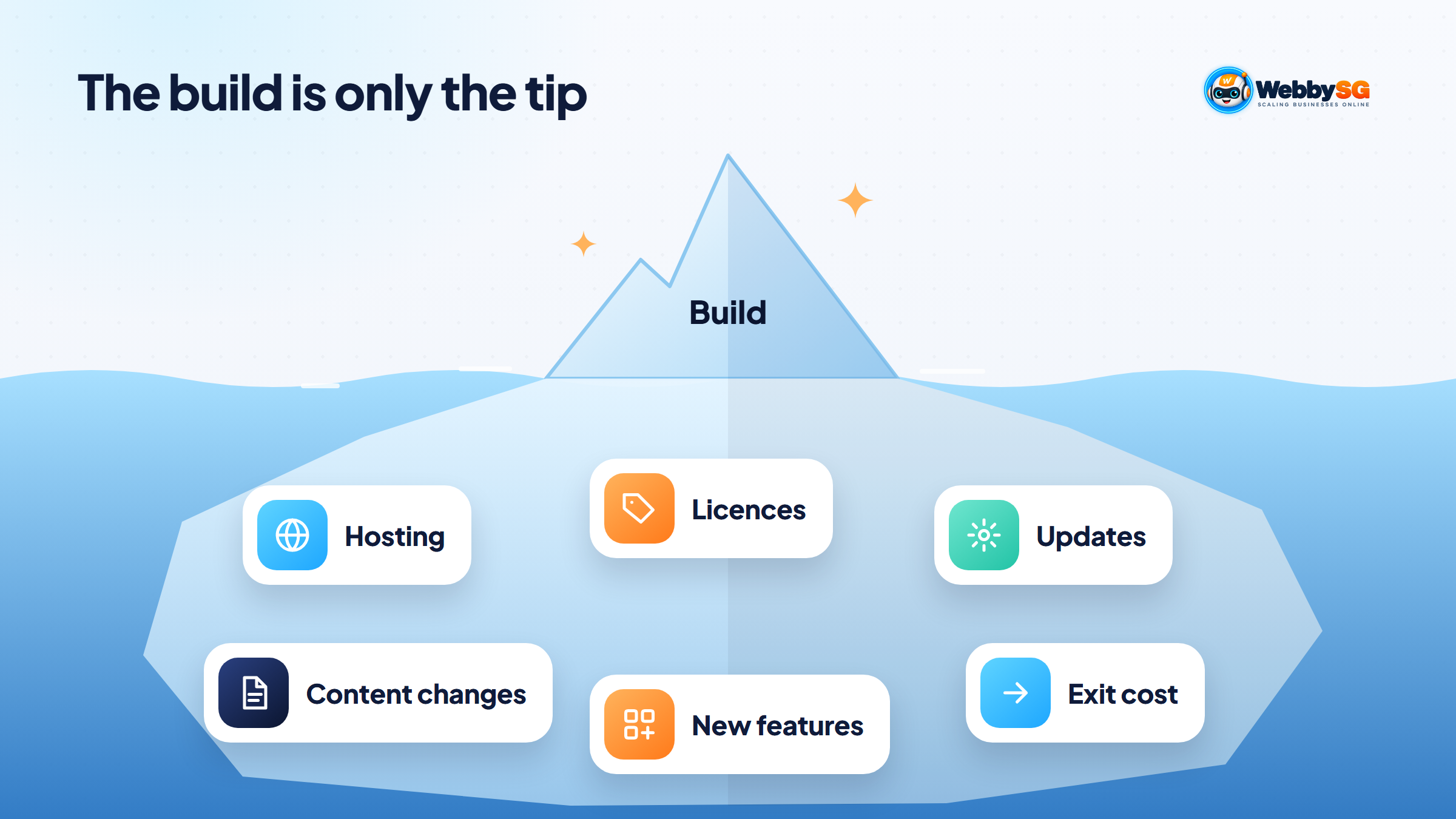
The build quote is only the first line. Over three years, running costs and changes often matter as much. Use this worksheet to compare quotes like for like.
- Design and build. Usually lowest for a theme site, higher for custom-designed WordPress, and highest for a fully custom build, because every feature is written from scratch.
- Hosting. Standard WordPress hosting is widely available. Custom builds may need a specific server set-up or cloud environment. See our guide to web hosting in Singapore.
- Licences. WordPress itself is free, but premium plugins and themes are often yearly subscriptions. Custom builds may carry their own service costs, such as a headless CMS plan.
- Updates and security. WordPress core and plugins need regular updates. Custom code needs its frameworks and libraries patched too, and only developers can do it.
- Content changes. On WordPress, most text, image and page changes can be done in-house. On a custom site without a good admin panel, many changes become developer requests.
- New features. On WordPress, many features can be added with a vetted plugin. On a custom build, each one is a development job, which is slower but fits exactly.
- Exit cost. If you change provider, how easily can someone else pick up the site? This is cheapest when the platform is widely known.
We have not put market price ranges here, because quotes in Singapore vary widely with scope and we would rather not quote figures we cannot source. Ask each provider to price these seven lines over 36 months, in SGD, and say whether GST is included.
Here is how the worksheet tends to play out. Take a hypothetical 15-person engineering services firm that wants a 20-page site, a project gallery and an enquiry form, and plans two blog posts a month. A fully custom quote might look competitive on the build line. But if every new case study or landing page needs a developer, lines 5 and 6 keep billing for three years, while the custom-designed WordPress site lets the marketing executive do that work in-house. Flip the scenario to a firm that needs clients to log in, upload drawings and track job status, and the sums change: forcing that onto WordPress through several plugins usually costs more to keep stable than building it properly.
Speed and security: what actually makes the difference
Speed
A custom site is not automatically faster, and a WordPress site is not automatically slow. Speed depends mainly on:
- How much code each page loads (heavy page builders and many plugins add weight)
- Image sizes and formats
- Hosting quality and caching
- Third-party scripts such as chat widgets, tracking tags and embedded videos
A lean, custom-designed WordPress theme with few plugins and good hosting can be very fast. A custom build has the edge when every page must be tightly optimised or traffic is very high, but only if the developers make performance a priority.
Security
WordPress is a common target because it is so widely used. The official WordPress hardening guide notes that hacks are most often traced to the application itself rather than the hosting server, and that older WordPress versions do not get security updates. Outdated plugins are a frequent entry point: in May 2024, Singapore's Cyber Security Agency issued an alert on critical vulnerabilities in WordPress plugins, advising administrators to update affected plugins immediately.
A custom site is less likely to be hit by automated attacks aimed at WordPress, but it is not safer by default. Its security depends entirely on the developer's code and on someone patching its libraries. For both options, the basics are the same: keep software updated, use strong unique passwords with two-factor login, limit admin accounts, take off-site backups and use HTTPS.
Editing content and day-to-day management
This is where many custom projects disappoint. A pattern we see often: a business pays for a bespoke site, then finds that changing an opening-hours line in the footer means emailing the developer and waiting. Before you choose, decide who in your team will update the site, and how often.
| Task | WordPress (theme or custom-designed) | Fully custom |
|---|---|---|
| Edit text and images | In-house, in the editor | In-house only if an admin panel or CMS was built in |
| Publish a blog post | In-house | Depends on the admin panel |
| Add a new landing page | In-house with reusable blocks | Often a developer request |
| Change menus, forms or SEO titles | In-house | Often a developer request |
| Add a new feature | Plugin or developer | Developer |
If your marketing relies on regular content, such as blog posts, campaign pages and service updates, a site your team can edit freely is worth a lot. Our WordPress website design builds use reusable blocks so staff can add pages without breaking the layout.
Maintenance and update obligations on each option
Every website needs maintenance. The difference is what needs doing and who can do it.
| Obligation | WordPress theme site | Custom-designed WordPress | Fully custom |
|---|---|---|---|
| Core software updates | WordPress core, regularly | WordPress core, regularly | Framework and libraries, by a developer |
| Plugin and theme updates | Many plugins; theme vendor updates | Fewer plugins; theme maintained by your developer | Not applicable; custom code must be maintained |
| Testing after updates | Needed, as plugins can conflict | Needed | Needed |
| Backups | Daily or weekly, stored off-site | Daily or weekly, stored off-site | Daily or weekly, stored off-site |
| Who can do it | Many providers | Many WordPress developers | Usually the original developer or someone who knows the stack |
If nobody is responsible for these tasks, the site gradually becomes a risk. A website maintenance plan is one way to make sure updates, backups and checks happen on schedule.
Ownership, handover and vendor lock-in
Many problems surface only when a business changes provider. Check these points before you sign, whichever option you choose:
- Domain registered in your company's name, with login details you hold.
- Hosting account in your company's name, or a written agreement that the provider will transfer it on request.
- Code ownership. The contract states that you own the custom code and design once paid, apart from third-party components under their own licences.
- Code access. For custom builds, you get the source code in a repository you control, plus set-up and deployment notes.
- Admin access. You have an administrator login for the CMS or admin panel, not only an editor login.
- Licences. Premium plugin and theme licences are listed, with who pays for renewal.
- Handover. The contract describes what you receive if the relationship ends, and in what format.
Lock-in risk is generally higher with a fully custom build, because fewer developers can pick up an unfamiliar codebase. Good documentation and code in your own repository reduce that risk a lot.
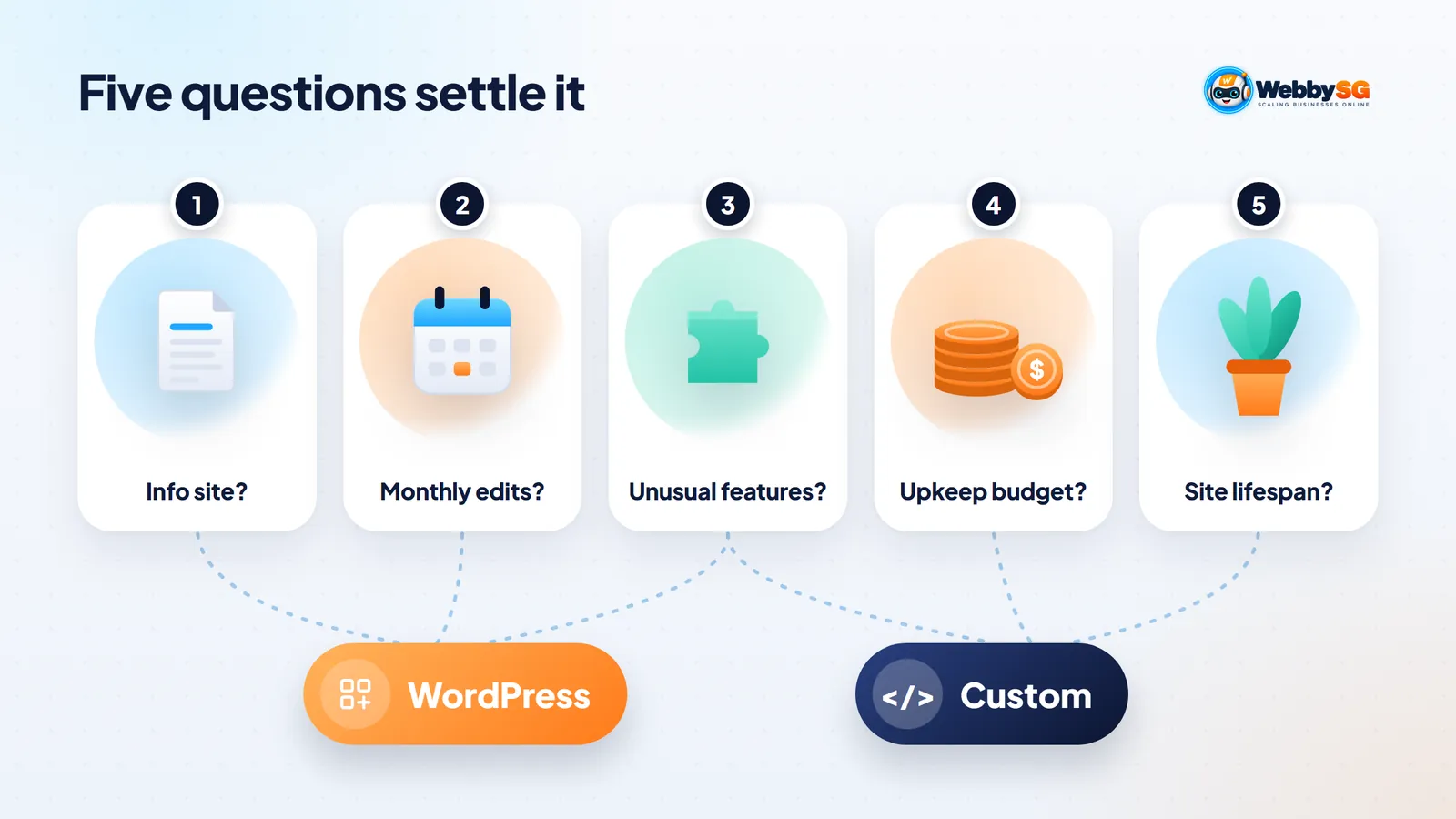
WordPress vs custom website: how to decide in five questions
- Does the site mainly present information and collect enquiries? If yes, WordPress, usually custom-designed, is likely enough.
- Will your team publish or edit content every month? If yes, an easy editor matters more than custom code.
- Does the site need features no reliable plugin provides? Examples are a customer portal, custom pricing logic or a two-way link to your own operations system. If yes, consider custom development for those parts.
- What can you spend on maintenance each year? If the answer is close to nothing, avoid a complex custom build that only its developer can update.
- How long should the site last? For a three to five year life with standard needs, WordPress is the safer bet. For a core business system you will keep developing, custom can pay back over time.
If most of your answers point to WordPress but one feature does not, a hybrid is possible: a WordPress site for content, with a custom-built tool or portal linked to it.
When custom development is worth it
Custom development makes sense when the website is part of how your business operates, not just how it is marketed. Typical cases include booking or quoting systems with rules that plugins cannot handle, member or customer portals, dashboards that pull data from your own systems, and products where the website itself is the service. In those cases, a WordPress site held together with many plugins can end up costing more and breaking more often than well-planned custom code.
For everything else, a custom-designed WordPress site usually gives the best balance of cost, control and ease of use. If you are unsure which side of the line your project falls on, our web development service covers both WordPress and custom builds, so the recommendation can follow your requirements rather than a preferred platform. You can also describe your project to us and ask for a three-year cost view of each option.
Frequently asked questions
Is WordPress secure enough for a business website?
Yes, if it is kept updated and set up carefully. The official hardening guide traces most hacks to the installed application, and outdated plugins and weak passwords are common ways in. Keep core and plugins updated, remove unused plugins, use two-factor login and keep off-site backups.
Is a custom website better for SEO?
Not by itself. Search engines rank pages on content, relevance, links and a sound technical set-up, all of which WordPress handles well. A custom site can be fast and clean, but SEO features such as editable titles, redirects and sitemaps have to be built in deliberately.
Can I move from WordPress to a custom site later?
Yes. Content can be exported and rebuilt on a new system. The main work is mapping old URLs to new ones and setting up redirects so you keep your search rankings, and rebuilding any features that came from plugins.
Who owns the code on a custom build?
It depends on your contract. Make sure it states that your company owns the custom code and design once paid, and that you receive the source code in a repository you control. Third-party libraries remain under their own licences.
Is WordPress still worth using in 2026?
For most business websites, yes. W3Techs reported WordPress on 38.7% of all websites as of 14 November 2026, so it remains well supported, with a large pool of developers and plugins. It is less suitable when the site is mainly a complex application rather than a content site.