SSL Certificate Guide for Business Websites
What an SSL certificate does, whether a free one is enough, when OV or EV makes sense, and how to avoid expiry and "Not secure" warnings.
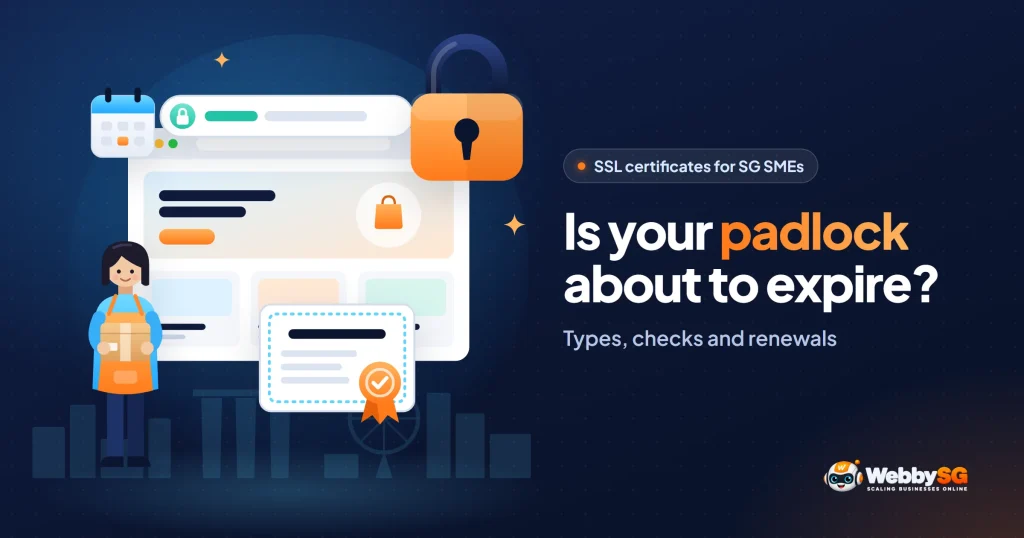
An SSL certificate is a small data file, installed on your web server, that proves your website's identity to browsers and lets them set up an encrypted HTTPS connection. With it, details visitors type into your site, such as names, phone numbers, passwords and payment information, travel scrambled instead of in plain text, and browsers show your site as secure rather than "Not secure". For most Singapore business websites, a free certificate from your host or Let's Encrypt is enough. The bigger risk today is not which certificate you buy but whether it renews on time, because certificate lifetimes are getting much shorter.
This guide is for business owners rather than IT teams. It explains what a certificate does, which type you actually need, how to check yours, what the new renewal rules mean, and how to fix the "Not secure" warnings that still catch out many sites.
In short
- An SSL certificate enables HTTPS, which encrypts data between the visitor's browser and your site and confirms the site belongs to your domain.
- Today's connections actually use TLS, the successor to SSL. "SSL certificate" is simply the name that stuck.
- Free domain-validated (DV) certificates give the same encryption as paid ones. Paid OV and EV certificates add a check on your organisation, not stronger encryption.
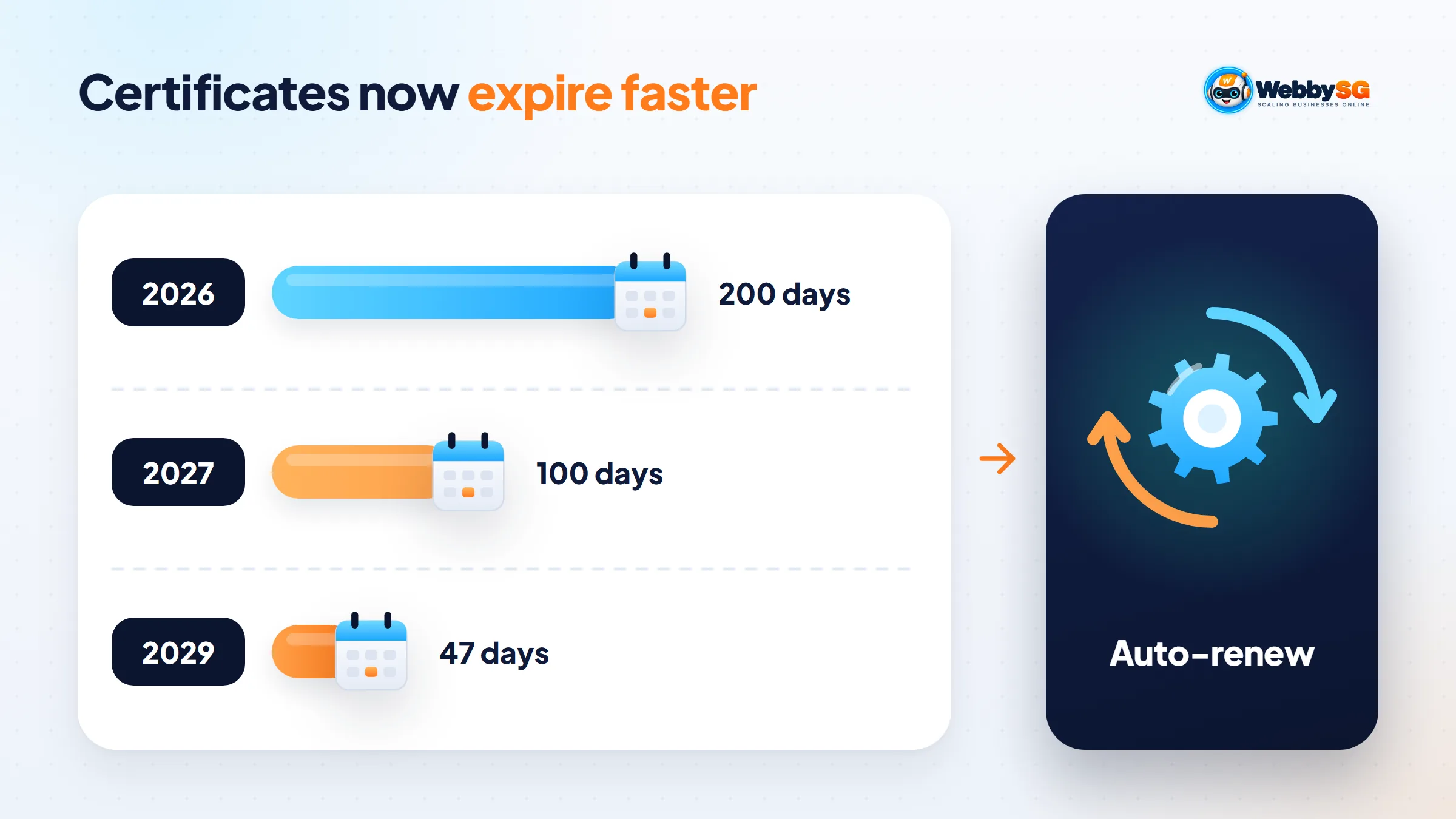
- Under CA/Browser Forum rules, the maximum certificate lifetime fell to 200 days in March 2026 and will fall to 100 days in March 2027 and 47 days in March 2029. Automatic renewal is now essential.
- Most "Not secure" warnings on sites that have a certificate come from expired certificates, a missing HTTP-to-HTTPS redirect, or images and scripts still loaded over HTTP.
What an SSL certificate does
When someone visits your site over HTTPS, their browser and your server perform a quick exchange called a handshake. Your server presents its certificate, and the browser checks three things:
- Identity: the certificate was issued for this exact domain name.
- Trust: it was issued by a certificate authority (CA) that the browser trusts.
- Validity: it has not expired or been revoked.
If all three pass, the browser and server agree on encryption keys, and everything that follows, from page content to form submissions, is encrypted in transit. If any check fails, the browser shows a full-page warning that most visitors will not click past.
Why should an owner care? Mostly for these reasons:
- Trust: browsers label HTTP pages "Not secure", which is off-putting on an enquiry or checkout page.
- Personal data: contact forms, booking forms and logins collect personal data, which you are required to protect under the PDPA. The PDPC's Guide to Data Protection Practices for ICT Systems recommends using TLS rather than SSL for websites and apps that handle personal data.
- Search: Google has used HTTPS as a ranking signal since 2014, though a light one (more on this in the FAQ).
A certificate encrypts data in transit. It does not protect the site itself from hacking, weak passwords or outdated plugins. That needs updates, backups and security monitoring, which is a separate job.
SSL vs TLS: the name and the protocol
SSL (Secure Sockets Layer) was the original protocol for encrypted web connections. It was replaced by TLS (Transport Layer Security), and the old SSL versions are now considered insecure and are disabled in modern browsers and servers. Current sites use TLS 1.2 or TLS 1.3.
The certificate itself works with either protocol, so the industry still calls it an "SSL certificate" out of habit. When a host advertises "free SSL", it means a certificate that enables HTTPS over TLS. What you should check is the server configuration: it should support TLS 1.2 and 1.3 and have the old SSL protocols switched off. Most reputable hosts handle this by default.
DV, OV and EV: which SSL certificate your business needs
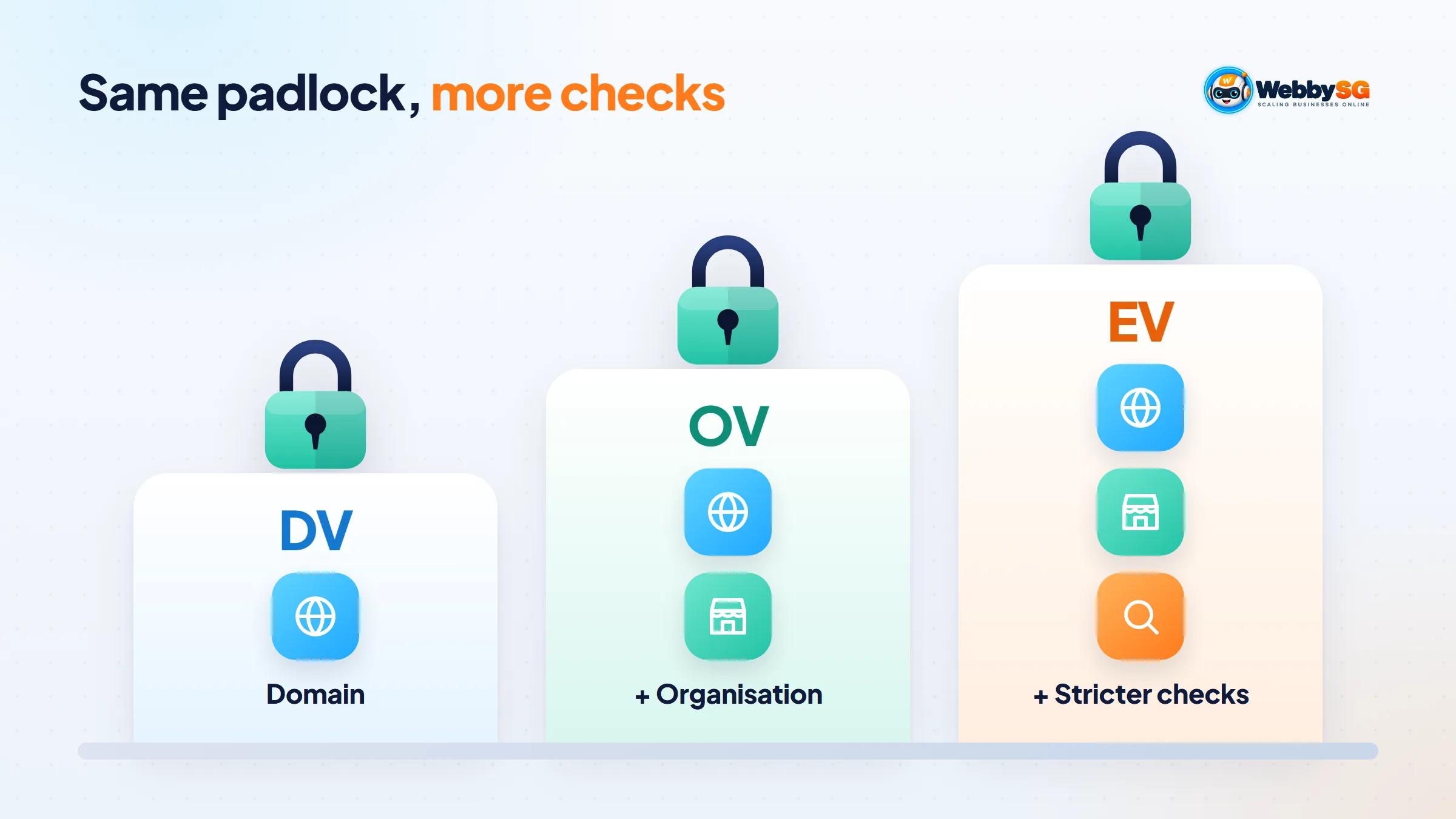
Certificates differ in how much the certificate authority checks before issuing them, not in the strength of encryption.
| Type | What the CA checks | Typical issue time | Cost | Good fit for |
|---|---|---|---|---|
| Domain Validated (DV) | That you control the domain | Minutes, usually automatic | Often free (Let's Encrypt, most hosts) | Most SME websites, blogs, online stores using a hosted checkout |
| Organisation Validated (OV) | Domain control plus the organisation's legal existence | Usually days | Paid, yearly or multi-year plans | Companies whose clients or procurement teams ask for it |
| Extended Validation (EV) | Stricter checks on the organisation's identity and operations | Usually days or longer | Paid, usually the most expensive | Financial and regulated organisations with specific requirements |
A few points owners often miss:
- All three give the same padlock. Major browsers no longer show the company name in the address bar for EV certificates, so visitors see no visible difference.
- Payment pages are usually handled by your payment provider. If you use Shopify, Stripe or a similar hosted checkout, card details are entered on pages secured by that provider's own certificate.
- OV and EV make sense when someone requires them, such as a corporate client's vendor checklist or an industry regulator, not as a general trust booster.
Single-domain, multi-domain and wildcard certificates
Separately from validation level, certificates differ in what they cover. A single-domain certificate covers one name, often with and without "www". A multi-domain certificate lists several names. A wildcard certificate, such as *.example.com.sg, covers all first-level subdomains like shop.example.com.sg and booking.example.com.sg. Most small sites do not need a wildcard; it is useful if you run several subdomains on the same server.
Free vs paid SSL certificates
Let's Encrypt, a non-profit certificate authority, issues DV certificates free of charge. Its FAQ confirms that it only issues DV certificates, that its standard certificates last 90 days, and that wildcard certificates are supported. Many Singapore hosts and platforms, including managed WordPress hosts, Shopify and Wix, provide a free certificate automatically.
A free DV certificate is enough when:
- Your site is a company website, blog, portfolio or lead-generation site
- Your online store uses a hosted checkout or a platform that manages certificates
- Your host renews certificates automatically
Consider paying when:
- A client, tender or regulator specifically asks for OV or EV
- Your host or setup cannot automate free certificates and you want vendor support
- You want a warranty or support package that comes with a commercial certificate
Paid certificate prices vary widely between resellers, so compare total cost including the effort of renewing. Under the new lifetime rules, even a "multi-year" paid plan means reissuing and reinstalling the certificate several times during the term.
How to check your SSL certificate and its expiry date
You can check your own certificate in under a minute:
- Open your website in Chrome and look at the icon on the left of the address bar.
- Click it, then choose the option showing the connection is secure and open the certificate details.
- Check the Issued to name matches your domain, the Issued by name (for example Let's Encrypt or your CA), and the Expires on date.
- Repeat for each version of your address: with and without "www", and any subdomains you use.
- Type your address starting with http:// and confirm it redirects to https:// automatically.
Then ask your developer or host three questions: who renews the certificate, is renewal automatic, and who gets alerted if it fails? If nobody can answer clearly, that is the risk to fix first.
Renewals and shorter certificate lifetimes
The rules for publicly trusted certificates are set by the CA/Browser Forum, a body of certificate authorities and browser makers. In April 2025 it passed Ballot SC-081v3, which cuts the maximum certificate lifetime from 398 days in stages:
| Certificates issued from | Maximum lifetime | What it means in practice |
|---|---|---|
| 15 March 2026 (in force now) | 200 days | Roughly two renewals a year |
| 15 March 2027 | 100 days | About four renewals a year |
| 15 March 2029 | 47 days | Roughly monthly renewals; manual renewal becomes impractical |
Free 90-day certificates from Let's Encrypt and most hosts are already renewed automatically, so many sites will not notice the change. The sites at risk are those with a paid certificate that someone installs by hand once a year, often on a server set up by a former developer. We see this pattern most on older company sites where nobody remembers who holds the CA login. Under the new rules, a yearly calendar reminder no longer covers you.
What to do now:
- Move to automatic issuance and renewal wherever your host supports it.
- If you must use a paid certificate, ask your CA or host about automated renewal (often through a protocol called ACME).
- Set up an uptime or certificate monitor that alerts you before expiry, and send alerts to a shared inbox rather than one person.
- Keep a short record of every domain and subdomain, where its certificate comes from, and who manages it.
Certificate renewal is routine work that fits naturally into a website maintenance plan, alongside updates and backups.
Fixing "Not secure" and mixed-content warnings
If your site shows "Not secure" or a browser warning, work through these causes in order:
| Symptom | Likely cause | Fix |
|---|---|---|
| Full-page "Your connection is not private" warning | Expired certificate, or a certificate issued for a different name (for example without "www") | Renew or reissue the certificate covering every version of your domain |
| "Not secure" label on some visits | No redirect from http:// to https:// | Add a site-wide 301 redirect to HTTPS and update the site address in your CMS settings |
| Padlock missing or warning icon on certain pages | Mixed content: images, scripts or fonts still loaded over http:// | Update those URLs to https://, including theme files, page builder content and embeds |
| Warning after moving host or changing DNS | Certificate not issued on the new server yet | Issue the certificate on the new host before switching, or immediately after |
| Forms flagged as not secure | Form submits to an http:// address or third-party script | Change the form action and embedded form tools to HTTPS |
On WordPress, mixed content often comes from old image links stored in the database after a site moved to HTTPS. A careful search-and-replace of http:// with https:// for your own domain, done with a backup, usually fixes it. After switching to HTTPS, also make sure Google Search Console has your HTTPS property and your sitemap lists HTTPS URLs.
If you are planning a new site or a move to a new host, our guide to web hosting in Singapore covers what to check, including free certificates. If your domain itself is the confusing part, start with what a domain is and who should own it.
Keeping your certificate and site secure
For most Singapore SMEs, the right setup is simple: a free DV certificate, automatic renewal, a site-wide HTTPS redirect, no mixed content, and someone responsible for monitoring. Our website maintenance service covers certificate checks along with updates, backups and security, and our WordPress website service sets HTTPS up correctly from launch. If your site is showing a warning now, contact us and we can tell you what is causing it.
Frequently asked questions
Is a free SSL certificate safe for a business website?
Yes. A free DV certificate from Let's Encrypt or your host uses the same encryption as a paid certificate. What a paid OV or EV certificate adds is verification of your organisation, which visitors do not see in modern browsers. The main thing to confirm with a free certificate is that it renews automatically.
Does SSL affect Google rankings?
A little. When Google announced HTTPS as a ranking signal in 2014, it described it as a very lightweight signal carrying less weight than signals such as high-quality content. The bigger effects are indirect: visitors trust a secure site more, and browser warnings drive people away.
What happens if my SSL certificate expires?
Browsers show a full-page security warning instead of your site, and most visitors will leave. Forms, checkouts and any integrations that rely on your site may also stop working. Renew or reissue the certificate immediately, then set up automatic renewal and monitoring so it does not happen again.
Do I need a wildcard certificate?
Only if you run several subdomains, such as shop., booking. or portal., and want one certificate for all of them. Most small business sites only need their main domain with and without "www". Many hosts issue separate free certificates for each subdomain anyway.
What is the difference between SSL and TLS?
TLS is the modern, secure successor to the SSL protocol, and current websites use TLS 1.2 or 1.3. The certificates work with TLS, but the industry still calls them "SSL certificates". If your host offers "free SSL", it means a certificate for HTTPS over TLS.