Google Analytics 4 for Beginners: Small Business Guide
A plain-English GA4 guide for small businesses: setup, events and key events, the reports worth checking weekly, and tracking enquiries properly.
Google Analytics 4 (GA4) is Google's free tool for measuring how people find and use your website. This Google Analytics 4 for beginners guide is written for small business owners who want answers to three practical questions: where visitors come from, what they do on the site, and which of them become enquiries or sales. To get useful answers, you need to set GA4 up properly, tell it which actions matter to your business (called key events), and check a handful of reports regularly. The rest of GA4 can wait. If leads come through a contact form, check that GA4 records successful form submissions before you rely on its conversion reports.
In short
- GA4 records everything as events, such as a page view, a scroll or a form submission. The events that matter most to your business are marked as key events, which is what GA4 used to call conversions.
- Set the right time zone and currency, make sure data retention is 14 months rather than 2, and filter out your own team's visits before you trust any numbers.
- For a lead-generation business, the key events are usually form submissions, WhatsApp clicks and phone clicks.
- Five reports cover most weekly needs: traffic acquisition, pages, key events, landing pages from search (via Search Console) and Realtime for testing.
- If your analytics collects personal data through cookies, the PDPA applies. Use a cookie banner and consent mode where appropriate.
Google Analytics 4 for beginners: what GA4 measures
GA4 replaced Universal Analytics, which stopped processing data in 2023. Its main difference is the data model: instead of sessions and pageviews at the centre, GA4 records every interaction as an event. A page view is an event. So is a scroll, a file download, a video play or a click on your WhatsApp button.
Events come from three places:
- Automatically collected events, such as page views and first visits, which GA4 records once the tag is installed.
- Enhanced measurement, an on-by-default setting that adds scrolls, outbound clicks, site search, file downloads and some form interactions.
- Custom events that you or your developer set up for actions specific to your business, such as a successful enquiry.
A typical small business site needs three or four custom events at most. Picking the right ones matters far more than tracking lots of them.
Setting up GA4 correctly the first time
Google's set-up guide walks through creating an account, a property and a web data stream, then adding the Google tag. During set-up you choose the reporting time zone and currency. For a Singapore business, pick Singapore time and SGD, or your reports will not line up with your sales and ad spend.
There are three ways to add the tag:
- Your platform's built-in field. Shopify, Wix and many WordPress plugins let you paste your Measurement ID (it starts with "G-"). This is the simplest route.
- Paste the Google tag code into the head of every page.
- Google Tag Manager, which is worth it once you need several custom events or other marketing tags.
Google notes that data collection can take up to 30 minutes to begin. Open the Realtime report and visit your own site to confirm it is working.
Settings beginners usually miss
- Data retention. Under Admin, Data collection and modification, Data retention, standard properties can keep user-level and event data for 2 months or 14 months. Choose 14. According to Google's data retention help page, this only affects explorations and funnel reports, not standard reports, but you will want explorations for year-on-year comparisons.
- Internal traffic. Define your office IP address as internal traffic in the data stream's tag settings, then activate the internal traffic filter under Data filters. Otherwise your own visits inflate the numbers.
- Unwanted referrals. If customers pay through a payment page on another domain, list it so returning visitors are not counted as new referral traffic.
- Access. Make sure the GA4 account is owned by your business, not by your web designer or agency. Give others the access level they need.
Platform notes
| Platform | How GA4 is usually added | Watch out for |
|---|---|---|
| WordPress | A plugin such as Google's Site Kit, or Google Tag Manager | Two plugins both adding the tag, which double-counts page views |
| Shopify | Google & YouTube app in the Shopify admin | Older code left in the theme from a previous set-up |
| Wix | Marketing Integrations, by pasting the Measurement ID | Form tracking may need extra set-up to record successful submissions |
If your site runs on WordPress and you are not sure what is installed, our WordPress website service page explains how we set sites up, including analytics.
Events and key events explained
Google now calls the events that matter to your business key events. Its help article on key events and conversions explains the split: key events measure important actions on your site for analysis, while "conversions" is now the term for the subset of actions used to measure and bid in Google Ads.
Marking an event as a key event is a switch in Admin, under Key events. The hard part is deciding which events deserve it. A good test: would you be pleased if this number doubled next month? A form enquiry passes. A scroll does not.
| Type of business | Good key events | Events that should not be key events |
|---|---|---|
| Service business (lead generation) | Form submitted, WhatsApp click, phone click, booking made | Page views, scrolls, time on page |
| Online store | Purchase (and, as secondary, sign-up to the mailing list) | Add to cart on its own, product views |
| Content or B2B site | Demo request, brochure download with details, newsletter sign-up | Every PDF download, video plays |
Tracking enquiries: forms, WhatsApp and phone clicks
For most Singapore service businesses, enquiries arrive three ways, and each needs its own tracking.
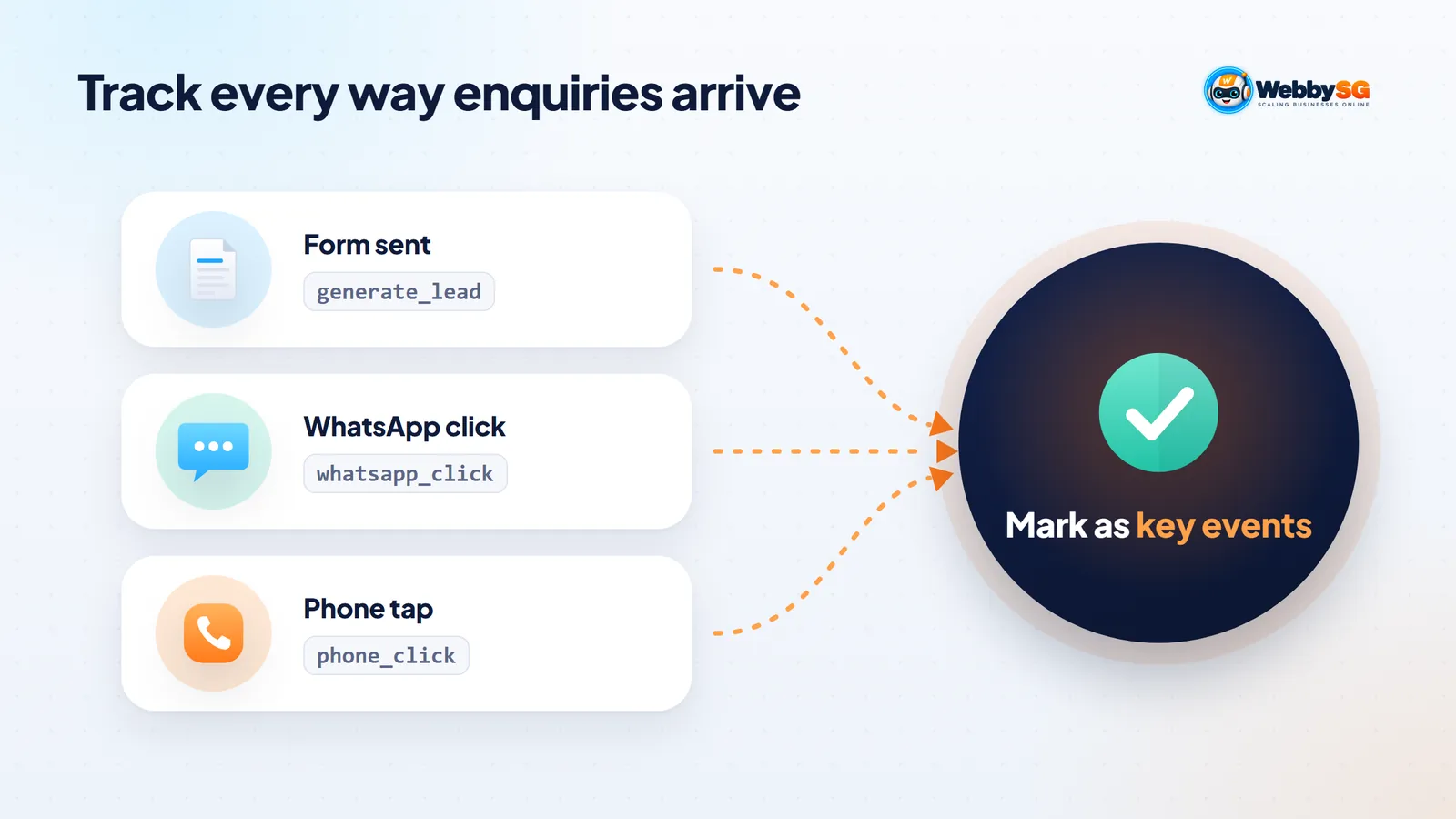
- Contact forms. Track successful submissions, not clicks on the submit button. The most reliable method is to send visitors to a thank-you page after submission and create an event when that page loads, or fire an event from your form plugin's success message. Google's recommended event name for this is generate_lead. Enhanced measurement's form tracking is a useful start but can record attempts that failed validation.
- WhatsApp clicks. Most WhatsApp buttons link to wa.me or api.whatsapp.com. Create an event (for example, whatsapp_click) when someone clicks one of those links. You will not see whether they actually sent a message, so treat it as strong intent rather than a confirmed lead.
- Phone clicks. On mobile, a tap on a tel: link opens the dialler. Track these as a phone_click event. Calls made by typing the number manually will not be recorded.
Once each event appears in Realtime, mark all three as key events. Name them consistently, because these names will appear in every report and in Google Ads.
The five reports a small business should check weekly
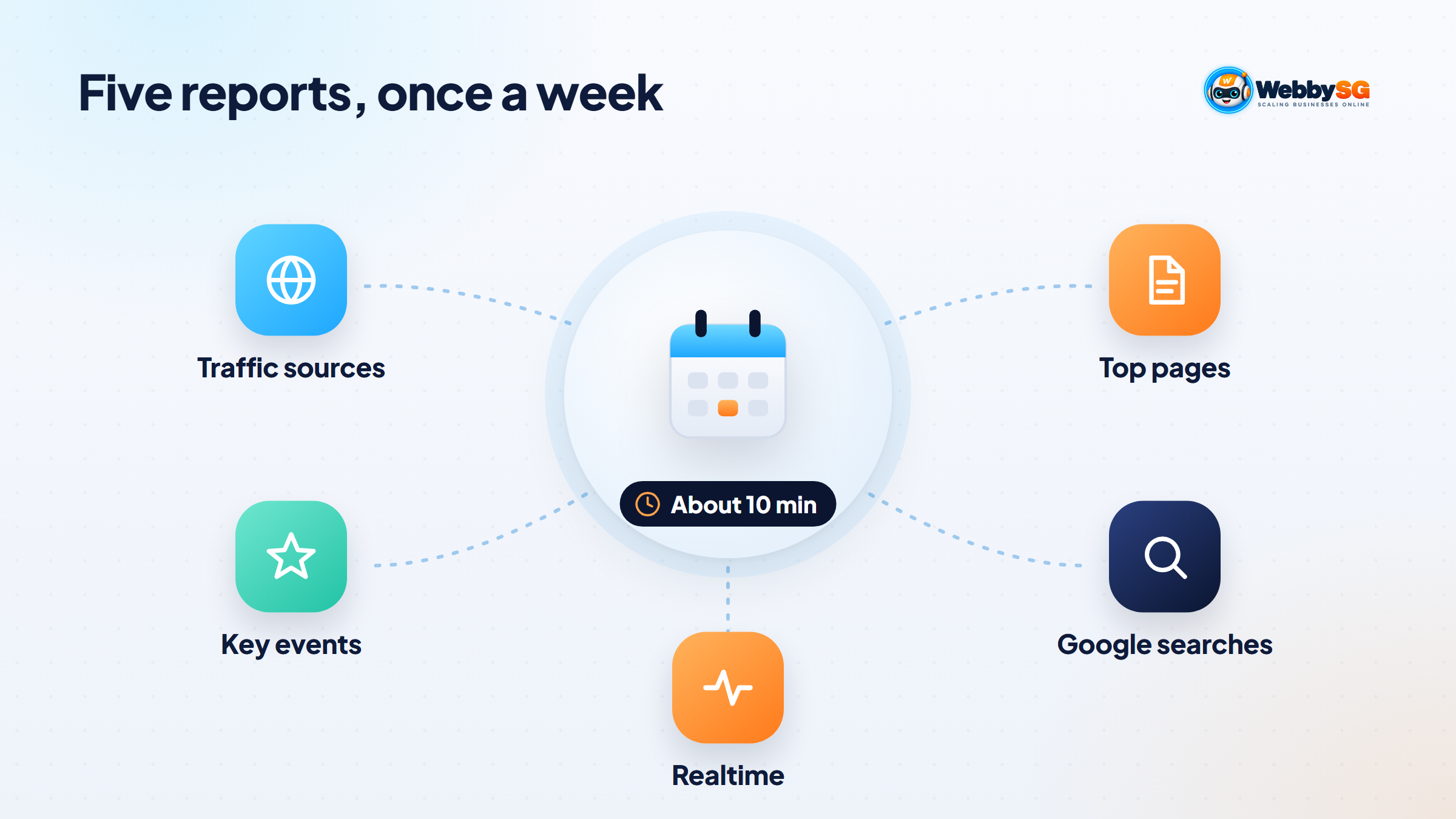
GA4 has dozens of reports. These five answer the questions most owners actually have, in about ten minutes a week:
- Traffic acquisition (Reports, Acquisition). Which channels bring visitors: organic search, paid search, social, direct, referral. Add the key events column to see which channels bring enquiries, not just visits.
- Pages and screens (Reports, Engagement). Which pages people view most, and whether your service pages get the attention you expect.
- Key events (Reports, Engagement). How many form, WhatsApp and phone enquiries you had, compared with the previous period.
- Landing pages from Google search (Reports, Search Console, once linked and the collection is published). Which pages people enter from Google and which search queries bring them.
- Realtime. Not for trends, but to check tracking still works after a website change or campaign launch.
Compare each week with the previous four weeks rather than with the day before. Small sites have small numbers, and day-to-day swings are mostly noise.
Engagement rate, sessions and users in plain English
| Metric | What it means |
|---|---|
| Users | The number of people (strictly, browsers or devices) that visited. One person on a phone and a laptop may count as two. |
| Sessions | Visits. One user can have several sessions in a week. |
| Engaged session | A session that lasts longer than 10 seconds, includes a key event, or has two or more page views. |
| Engagement rate | The percentage of sessions that were engaged. |
| Bounce rate | The percentage of sessions that were not engaged. It is the opposite of engagement rate. |
| Key events | How many times your important actions happened. |
These definitions come from Google's engagement rate and bounce rate help page. The 10-second threshold is a default; the data stream's tag settings let you adjust the timer for engaged sessions. A low engagement rate on a landing page usually points to a mismatch between what the ad or search result promised and what the page shows.
Linking Search Console and Google Ads
Search Console. In GA4, go to Admin, Product links, Search Console links. You need to be a verified owner of the Search Console property and have the Editor role in GA4. One step trips up a lot of people: Google leaves the Search Console report collection unpublished by default, so go to Library in the left-hand menu and publish it, or the reports will not appear. After that you can see which Google search queries lead to which landing pages, alongside engagement and key events. If you have not set up Search Console yet, our local SEO guide for Singapore covers why it matters.
Google Ads. Link under Admin, Product links, Google Ads links. Linking lets you import GA4 key events into Google Ads as conversions and see ad traffic in GA4 reports. Import only the key events you want Google Ads to bid towards, such as completed forms, not every click. Our guide on how to read a Google Ads report explains what to look at once the data flows in.
Privacy, consent and data settings to review
Singapore does not have a separate cookie law, but the PDPA applies when cookies collect personal data. The PDPC's Advisory Guidelines on the PDPA for Selected Topics say consent is not needed for cookies that do not collect personal data, and that a user's failure to change browser settings does not by itself mean consent. Where cookies are used for targeting ads with personal data, consent is required, and the PDPC suggests letting visitors set cookie preferences on the site as good practice.
In practice, for a typical SME website:
- Explain in your privacy policy that you use analytics and advertising cookies, and why.
- Use a cookie banner that lets visitors accept or reject non-essential cookies, especially if you run remarketing ads.
- Connect the banner to Google's consent mode, which adjusts how Google tags behave based on each visitor's choices.
- Never send names, emails or phone numbers to GA4, for example in page URLs after a form submission.
This is general information, not legal advice.
Common beginner mistakes
- Tracking button clicks instead of successful submissions, which counts failed and duplicate attempts as leads.
- Too many key events. If scrolls and page views are key events, the numbers stop meaning anything.
- Leaving data retention at 2 months, then finding next year that explorations cannot go back far enough.
- Not filtering your own visits, which can be a large share of traffic on a small site.
- The tag installed twice, which shows up as unusually low engagement and duplicated page views.
- Judging changes too quickly. A week of data on a small site is rarely enough to decide anything.
- Treating GA4 and Google Ads numbers as identical. They count differently, so small differences are normal.
Getting help with tracking and reporting
GA4 is free, and once it is set up properly most small businesses can run it themselves. Where owners usually get stuck is the set-up: picking and testing key events, wiring the cookie banner to consent mode, and linking Google Ads so it bids on real enquiries. If your website gets traffic but few enquiries, our guide on why a website is not generating leads is a good next read.
Webby SG sets up analytics and reporting as part of our digital marketing services for Singapore businesses. If you want your GA4 set-up checked, contact us.
Frequently asked questions
Is Google Analytics 4 free?
Yes. The standard version of GA4 is free and is enough for almost every small business. Google also sells Google Analytics 360, a paid version for large organisations that need higher limits, longer data retention options and service agreements.
What happened to bounce rate in GA4?
Bounce rate still exists but means something different. In GA4 it is the percentage of sessions that were not engaged, so it is the opposite of engagement rate. An engaged session is one that lasts longer than 10 seconds, includes a key event or has at least two page views.
How long does GA4 take to show data?
Google says data collection can take up to 30 minutes to begin after you add the tag, and you can confirm it is working in the Realtime report. Standard reports take longer to fill in, so check them from the following day. Allow a few weeks of data before drawing conclusions.
Do I need Google Tag Manager to use GA4?
No. You can add GA4 through your platform's built-in setting or by pasting the Google tag on every page. Google Tag Manager becomes useful when you need several custom events, such as WhatsApp and phone clicks, or other marketing tags like the Meta Pixel.
What is a key event in GA4?
A key event is an event you mark as important to your business, such as a form submission, a WhatsApp click or a purchase. Google renamed GA4 "conversions" to key events, and now uses "conversions" for the actions measured and bid on in Google Ads. You mark key events in Admin, under Key events.