WhatsApp Business Marketing for Singapore SMEs
How Singapore businesses can use WhatsApp Business for marketing: app vs API, costs, opt-in and DNC rules, broadcasts, click-to-WhatsApp ads and tracking.
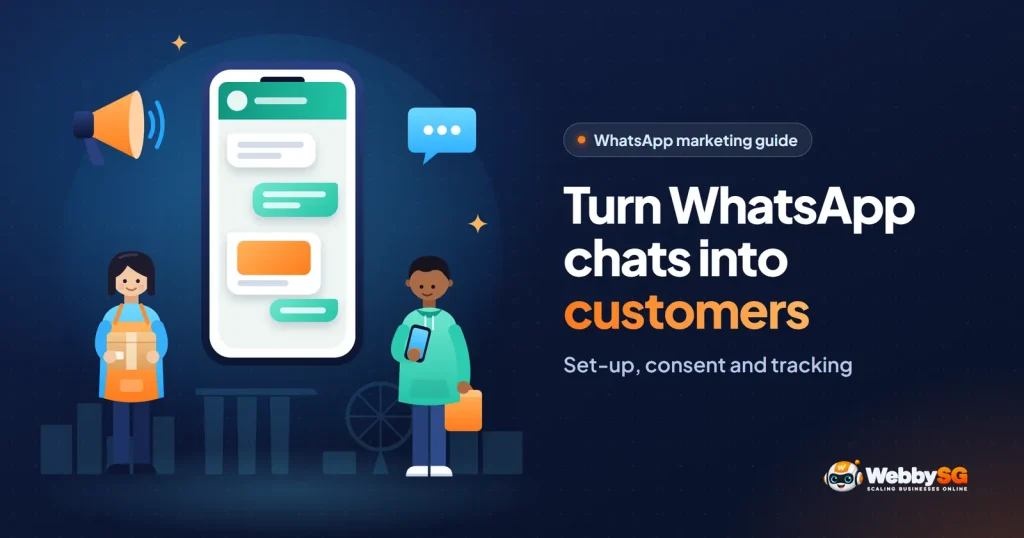
WhatsApp Business marketing means using WhatsApp to attract enquiries, answer questions, follow up with customers and send promotions, from a business account rather than a personal number. For most Singapore SMEs it starts with the free WhatsApp Business app, a clear opt-in process and a "Chat on WhatsApp" button on the website. Larger teams, or businesses sending messages at scale, move to the WhatsApp Business Platform, where Meta charges per delivered message. Whichever you use, marketing messages to Singapore numbers fall under the PDPA's Do Not Call rules, so consent comes first.
Below: which version to use, how to set it up, how to collect consent properly, and what broadcasts, click-to-WhatsApp ads and tracking involve, with costs as of November 2026.
In short
- The WhatsApp Business app is free to download and suits owners and small teams. The WhatsApp Business Platform suits higher volumes, multiple agents and integrations.
- The PDPC's Do Not Call guidelines state that the rules apply to marketing messages sent through apps such as WhatsApp that use a Singapore telephone number.
- On the Business Platform, marketing messages must use approved templates, and Meta charges per delivered message. Free-form replies are only allowed within 24 hours of the customer's last message.
- Click-to-WhatsApp ads on Facebook and Instagram open a chat directly and, on the Platform, open a free 7-day messaging window.
- Track WhatsApp clicks on your website as conversions, or you will undercount enquiries.
Why WhatsApp matters for Singapore businesses
Many Singapore customers would rather send a quick WhatsApp message than fill in a form or make a call, especially on a phone. For service businesses, clinics, renovation firms, tuition centres and online shops, WhatsApp often becomes the main enquiry channel whether it was planned or not.
That brings two practical problems. Enquiries arrive on one person's phone, so nobody else can see or follow them up. And because WhatsApp clicks are not tracked by default, the website and ads that produced those enquiries look less effective than they are. A planned WhatsApp Business marketing set-up fixes both.
WhatsApp Business app vs WhatsApp Business Platform
| Feature | WhatsApp Business app | WhatsApp Business Platform (API) |
|---|---|---|
| Cost | Free to download; some optional paid features, such as business broadcasts in some countries | Charged per delivered template message; some service messages free (see costs below) |
| Who uses it | Owner or a small team on one phone plus linked devices | Teams using a shared inbox, CRM or chatbot through a provider |
| Set-up | Download the app and verify your number | Through Meta directly or a business solution provider; needs a Meta business account |
| Bulk messages | Broadcast lists reach only people who have saved your number | Approved template messages to opted-in contacts, no saved-number requirement |
| Automation | Greeting and away messages, quick replies | Full automation, chatbots and integrations |
| Best for | Most small businesses starting out | High enquiry volume, e-commerce notifications, multiple staff |
A sensible rule: start with the app. Move to the Platform when one phone can no longer handle the volume, when several staff need to reply from the same number, or when you want order updates and reminders sent automatically from your systems.
Setting up a business profile, catalog and quick replies
If you are moving an existing number from personal WhatsApp to the Business app, back up your chats first. WhatsApp's guide to moving a WhatsApp Messenger account to WhatsApp Business explains that chat history can be carried across on the same phone, but cannot be moved back afterwards. Then complete these steps:
- Business profile. Add your business name, category, description, address, opening hours, email and website. Use the same name and address as your Google Business Profile.
- Catalog. Add your main products or services with photos, prices and short descriptions, so customers can browse without asking for a price list.
- Greeting message. A short automatic reply to first-time messages: thank them, say when you reply, and ask the one question you always need answered.
- Away message. Set it for outside your opening hours, with when you will reply.
- Quick replies. Save answers to the five or six questions you get most, such as prices, location, parking and booking steps.
- Lists or labels. Sort chats into groups such as New enquiry, Quoted, Paid and Follow up, so nothing is missed.
Getting opt-in: PDPA and Do Not Call rules
This is general information, not legal advice. Two parts of the PDPA matter for WhatsApp marketing.
Do Not Call provisions
The PDPC's advisory guidelines on the Do Not Call provisions state that the rules apply to all means of sending a marketing message to a Singapore telephone number, naming WhatsApp, iMessage and Viber as examples. Before sending a marketing message (a "specified message") to a Singapore number, you must check the DNC Registry, unless the person has given clear and unambiguous consent in evidential form.
Some messages are outside these rules. They include messages whose sole purpose is to complete or confirm a transaction the customer has already agreed to, and messages related to an ongoing relationship, such as a membership or subscription. The PDPC notes that one-off transactions are not enough to create an ongoing relationship.
Consent and purpose
The PDPA's data protection rules also require you to tell people why you are collecting their number and to use it only for those purposes. Someone who messages you about a quotation has not automatically agreed to receive promotions.
A simple opt-in process
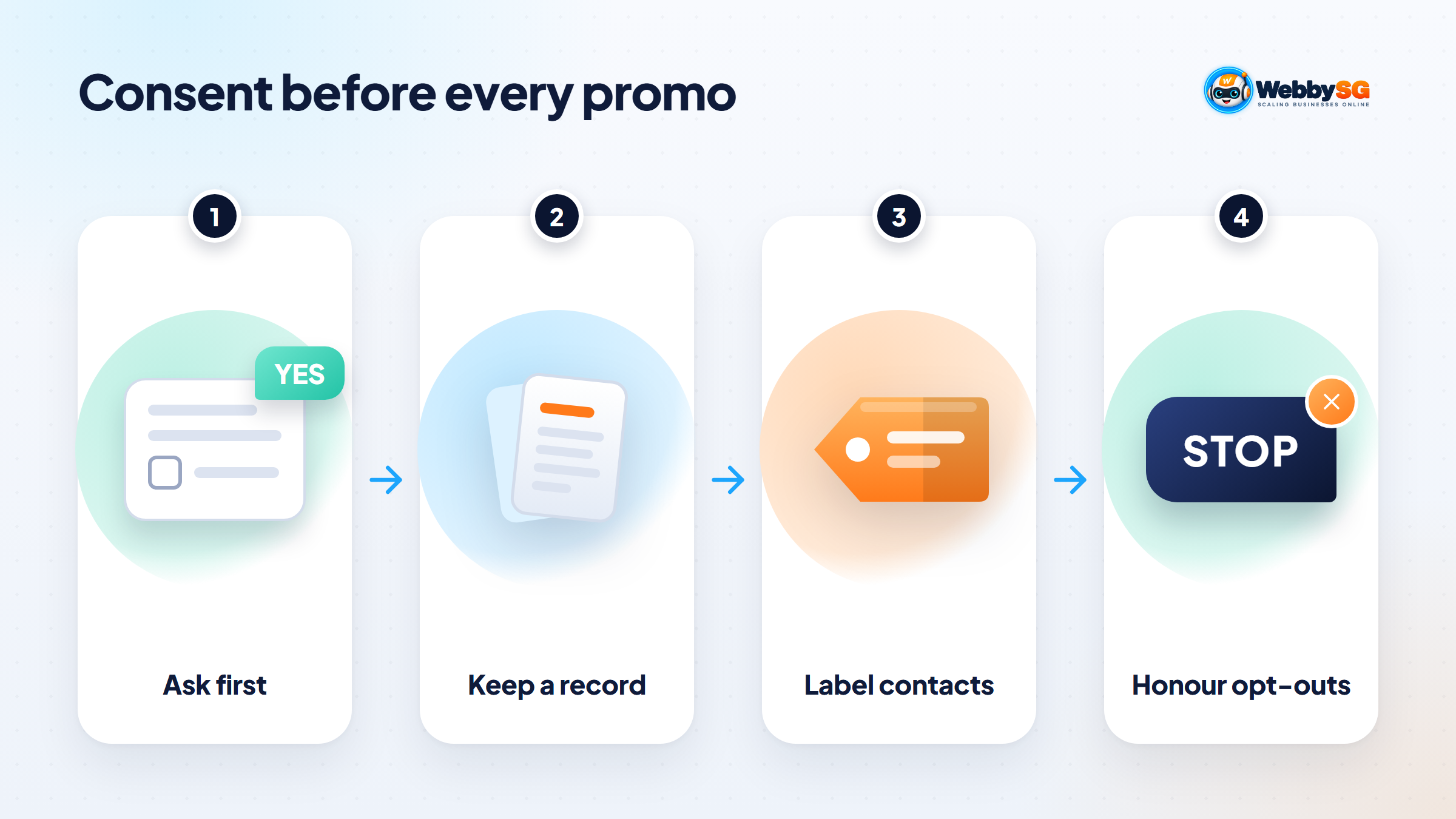
- Add an unticked checkbox to website forms and checkout: "Send me offers and updates on WhatsApp."
- In chat, ask before adding someone to promotions: "Would you like to receive our monthly offers here on WhatsApp? Reply YES to join." Keep the reply as your record.
- Label opted-in contacts so only they receive promotions.
- Tell people how to stop, for example by replying STOP, and remove them promptly.
Broadcasts, templates and the 24-hour window
On the Business app
Broadcast lists send one message to many contacts individually. WhatsApp's help centre explains that broadcast messages on the Business app reach only people who have saved your number in their phone's address book; WhatsApp's general broadcast help sets a limit of 256 contacts per list. In some countries WhatsApp has added paid "business broadcasts" (previously called marketing messages) that can reach customers who have not saved your number, charged per delivered message. Availability varies by country and account.
On the Business Platform
Meta's WhatsApp Business Platform pricing documentation explains the rules:
- Templates. Messages you start, such as promotions, order updates or one-time passwords, must use a pre-approved template in one of three categories: marketing, utility or authentication.
- The 24-hour window. When a customer messages you, a 24-hour customer service window opens. Within it you can reply with free-form messages. After it closes, you can only send templates. The window resets each time the customer messages again.
For either method, send less than you think you should. WhatsApp itself warns that frequent broadcasts lead people to report you. In our experience, one useful message a month (a genuine offer, a seasonal reminder, new stock) keeps a list responsive far longer than weekly blasts do. A renovation firm, for example, might message past clients once before Chinese New Year about booking slots, and leave it at that.
Click-to-WhatsApp ads on Facebook and Instagram
Click-to-WhatsApp ads are Facebook or Instagram ads whose button opens a WhatsApp chat with your business instead of a website. They suit businesses where a conversation closes the sale, such as services, high-value products and bookings. You can create them in Meta Ads Manager or, for simple campaigns, from inside the WhatsApp Business app. All ads are reviewed before going live.
Two points make them worth considering. They remove the landing-page step, which helps on mobile. And on the Business Platform, a customer who messages you from one of these ads opens a free entry point window of up to 7 days, during which Meta does not charge for most messages you send them. Two catches: the customer has to message from the WhatsApp app on Android or iOS (chats started on desktop or web do not qualify), and messages from Meta's Business Agent are still charged.
To make them work, prepare a pre-filled first message so you know which ad the chat came from, have someone ready to reply quickly during ad hours, and set up a greeting message that asks the key qualifying question. Our social media advertising service sets up and manages these campaigns.
Tracking WhatsApp enquiries from your website
If your website has a WhatsApp button, many enquiries never show up as form submissions, so your analytics undercount leads. To fix that:
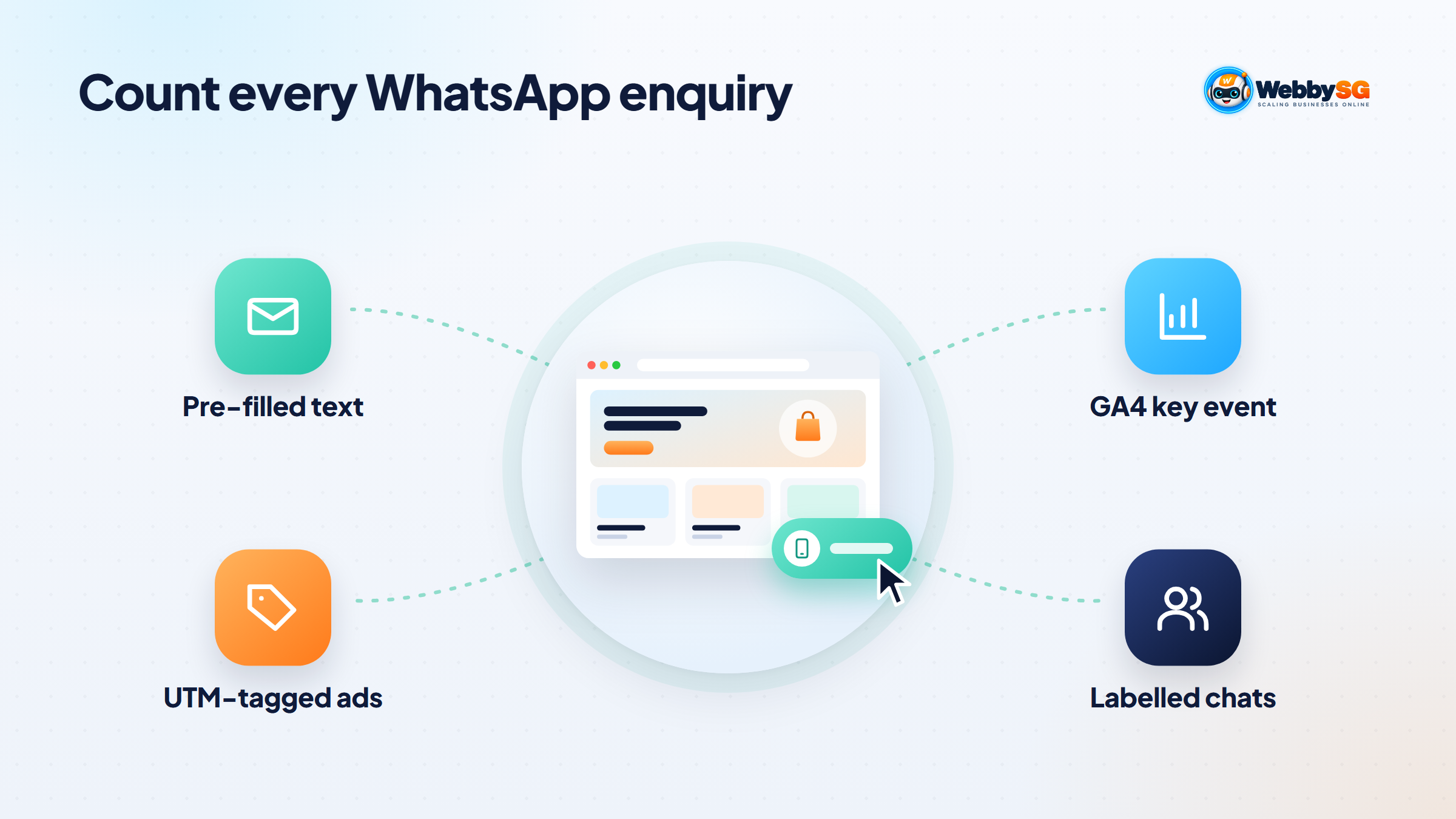
- Use a wa.me link with pre-filled text on each button, for example "Hi, I'd like a quote for…". Vary the text by page if you want to see which pages produce chats.
- Track clicks in GA4. Set up an event for clicks on wa.me or api.whatsapp.com links, usually through Google Tag Manager, and mark it as a key event.
- Tag ad traffic with UTM parameters so GA4 shows which campaigns sent the visitors who clicked.
- Count real enquiries. A click is not a lead. Label new chats in WhatsApp by source and compare with the click numbers each month.
If your site gets visits but few enquiries of any kind, our article on why a website is not generating leads covers the wider checks.
What WhatsApp marketing costs
| Item | Cost (as of November 2026) |
|---|---|
| WhatsApp Business app | Free to download |
| Business broadcasts in the app | Paid per delivered message where available; price shown in the app |
| Business Platform marketing, utility and authentication templates | Charged per delivered message at Meta's published rate for the recipient's country; Singapore is listed as its own market |
| Business Platform service replies | 1,000 delivered service messages free per number each month, then charged |
| Messages within a click-to-WhatsApp free entry window | Free for up to 7 days after the customer messages from the ad |
| Business solution provider | Many Platform users pay a provider for the inbox, chatbot or CRM; pricing varies by provider |
Meta moved the Platform from conversation-based to per-message pricing on 1 July 2025. Service replies, free since November 2024, became chargeable again on 1 October 2026 (after the 1,000 free messages each month), and utility messages sent within the 24-hour window are now charged too. Meta publishes its rate cards as downloadable files, and businesses can choose SGD as their billing currency. Check the current rate card before budgeting, as rates change.
Mistakes that get numbers blocked or reported
- Messaging people who never opted in, such as numbers from a purchased list or a business-card pile. This also risks breaching the DNC rules.
- Sending too often. WhatsApp says frequent broadcasts lead to reports, and accounts reported many times can be banned.
- Using a personal number for business, so the customer history leaves when the staff member does.
- No way to stop. Always tell people how to opt out, and act on it.
- Slow replies to ad-driven chats. People who click an ad expect an answer within minutes, not the next day.
- Using unofficial bulk-sending tools instead of the official app or Platform. WhatsApp asks users not to bulk message or auto-message, and says it bans accounts that send unwanted automated messages.
Getting help with WhatsApp Business marketing
WhatsApp works best as part of a wider plan that links your website, ads and social channels. Our social media marketing service can set up your WhatsApp Business profile, opt-in process and content, and our guide to digital marketing for small businesses shows where it fits. If you would like a review of how enquiries reach you today, contact us.
Frequently asked questions
Is WhatsApp Business free?
The WhatsApp Business app is free to download and use for one-to-one chats. Some features, such as business broadcasts in countries where they are available, are paid per message. The WhatsApp Business Platform charges per delivered template message, with some service messages free.
Do Singapore DNC rules apply to WhatsApp marketing messages?
Yes. The PDPC's Do Not Call guidelines state the rules apply to marketing messages sent through apps such as WhatsApp that use a Singapore telephone number. You need clear and unambiguous consent, or you must check the DNC Registry before sending. Messages that only complete an agreed transaction are excluded.
Will I lose my chats if I switch to WhatsApp Business?
Not if you move on the same phone and follow WhatsApp's steps; your chat history can be carried over. Back up first, and note that you cannot move the history back to personal WhatsApp later. WhatsApp also warns that contacts saved only inside WhatsApp may not carry over, so save them to your phone's address book.
What is the 24-hour rule for WhatsApp Business?
On the WhatsApp Business Platform, when a customer messages you, a 24-hour customer service window opens in which you can reply freely. After it closes, you can only send pre-approved template messages. The window resets each time the customer writes again.
How many people can I send a broadcast to?
WhatsApp's help centre sets a limit of 256 contacts per broadcast list, and only people who have saved your number will receive the message. To reach more people, use paid business broadcasts where available or the WhatsApp Business Platform, always to opted-in contacts.