Email Marketing Singapore: A PDPA-Safe SME Guide
How Singapore SMEs can start email marketing the right way: PDPA consent, Spam Control Act rules, choosing a tool, SPF, DKIM, DMARC and first automations.
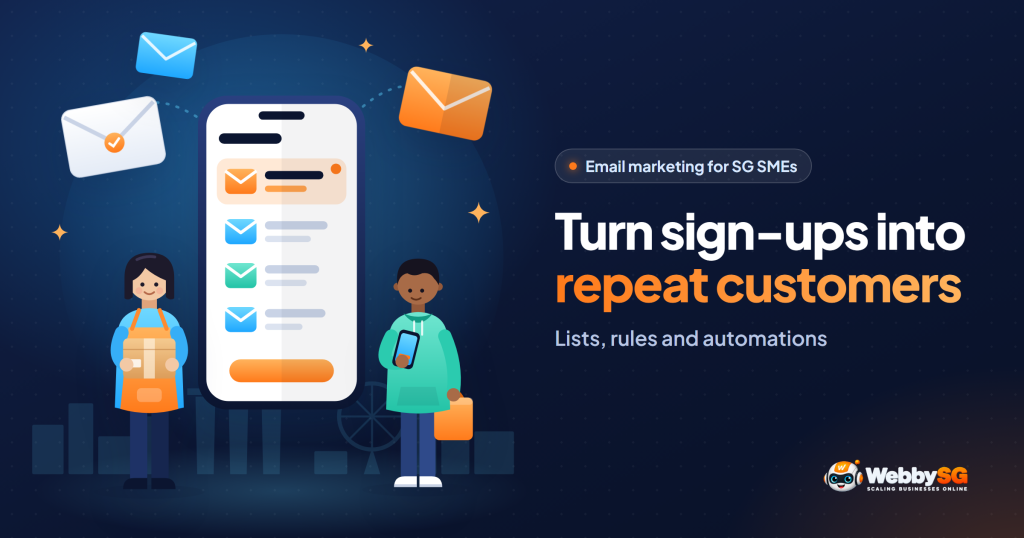
Email marketing in Singapore works best for SMEs that already have customers or enquiries to follow up: you collect email addresses with clear consent, send useful messages from a properly authenticated domain, and automate the emails that should go out every time, such as a welcome or an abandoned-cart reminder. Three sets of rules shape how you do it. The PDPA governs how you collect and use personal email addresses, the Spam Control Act sets requirements for unsolicited commercial email sent in bulk, and Google's sender rules decide whether your emails reach Gmail inboxes at all. The Do Not Call Registry covers Singapore phone numbers, not email addresses.
Below: how to get from an empty list to a few emails that run on their own, what each rule actually asks of you, and what the tools cost.
In short
- Build your own list from customers and website sign-ups with a clear, unticked opt-in. Do not buy lists.
- The DNC Registry applies to calls, SMS and fax to Singapore numbers. For email, the PDPA and the Spam Control Act are the rules to follow.
- Every marketing email needs a working unsubscribe link, and unsubscribes should be processed promptly; the Spam Control Act sets 10 business days for bulk unsolicited email.
- Set up SPF, DKIM and DMARC on your domain. Google requires all three for senders of 5,000 or more messages a day to Gmail.
- Start with three automations: welcome, abandoned cart or enquiry follow-up, and win-back.
- Small lists can start free; paid plans from Mailchimp, MailerLite and Klaviyo begin at roughly US$12 to US$20 a month (as of November 2026).
Why email still works for Singapore SMEs
Social media reach depends on each platform's algorithm, and paid ads stop the moment the budget does. An email list is an audience you own. People on it have already bought from you or asked to hear from you, so a single well-timed email can bring back repeat customers at very little cost per send.
Email suits Singapore businesses that sell to the same customers more than once or have a longer decision cycle:
- Online shops: new arrivals, restocks, abandoned-cart reminders and festive promotions.
- Clinics, salons and studios: appointment reminders, follow-ups and package renewals.
- B2B firms: case insights, event invitations and nurturing leads who are not ready to buy yet.
- Education and enrichment centres: term intakes, holiday programmes and parent updates.
Email works best as part of a wider plan. If your site is not producing enquiries in the first place, fix that first; our guide on why a website is not generating leads covers the usual causes.
PDPA and the Do Not Call rules for marketing emails
This section is general information, not legal advice.
The PDPA: consent and notification
A personal email address is personal data. Under the PDPC's data protection obligations, you must tell people what you are collecting their data for, get their consent for that purpose, and let them withdraw consent. For email marketing, that means:
- A sign-up form that says what people will receive (for example, "monthly offers and new products").
- A marketing checkbox that customers tick themselves, kept separate from the order or enquiry.
- A privacy policy that names your email tool and a contact for data protection questions.
- An unsubscribe link in every marketing email, and a process to honour it.
The PDPC's guidance for individuals notes that contact information someone provides for business purposes, such as a work email given in a business context, is generally not covered by the PDPA's data protection provisions. Even so, sending only to people who agreed to hear from you is the safer practice, and it gives better results.
The Do Not Call Registry
The DNC Registry lets people register Singapore telephone numbers to opt out of marketing calls, SMS and fax. It does not cover email addresses. You need to check the registry before marketing by SMS or WhatsApp to Singapore numbers unless you have clear consent, but not before sending an email.
The Spam Control Act
The Spam Control Act 2007 applies to unsolicited commercial electronic messages sent in bulk. The Act defines bulk as more than 100 messages with similar content in 24 hours, more than 1,000 in 30 days, or more than 10,000 in a year. An email compliance checklist hosted by IMDA summarises what the Act expects for unsolicited bulk commercial email: an honest subject line, a working unsubscribe facility including an English version, unsubscribe requests honoured within 10 business days, and a subject line that begins with "<ADV>" followed by a space. If people have consented to receive your emails, the <ADV> label is not required, which is another reason to build a consent-based list.
Building a list without buying one
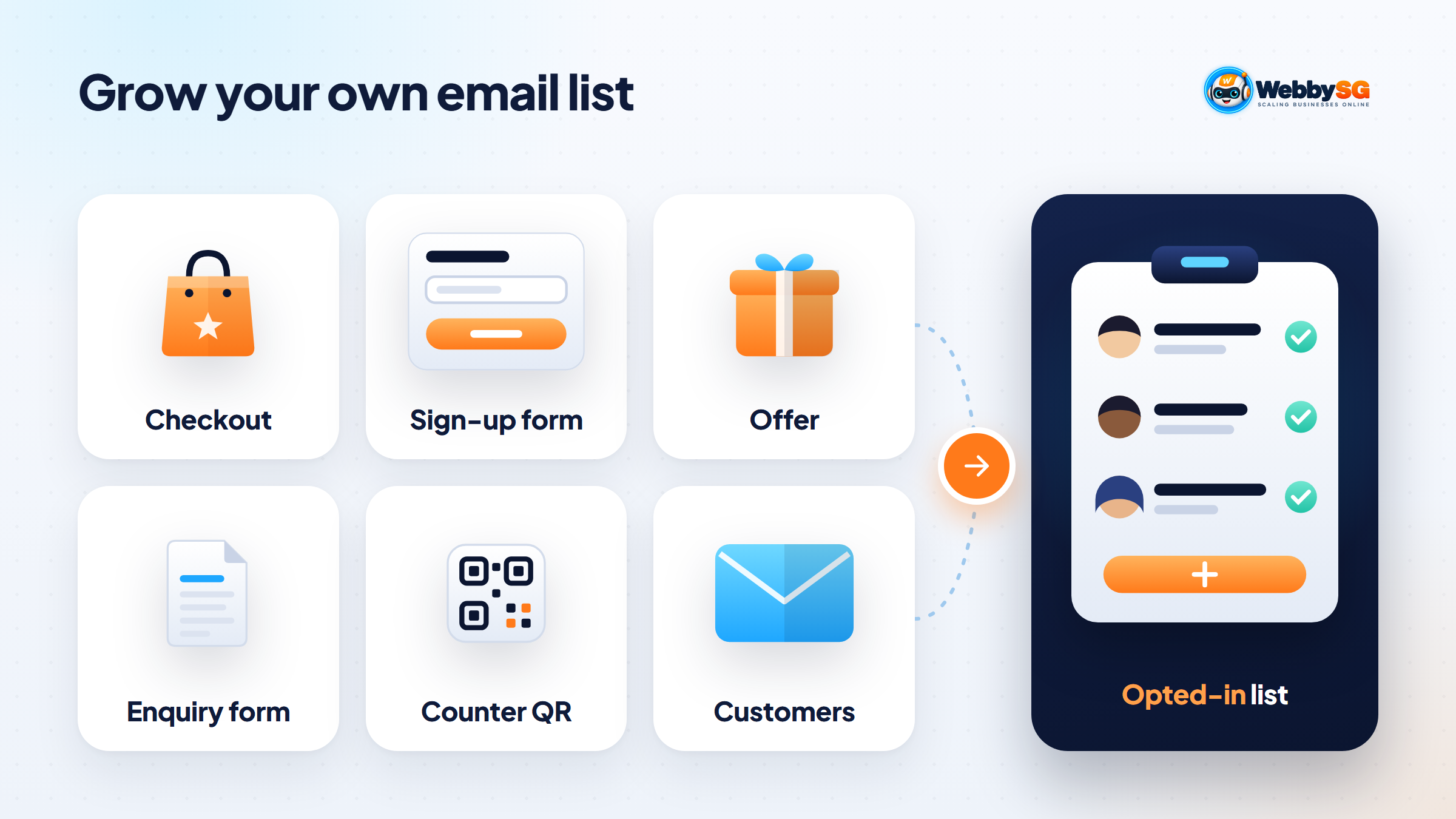
Bought lists are a poor investment. You cannot show those people consented to hear from you, the addresses are often outdated, and sending to them raises spam complaints that damage your sender reputation with Gmail and other providers. Build your own list instead:
- Checkout opt-in. Add an unticked "Email me offers and news" box to your online checkout.
- Website sign-up. A short form in the footer and on key pages, with one sentence on what subscribers get and how often.
- A useful offer. A first-order discount, a price guide, a checklist or early access to sales.
- Enquiry forms. A separate, optional checkbox for marketing emails; an enquiry alone is not consent to a newsletter.
- In person. A QR code at the counter, event or clinic reception that links to your sign-up form.
- Existing customers. Send customers who have not opted in one invitation to join, and stop there if they do not.
Choosing an email tool for your business type
Most tools can send a newsletter. The differences that matter are e-commerce integration, automation depth and how the price grows with your list. Prices below were taken from each provider's pricing page in November 2026 and change often.
| Tool | Free plan | Paid plans start at | Good fit for |
|---|---|---|---|
| MailerLite | Up to 250 subscribers and 2,500 emails a month | US$12/month (Comfort plan) | Service businesses, newsletters, simple automations on a small budget |
| Mailchimp | 250 contacts; 500 sends a month (250 a day) | $16/month (Essentials), $28/month (Standard), shown in dollars without a currency label | General SMEs that want a familiar tool with many integrations |
| Klaviyo | 250 active profiles and 500 emails a month | US$20/month for 500 profiles and 5,000 emails | Online shops on Shopify or WooCommerce that need product-based automations |
A simple way to choose:
- Online shop: pick a tool with a native integration for your platform, so it can trigger abandoned-cart and post-purchase emails from real order data.
- Service or B2B business: pick a tool that connects to your website forms or CRM, so enquiries flow into the right list automatically.
- Very small list: start on a free plan, but check whether it removes the provider's branding and includes the automations you need.
Inbox setup: SPF, DKIM, DMARC and sender rules
Send from your own domain, for example hello@yourbusiness.sg, not a free Gmail or Hotmail address. If you have not set up a business domain yet, start with our guide to choosing and registering a domain. Then add three DNS records, which your email tool will give you during set-up:
| Record | What it does | Google requirement (as of November 2026) |
|---|---|---|
| SPF | Lists the servers allowed to send email for your domain | All senders need SPF or DKIM; bulk senders need both |
| DKIM | Adds a digital signature that proves the email was not altered | As above |
| DMARC | Tells inboxes what to do with mail that fails SPF or DKIM, and sends you reports | Required for bulk senders; a policy of "none" is accepted |
Google's email sender guidelines define bulk senders as those sending 5,000 or more messages a day to Gmail accounts. On top of authentication, bulk senders must align the From: domain with SPF or DKIM, support one-click unsubscribe in marketing messages, and keep the spam rate in Google Postmaster Tools below 0.3%. Most SMEs are well below 5,000 a day, but meeting these rules anyway improves inbox placement.
Three automations to set up first
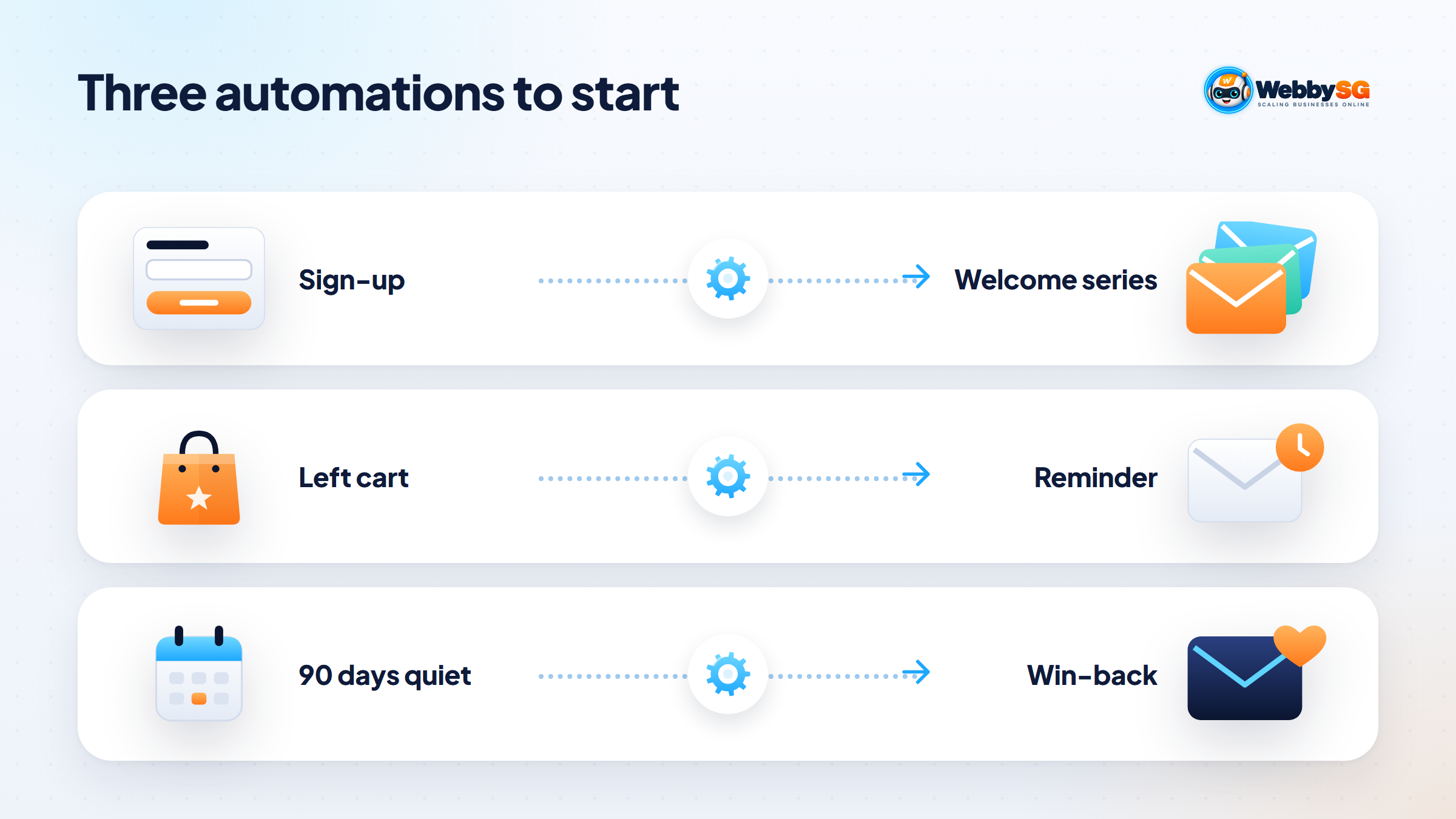
Automations send the right email at the right moment without anyone pressing send. Start with these three:
- Welcome series (2 to 3 emails). Sent when someone subscribes. Thank them, deliver what you promised, introduce your best products or services and tell them what to expect.
- Abandoned cart or enquiry follow-up. For shops, a reminder a few hours after a cart is left, with a second reminder later if needed. For service businesses, a follow-up when an enquiry has not turned into a booking, answering common questions.
- Win-back. Sent to customers who have not bought or booked for a set period, such as 90 days. Remind them what is new, and remove people who stay inactive so your list stays healthy.
After these, add a post-purchase email (care tips, a review request or a related product) and a regular newsletter. Monthly is a sensible starting rhythm for most SMEs; send more often only if you have something useful to say.
Metrics that matter and tracking sales from email
Open rates are less reliable than they used to be, because some email apps load images automatically for privacy reasons and register opens that never happened. Treat opens as a rough signal and focus on these instead:
- Click rate: the share of recipients who clicked a link.
- Conversions and revenue: sales, bookings or enquiries that came from email.
- Unsubscribe and spam complaint rates: rising numbers mean the content or frequency is off.
- List growth: new subscribers minus unsubscribes each month.
To track sales, add UTM parameters to every link (most email tools do this automatically) so Google Analytics attributes visits and conversions to email. E-commerce integrations also report revenue per campaign and per automation. Compare your results with your own past campaigns rather than published industry averages, which mix very different businesses.
Email marketing Singapore costs: what to budget each month
For a typical Singapore SME, the monthly cost has three parts:
- The tool: free for very small lists, then roughly US$12 to US$20 a month at the entry level of the plans above, rising with list size and features.
- Content: your time, or a writer or designer, for each campaign.
- Set-up: a one-off effort to connect the tool, authenticate the domain, design a template and build the first automations.
A worked example, with made-up numbers: a Shopify store has 400 customers who ticked the marketing box. That is already past the 250-contact limit on every free plan above. Klaviyo's entry Email plan covers up to 500 active profiles and 5,000 emails a month for US$20, which is enough for a weekly newsletter (about 1,600 sends a month) with room left for the welcome and abandoned-cart flows. For most shops that size, the bigger cost is the staff time spent writing, designing and checking each send.
Tool prices are usually billed in USD, so the SGD amount shifts with the exchange rate. If you buy set-up or management services from a GST-registered Singapore provider, 9% GST applies to their fees.
Getting help with email marketing
Email is easiest to run when it is connected to your website forms, online shop and other channels. Our digital marketing services cover email set-up and campaigns alongside SEO and ads, and our digital marketing guide for small businesses shows where email fits in a wider plan. If you run an online store, our e-commerce website service can connect your shop to your email tool. Questions about your own set-up? Contact us.
Frequently asked questions
Is it legal to buy an email list in Singapore?
Buying a list is risky. You cannot show that the people on it consented to receive your marketing, which the PDPA expects for personal email addresses, and unsolicited bulk email must then meet the Spam Control Act's labelling and unsubscribe requirements. Bought lists also tend to generate spam complaints that hurt your deliverability, so they rarely pay off.
Do I need consent to email existing customers?
For marketing emails to personal addresses, yes, you should have consent for that purpose; buying something is not automatically consent to a newsletter. Order confirmations and service messages are different and can be sent. The simplest approach is an unticked opt-in at checkout and a one-time invitation to past customers.
Which free email marketing tools work in Singapore?
MailerLite, Mailchimp and Klaviyo all offer free plans that can be used from Singapore. As of November 2026, MailerLite's free plan allows 250 subscribers and 2,500 emails a month, while Mailchimp's and Klaviyo's allow 250 contacts and 500 emails a month. Free plans suit testing, but most growing businesses move to a paid plan for automations and higher limits.
How often should a small business send emails?
Monthly is a good starting point for newsletters, with automations running in the background. Online shops with frequent new stock may send weekly. Watch unsubscribe and complaint rates: if they rise after you increase frequency, scale back.
What is a good open rate for email in Singapore?
There is no reliable Singapore-specific benchmark, and open rates are inflated by privacy features in some email apps. Compare each campaign with your own previous ones, and judge success by clicks, enquiries and sales instead. A steady or improving click rate on a clean, consent-based list is a better sign than any single open-rate figure.