Homepage Design: A Section-by-Section Guide for SMEs
How to design a homepage that explains what you do in seconds: the sections to include, headline and CTA examples, plus mobile and SEO checks for SMEs.
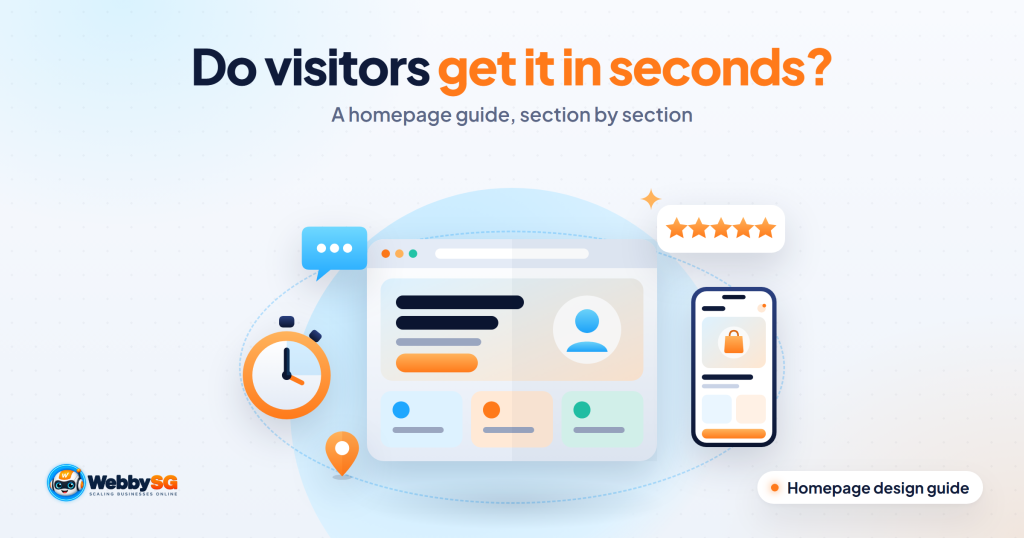
Good homepage design does one job before anything else: within a few seconds, it tells a visitor what you do, who it is for and what to do next. For a small or medium-sized business, that usually means a clear headline that names your service, a short line of proof, one main call to action such as "WhatsApp us for a quote", and a simple path to your service or product pages. Everything below the first screen supports that decision with evidence: services, reviews, how you work and a final prompt to get in touch. The visual style matters, but structure and wording do most of the work.
This guide sets out the homepage sections we recommend for Singapore SMEs, with copy examples, mobile and speed checks, the SEO basics and a checklist to run before launch.
In short
- The first screen must answer three questions: what do you offer, is it for me, and what should I do next?
- A homepage serves many visitors with different goals; a landing page serves one campaign with one goal. Design them differently.
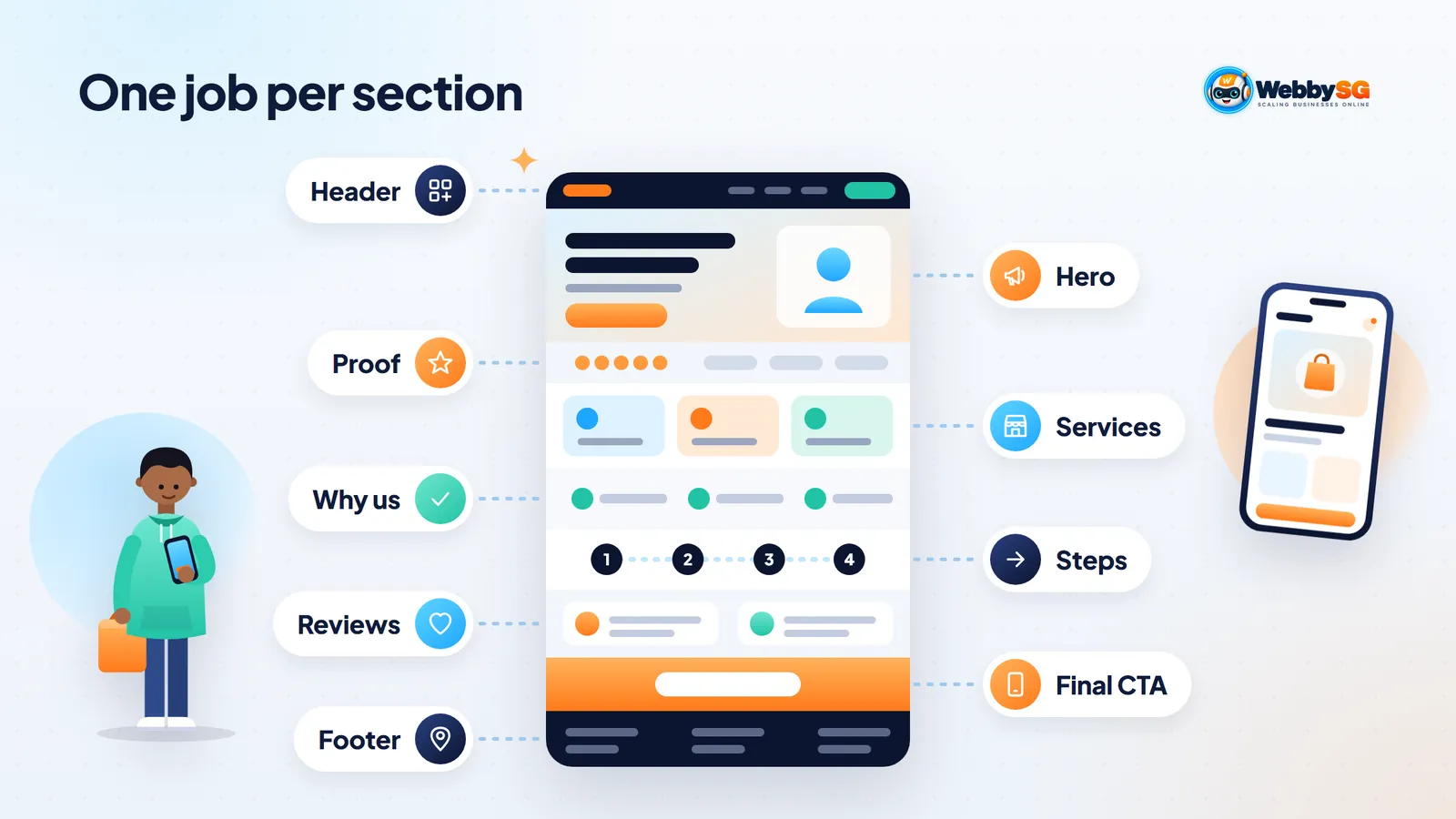
- A typical SME homepage runs: header, hero, proof strip, services, why choose you, how it works, reviews, final call to action and footer.
- Design for phones first, keep the hero light, and aim for Google's "good" Core Web Vitals: LCP within 2.5 seconds, INP of 200 milliseconds or less and CLS of 0.1 or less.
- Give the homepage a clear title and H1, and link it to each service page with descriptive link text.
What a homepage needs to do in the first few seconds
The Nielsen Norman Group's article on homepage design principles (March 2024) sets out five fundamentals: make the homepage easy to reach, communicate a clear identity, show examples of what you offer, prompt action, and keep the design simple. On identity, it advises including a tagline that explicitly says what your site or company does.
For a small business, that translates into three questions a first-time visitor should be able to answer from the first screen, without scrolling:
- What do you offer? Name the service or product in plain words.
- Is it for me? Say who it is for, or where you operate.
- What should I do next? Show one primary action, and perhaps one secondary one.
A quick test: show the homepage to someone outside your company for five seconds, then ask them those three questions. If they hesitate, the problem is usually the headline and layout, not the colours.
Homepage vs landing page: different jobs
| Homepage | Landing page | |
|---|---|---|
| Who arrives | Everyone: new visitors, returning customers, job seekers, suppliers | People from one ad, email or campaign |
| Goal | Orient visitors and route them to the right page | One conversion, such as an enquiry or sign-up |
| Navigation | Full main menu | Minimal or none |
| Content | Summary of all services, proof and company | One offer in depth |
| Search role | Usually ranks for your brand name and broad terms | Usually built for paid traffic or one specific search |
The common mistake is treating the homepage like a landing page for one service, which leaves visitors interested in your other services with nowhere obvious to go. The opposite mistake is sending Google Ads traffic to the homepage, where the ad's offer is buried among everything else.
The homepage sections, top to bottom
Not every homepage needs all nine, and a two-person consultancy can happily merge "why choose you" into the hero. For most SME service businesses, though, this order holds up well.
| Section | Its job | What to include |
|---|---|---|
| 1. Header | Navigate and contact | Logo, five to seven menu items, phone or WhatsApp button |
| 2. Hero | Explain the offer | Headline, subheading, primary CTA, one relevant photo |
| 3. Proof strip | Earn early trust | Google rating, years in business, client logos you have permission to use, certifications |
| 4. Services or products | Route visitors | Three to six cards, each linking to its own page |
| 5. Why choose you | Differentiate | Three specific reasons, such as response time or warranty |
| 6. How it works | Reduce uncertainty | Three or four steps from enquiry to completion |
| 7. Reviews or work examples | Show evidence | Named reviews, project photos, short case summaries |
| 8. Final CTA | Catch people who scrolled | Repeat the main action with a short reassurance |
| 9. Footer | Answer practical questions | Address, hours, UEN, contact details, privacy policy, key page links |
If you are still deciding which pages your site needs behind the homepage, our list of essential corporate website pages covers the sitemap.
Writing the hero headline, subheading and main CTA
The hero is where most homepages go wrong, usually with a slogan that could belong to any company. A reliable formula is:
- Headline: what you do + who it is for or where.
- Subheading: the main benefit, or what makes you different, in one sentence.
- Primary CTA: the action, phrased as what the visitor gets.
| Instead of | Try |
|---|---|
| "Excellence in every detail" | "Office cleaning for Singapore businesses, from one-off deep cleans to daily contracts" |
| "Your trusted partner" | "Corporate secretarial and accounting services for Singapore SMEs" |
| "Welcome to our website" | "HDB and condo renovation, designed and built by one team" |
| Button: "Submit" or "Learn more" | Button: "Get a free quote on WhatsApp" or "See our packages" |
Keep one primary button in a strong colour. A secondary link, such as "View our work", can sit beside it in a quieter style. Two equally loud buttons compete for attention. Use your brand guidelines to choose colours, typography and imagery that carry through from the homepage to the rest of the site.
Trust signals Singapore customers look for
People size you up before they read much. An example line such as "4.8 from 210 Google reviews" persuades; "trusted and reliable" does not, because anyone can type it. Useful trust signals for a Singapore business include:
- Your Google rating and number of reviews, linked to your Google Business Profile
- Your registered company name and UEN in the footer
- A physical address and working phone number, and a WhatsApp button
- Relevant licences or certifications for your trade, shown only if you hold them
- Photos of your actual team, premises or completed work instead of stock images
- Price cues, such as "packages from" figures, if you can publish them
- A privacy notice next to forms, because personal data collected online falls under the PDPA
Leave out unsupported claims such as "No. 1 in Singapore" or award badges without a source. If you serve customers in specific areas, keep your business name, address and phone number consistent between the website and Google; our local SEO guide for Singapore explains why.
Designing the homepage for mobile first
On a typical consumer-facing SME site, a large share of homepage visits come from phones, often from someone tapping through from Google Maps or a WhatsApp link. Open Google Analytics and check your own device split; unless you sell mainly to office-bound B2B buyers, design the mobile layout first and widen it for desktop.
- The first mobile screen should show the headline, a short subheading and the main button without scrolling.
- Tap targets: WCAG 2.2 Level AA sets a minimum target size of 24 by 24 CSS pixels, with some exceptions. Thumb-friendly buttons are usually larger than that.
- Readable text: WCAG's minimum contrast for normal text is 4.5:1, and 3:1 for large text. The WCAG 2.2 quick reference lists the full criteria.
- Click-to-call and WhatsApp links should work with one tap.
- Speed: Google's Core Web Vitals define "good" as Largest Contentful Paint within 2.5 seconds, Interaction to Next Paint of 200 milliseconds or less, and Cumulative Layout Shift of 0.1 or less, measured at the 75th percentile of page loads.
The hero image is often the largest element on the page, so it usually decides LCP. Compress it, size it correctly for mobile and avoid autoplay background video in the hero.
On sliders: NN/g's homepage principles warn that auto-forwarding carousels can disorient visitors, and its review notes that a full-screen carousel made it harder for new visitors to understand what an organisation offered. A single, clear hero almost always does the job better.
Homepage SEO: title, H1 and links to service pages
The homepage usually ranks for your brand name and sometimes for your broadest service term. Its bigger SEO role is passing visitors and search engines to your service pages. Google's SEO Starter Guide recommends titles that are unique, clear and concise and accurately describe the page, and link text that tells users and Google what the linked page is about.
- Title tag: service + location + brand, for example "Aircon Servicing in Singapore | Brand Name".
- One H1: usually the hero headline, naming the main service in plain words.
- Service links: each service card links to its own page with descriptive text, such as "Aircon chemical wash", not "Read more".
- Meta description: a short, unique summary of what you offer and where.
- Enough text: a few short paragraphs that explain your services, so search engines and AI tools can understand the page.
Google's guide also notes that the number and order of headings does not affect ranking, so use headings to organise the page for readers rather than chasing a formula.
Homepage design examples by business type
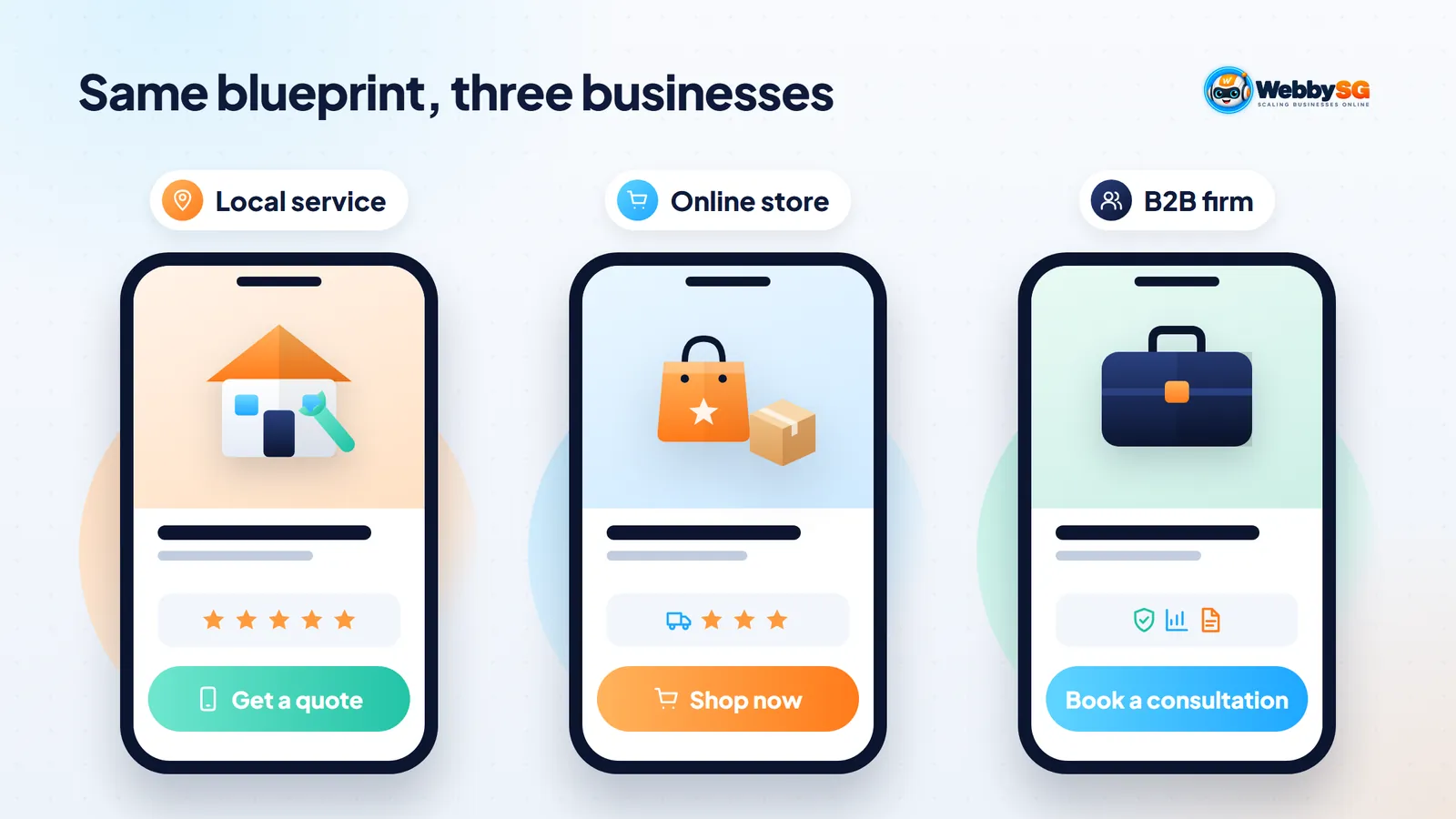
The blueprint above flexes depending on what you sell. These are typical patterns, not fixed rules.
| Business type | Hero focus | Key sections | Main CTA |
|---|---|---|---|
| Local service business (renovation, cleaning, aircon) | Service + area + response time | Services, project photos, Google reviews, how it works | WhatsApp or call for a quote |
| Online store | Product range + delivery promise | Featured categories, best sellers, delivery and returns summary, reviews | Shop now |
| B2B or professional firm | Who you serve + outcome | Services, industries served, team credentials, case summaries | Book a consultation |
Homepage checklist before launch
- A stranger can say what you do, who it is for and what to do next after five seconds.
- The headline names your service in plain words.
- There is one primary CTA, repeated at the end of the page.
- The first mobile screen shows the headline and main button.
- Every service card links to its own page with descriptive text.
- Reviews, photos and credentials are real and specific.
- Phone, WhatsApp and address are correct and tappable.
- Forms include a short privacy notice and a link to your privacy policy.
- No auto-rotating slider in the hero.
- PageSpeed Insights shows no major LCP, INP or CLS problems on mobile.
- The page has a unique title, one H1 and a meta description.
- Analytics tracks clicks on the main CTA, WhatsApp and phone links.
If your homepage looks fine but brings in few enquiries, our guides to why a website fails to generate leads and to running a website UX audit help find the cause.
Getting help with your homepage
Webby SG designs and builds websites for Singapore SMEs on WordPress, WooCommerce, Shopify and Wix, with a mobile-first layout and WhatsApp click-to-chat included. Our web design packages are published with prices and timelines. If you would like a second opinion on your current homepage, send us a message.
Frequently asked questions
What should be on a small business homepage?
At minimum: a headline that says what you do and for whom, one clear call to action, proof such as reviews, a summary of your services with links to each service page, and contact details including address and WhatsApp. A short "how it works" section and a final call to action help visitors who scroll to the end.
How long should a homepage be?
Long enough to answer the questions a new visitor has before contacting you, and no longer. For most SMEs, that is seven to nine short sections. Length matters less than whether each section does a distinct job and the main call to action is easy to find.
Should my homepage have a slider or carousel?
Usually not. NN/g warns that auto-forwarding carousels can disorient visitors, and later slides are often missed. A single hero with one clear message and one main button is easier to understand and usually lighter to load.
How many navigation links should a homepage have?
There is no fixed number, but five to seven top-level items suits most SME sites. Group services under one menu item if you have many, and keep the contact or WhatsApp button visible in the header.
Is the homepage the most important page for SEO?
Not always. The homepage often ranks for your brand name and passes visitors to other pages, but service pages usually rank for the specific searches that bring customers. Give each main service its own page and link to it clearly from the homepage.