LinkedIn Ads Singapore: Costs, Formats and Setup
How LinkedIn Ads work for Singapore B2B SMEs: realistic SGD costs, which formats to start with, targeting limits, lead forms, PDPA and conversion tracking.
LinkedIn Ads let you put paid posts, messages and lead forms in front of professionals selected by job title, seniority, company, industry and skills. For LinkedIn Ads in Singapore, that precision is the main reason to pay more per click than on Facebook or Instagram: it suits B2B firms with a high-value sale and a clearly defined buyer, such as IT services, corporate training, recruitment, B2B software, professional services and industrial suppliers. LinkedIn's minimum is US$10 a day per campaign, but a useful test usually needs a few weeks at a higher budget, a tight audience, and tracking in place before you spend.
What follows is meant to help you decide, not to sell you on the platform. It covers whether LinkedIn suits your business, how pricing works, how to plan a first test budget in SGD, which formats to start with, how small Singapore audiences get, and how to handle leads under the PDPA.
In short
- LinkedIn Ads suit B2B businesses where one customer is worth thousands of dollars and buyers can be described by role, seniority or company.
- You pay per click, per thousand impressions or, for message ads, per message sent. LinkedIn's minimum daily budget is US$10 per campaign; in SGD accounts, check the minimum shown in Campaign Manager.
- LinkedIn requires at least 300 members in an audience and suggests 50,000 or more for results. In Singapore, narrow job-title targeting can fall below that quickly.
- Start with Sponsored Content (single image or document ads) and a Lead Gen Form, and install the Insight Tag before launch.
- Leads are personal data. Follow up within the purpose you stated, and check the Do Not Call Register before calling or texting unless you have clear, recorded consent.
Is LinkedIn Ads right for your Singapore business?
LinkedIn is expensive per click compared with consumer social platforms. It earns its cost when the value of one customer is high and the audience is hard to reach elsewhere.
| LinkedIn Ads usually fits when | Another channel is usually better when |
|---|---|
| You sell to businesses, and a client is worth several thousand dollars or more a year | You sell to consumers, or your average sale is small |
| You can name the job titles or functions that buy from you (HR directors, CFOs, IT managers) | Buyers are defined by need, not job (anyone looking for a plumber, a caterer, a tutor) |
| You want to reach decision-makers before they start searching | People already search Google for your service; capture that demand first |
| You have useful content to offer: a guide, checklist, webinar or case study | Your only offer is "contact us for a quote" |
| You can follow up leads within a day and nurture longer sales cycles | Nobody owns lead follow-up |
If most of your customers already search for your service, Google Search often brings cheaper, more ready-to-buy enquiries. Our Google Ads guide for Singapore SMEs covers that route.
How LinkedIn Ads pricing works
LinkedIn runs an auction. You set a campaign budget, choose what you are paying for, and pick a bidding strategy. The cost of each click or impression depends on how many other advertisers want the same audience, so senior, in-demand audiences cost more.
| Pricing model | You pay for | Typically used for |
|---|---|---|
| Cost per click (CPC) | Each click on the ad | Website visits and lead generation |
| Cost per thousand impressions (CPM) | Every 1,000 times the ad is shown | Brand awareness and reach |
| Cost per send | Each message delivered | Message ads and Conversation ads |
| Cost per view | Video views | Video ads |
You can let LinkedIn bid automatically to spend your budget (maximum delivery), set a cost cap, or bid manually. Automatic bidding is the simplest for a first campaign; switch to a cap or manual bids once you know what a result is worth to you.
On budgets, LinkedIn states that the minimum daily budget is $10 for any ad format, and the minimum lifetime budget for a new campaign is $100 (in USD, as of November 2026). LinkedIn's billing help notes that thresholds for accounts in other currencies may vary, so if your ad account is in SGD, check the minimum Campaign Manager shows. Your account currency is chosen when you create the account and cannot be changed afterwards.
LinkedIn Ads Singapore costs: a worked first-campaign budget
LinkedIn does not publish an official average cost per click for Singapore, and figures quoted online vary widely by audience and objective. The reliable approach is to build your audience in Campaign Manager, read the forecast it gives for that audience, and plan from your own numbers. The example below uses planning assumptions, not benchmarks; replace them with your forecast.
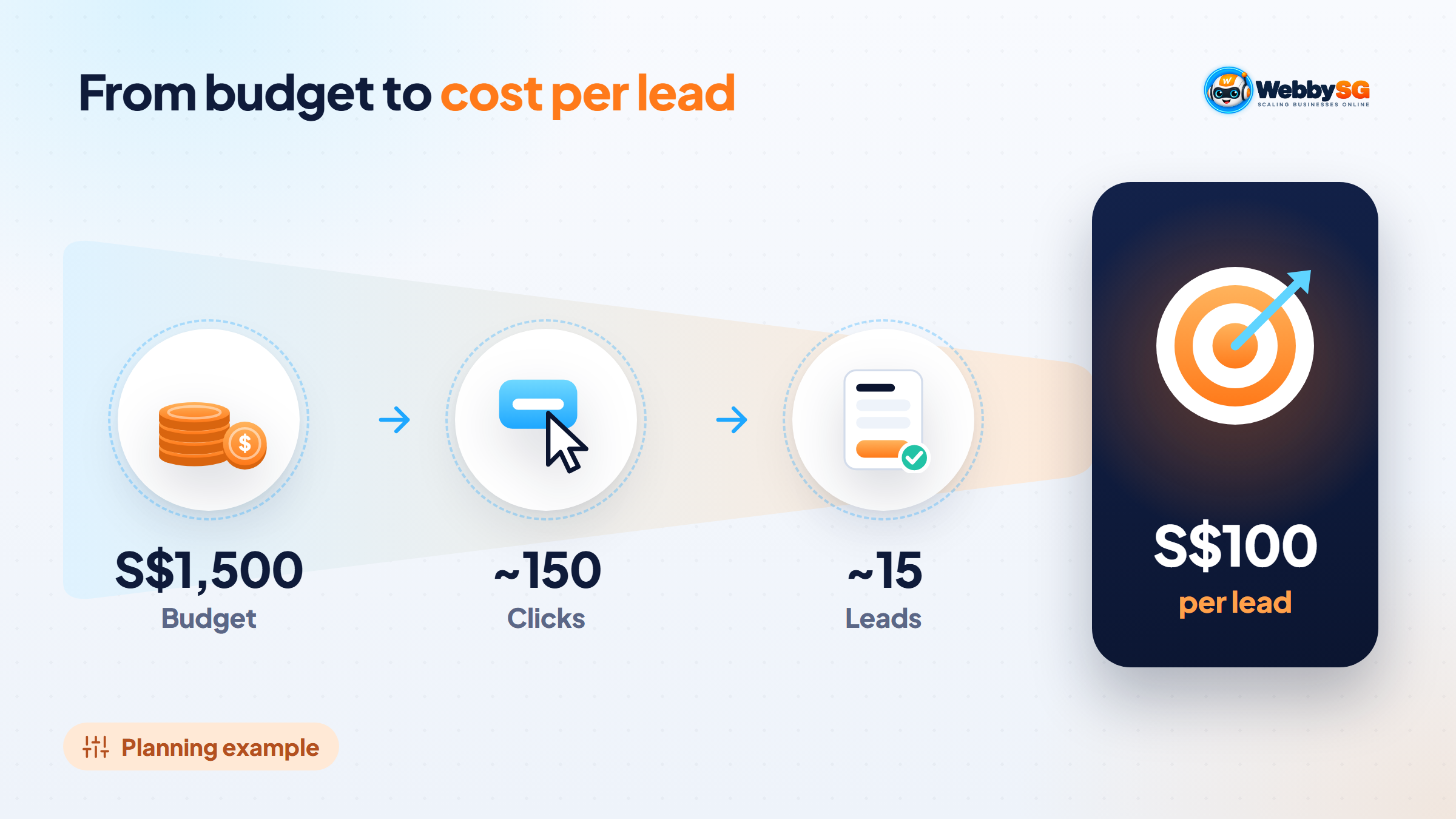
- Budget. S$50 a day for 30 days = S$1,500.
- Cost per click (assumed). Say the forecast suggests about S$10 per click. S$1,500 ÷ S$10 = about 150 clicks.
- Lead Gen Form completion (assumed). If 10% of people who open the form submit it, that is about 15 leads.
- Cost per lead. S$1,500 ÷ 15 = S$100 per lead.
- Is that worth it? If 1 in 10 leads becomes a client worth S$5,000 in the first year, 15 leads produce about 1.5 clients, or roughly S$7,500 in first-year revenue from S$1,500 of spend.
Run the same arithmetic with your own deal value and close rate before you launch. If the cost per lead you can afford is lower than the forecast suggests, narrow the offer or the audience, or start on a cheaper channel. If you are GST-registered, remember that ad invoices and agency fees may be shown before GST, which is currently 9%.
Ad formats worth starting with
LinkedIn offers Sponsored Content (posts in the feed), Sponsored Messaging (messages to members' inboxes), Dynamic Ads and Text Ads. For a first campaign, keep it simple:
- Single image ads with a Lead Gen Form. The easiest format to produce and test. Use a clear headline that names the audience and the offer.
- Document ads. Members can preview the first pages of a guide or checklist in the feed and fill in a form to get the full file. Useful when you have genuinely helpful content.
- Video ads. Work well for explaining a service or showing a product, but cost more to produce. Keep them short and subtitled, as many people watch without sound.
- Message ads. Can work for event invitations, but feel intrusive if the offer is weak. Better as a second test than a first.
Run two or three ad variations at a time so LinkedIn has something to compare, and change one thing per variation, such as the headline or the image.
Targeting in a small market: job titles, industries and audience size
LinkedIn's targeting is its main strength, but Singapore is a small market. Layer too many filters and your audience becomes too small to deliver. According to LinkedIn's help centre, the minimum audience size is 300 member accounts, LinkedIn suggests at least 50,000 to drive results, and it suggests a minimum of 300,000 for Sponsored Content and Sponsored Messaging.
Many Singapore B2B audiences will not reach those suggested sizes, and that can be acceptable for a tightly defined offer. The trade-off is that small audiences see the same ads repeatedly and often cost more per click. Practical ways to manage it:
- Start with job function plus seniority (for example, Human Resources, Director and above) rather than a long list of exact job titles, which members write in many different ways.
- Add company size or industry only if it genuinely changes who buys.
- Consider including Malaysia or other markets you serve as separate campaigns, rather than squeezing everything into one Singapore audience.
- Use Matched Audiences: upload a list of target companies, retarget website visitors, or retarget people who engaged with earlier ads.
- Exclude existing clients and employees so you do not pay to reach them.
Check the audience estimate in Campaign Manager each time you add a filter, and watch frequency once the campaign runs.
Lead Gen Forms, follow-up and PDPA
Lead Gen Forms open inside LinkedIn and pre-fill details from the member's profile, so they are quicker to complete than a form on your website. LinkedIn requires a privacy policy URL on every Lead Gen Form and lets you add consent checkboxes, which you can make compulsory.
Under the PDPA, those leads are personal data. In practice:
- Say why you are collecting the details in the form text, for example "to send you the guide and contact you about our payroll services".
- Use a separate checkbox for marketing if you plan to add leads to newsletters or campaigns, and leave it optional.
- Before calling or sending SMS or WhatsApp marketing to a Singapore number, check the Do Not Call Register unless you hold clear and unambiguous consent in a form you can produce later. The PDPC's advisory guidelines on the DNC provisions state that a check must have been made within 21 days before the message is sent. The guidelines exclude messages sent to an organisation for its business purposes, and simply answering a lead's own request for information is not a marketing message, but a mobile number on a lead form is often a personal number, so check when in doubt.
- Move leads into your CRM promptly and limit who can download them. Do not rely on Campaign Manager as your long-term lead storage.
Speed matters more than form design. A lead contacted the same day remembers your ad; a lead contacted a week later often does not. This is general information, not legal advice.
Setting up the Insight Tag and conversion tracking
Even if you use Lead Gen Forms, install LinkedIn's tracking before launch so you can retarget website visitors and measure website enquiries. LinkedIn's conversion tracking guide describes two main data sources:
| Method | How it works | Set-up |
|---|---|---|
| Insight Tag | JavaScript on your website records visits and actions in the browser; cookie-based | Add the tag to every page, directly or through Google Tag Manager |
| Conversions API | Sends conversions from your server or CRM to LinkedIn; does not rely on cookies | Usually through a data partner integration or a developer |
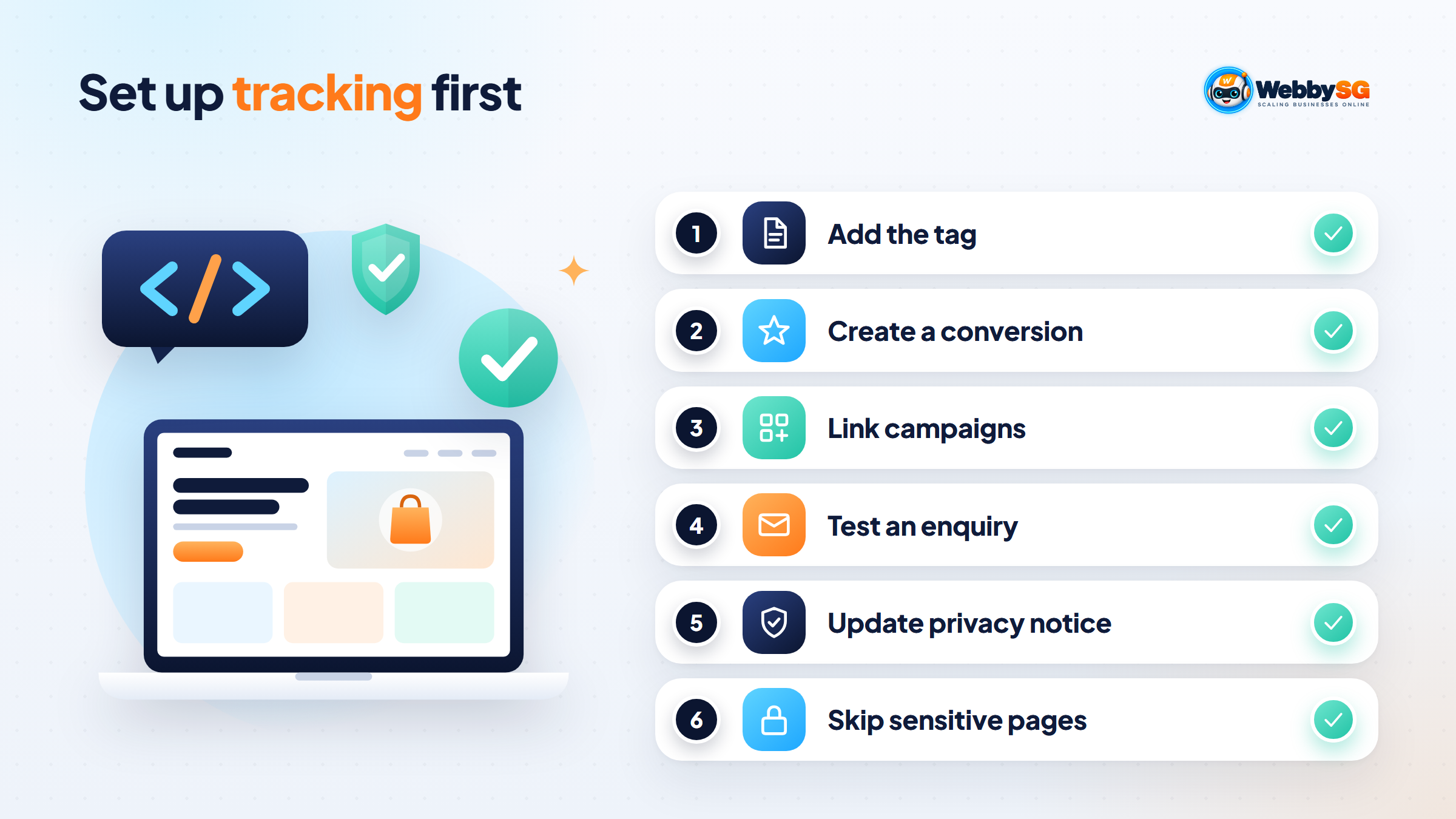
LinkedIn counts an action only once if both methods detect it. A simple set-up checklist:
- Create the Insight Tag in Campaign Manager and add it to your site.
- Create a conversion for your thank-you page or form submission, with a sensible attribution window.
- Associate the conversion with your campaigns.
- Submit a test enquiry and confirm the conversion appears.
- Update your cookie notice and privacy policy to mention LinkedIn tracking.
LinkedIn also says the Insight Tag should not be installed on pages that collect or contain sensitive data, such as certain health or financial pages.
LinkedIn Ads vs Google Ads vs Meta for B2B leads
| Factor | LinkedIn Ads | Google Search Ads | Meta (Facebook, Instagram) |
|---|---|---|---|
| How you reach people | By job, seniority, company and skills | By what they search for | By interests, behaviour and lookalikes |
| Buyer intent | Low to medium; you interrupt their feed | High; they are looking now | Low; they are browsing |
| Cost per click | Usually the highest | Varies widely by keyword | Usually the lowest |
| Best B2B use | Reaching named roles and accounts; content offers; events | Capturing existing demand for your service | Retargeting and owner-managed SMEs |
A sensible order for many Singapore B2B SMEs is Google Search first to capture people already looking, then LinkedIn to reach decision-makers who are not searching yet. Our comparison of SEM and SEO in Singapore explains how paid search fits alongside organic traffic.
Getting help with LinkedIn Ads
Many SMEs run a first LinkedIn test themselves. Help becomes worthwhile when budgets grow, when you need tracking and CRM integration done properly, or when nobody has time to test and refresh ads every few weeks. Also check the landing page: if your website already struggles to convert visitors, more paid traffic will not fix it, as our guide to why websites fail to generate leads explains.
Webby SG's social media advertising service covers LinkedIn, Meta and other platforms, and our Google Ads management covers search. If you would like a view on whether LinkedIn suits your business before you spend, contact us.
Frequently asked questions
What is the minimum budget for LinkedIn Ads?
LinkedIn states a minimum daily budget of US$10 per campaign for any ad format and a minimum lifetime budget of US$100 for new campaigns, as of November 2026. If your ad account is in SGD, Campaign Manager shows the equivalent minimum. In practice, a meaningful test usually needs more than the minimum and should run for several weeks.
Why is LinkedIn cost per click higher than Facebook?
LinkedIn's audience is smaller and its professional targeting is in high demand from B2B advertisers, so competition for each impression is stronger. You pay for the ability to reach people by job title, seniority and company. Whether that is worth it depends on the value of a customer, not on the click price alone.
Can I run LinkedIn Ads without a company page?
No, not in practice. LinkedIn requires a LinkedIn Page to be associated with your ad account before you can create ads or use all Campaign Manager features, and the Page cannot be changed once saved. You can create the Page during set-up if you do not have one yet.
How long should a LinkedIn test campaign run?
Plan for at least a few weeks, so the campaign gets past the first days of learning and you collect enough clicks and leads to judge. Judge it on lead quality and sales conversations, not only on clicks. If after a month the cost per qualified lead is far above what you can afford, change the offer or audience before adding budget.
Do I need an agency to run LinkedIn Ads?
Not necessarily. A business with a clear offer, time to learn Campaign Manager and someone to follow up leads can run a simple test. An agency helps most with tracking, Conversions API set-up, creative testing and ongoing optimisation at larger budgets. Whoever runs it, keep the ad account and billing in your company's name.