Headless CMS: What It Is and When You Need One
What a headless CMS is, how it differs from WordPress or Wix, the real costs and trade-offs, the middle options, and how to tell if your business needs one.
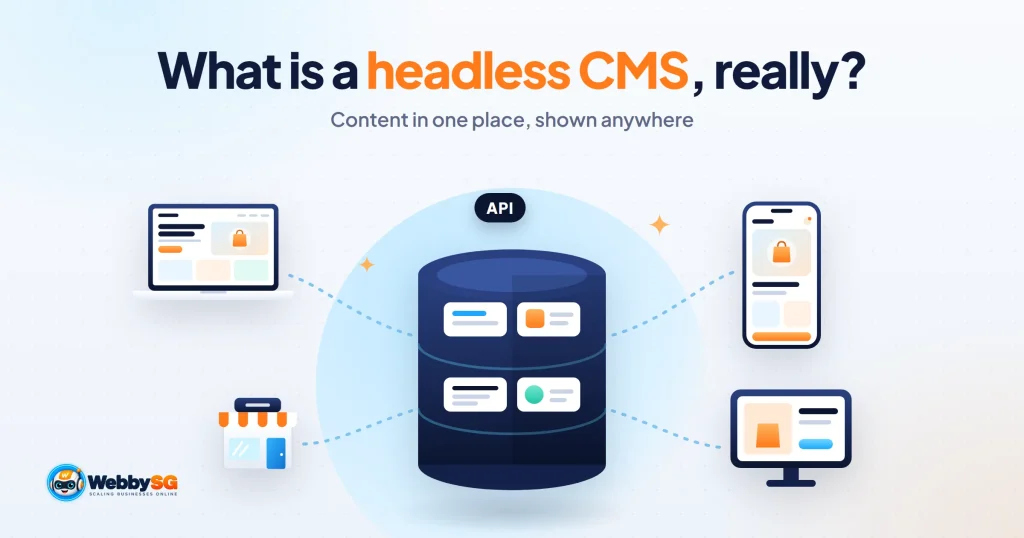
A headless CMS is a content management system that stores and manages your content but does not build the pages your visitors see. Instead, it sends content through an API to a separate front end, usually a custom website or app built by developers. That separation gives you more freedom over design, speed and where content appears. It also means a bigger build, more ongoing developer involvement and, often, a less visual editing experience. For most Singapore SMEs with a brochure site, blog or standard online store, a traditional CMS such as WordPress, Shopify or Wix is still the better fit.
This guide explains how headless works, what you gain and give up, the middle options, and a short checklist to decide whether you actually need one.
In short
- A traditional CMS manages content and displays it. A headless CMS only manages content; a separate front end displays it.
- Headless suits sites that publish the same content to several channels, need very custom interfaces, or have an in-house or retained development team.
- The trade-offs are cost, dependence on developers for layout changes, and weaker live previews unless they are built in.
- Headless is not automatically better for SEO. Pages still need server-side rendering or pre-rendering, good metadata and redirects.
- Middle options exist: WordPress via its built-in REST API, Shopify's Hydrogen toolkit, and hybrid CMS platforms that offer both modes.
What a headless CMS is
The name comes from splitting a website in two. The "body" is where content is written and stored; the "head" is the design and pages that show it. A traditional CMS keeps both together. WordPress stores your posts in a database, and its theme turns them into pages.
A headless CMS removes the head. Editors still log in, write content and upload images, but the CMS simply delivers that content as structured data through an API. Developers then build one or more front ends that request the data: a website built with a JavaScript framework such as Next.js, a mobile app, an in-store screen or a customer portal.
Content is usually modelled as structured fields rather than free-form pages. A "service" might have a name, short summary, price-from, FAQ entries and related case studies, each in its own field. That structure is what lets the same content appear in different places without copying and pasting.
Headless vs traditional CMS at a glance
| Factor | Traditional CMS (WordPress, Wix, Shopify themes) | Headless CMS (Sanity, Contentful, Strapi and others) |
|---|---|---|
| What it does | Manages content and renders the pages | Manages content and delivers it through an API |
| Front end | Themes and page builders | Built separately by developers |
| Editing | Visual, often drag-and-drop, with built-in preview | Form-based fields; visual preview only if set up |
| Who changes layouts | Often the marketing team | Usually a developer |
| Multi-channel content | Mainly one website | Website, apps and other channels from one source |
| Build cost | Lower | Higher: two systems to build and connect |
| Ongoing maintenance | Plugin and core updates | CMS subscription plus front-end code and hosting |
| Typical fit | SME websites, blogs, standard stores | Multi-site brands, apps, complex products, large content teams |
What you gain by going headless
- Design freedom. The front end is not limited by a theme or page builder, so complex interfaces, calculators and app-like experiences are easier to build well.
- One source for many channels. A product description, store locator or FAQ written once can feed the website, a mobile app and a kiosk.
- Performance potential. A well-built front end can pre-render pages and serve them from a CDN, which can make them very fast. The word that matters is "well-built".
- Security separation. The editing system is not the public website, which reduces some of the attack surface typical of plugin-heavy sites.
- Scaling content teams. Structured content, roles and workflows suit organisations with many editors, languages or markets.
The trade-offs most guides skip
Most of what you will read about headless is written by CMS vendors or developers, who are not the ones paying for it. These are the points we would raise with any business owner before they sign.
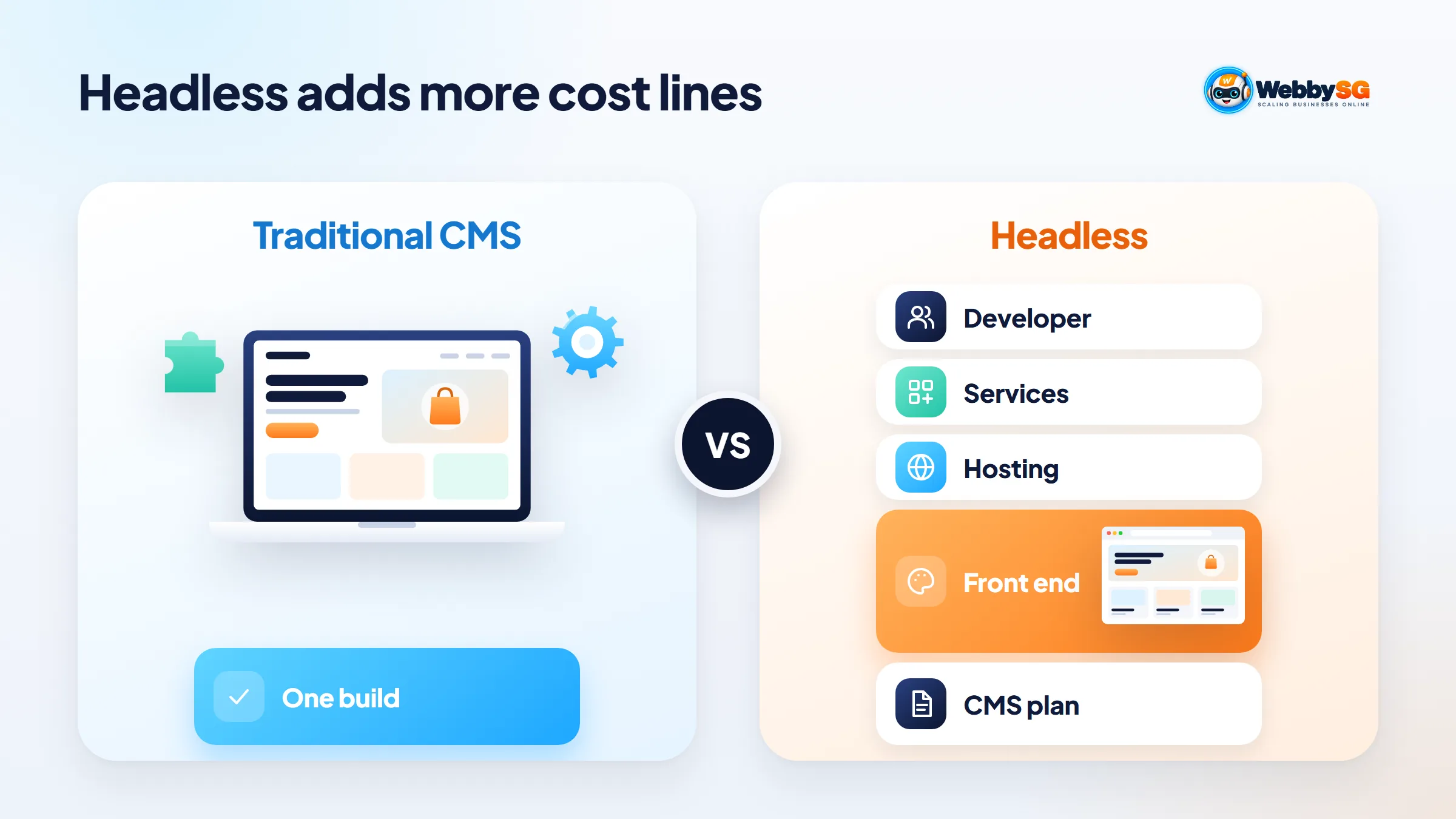
- You are paying for two builds. The content model and CMS set-up is one job; the front-end website is another. Shopify's own headless documentation notes that a headless storefront costs more to build and run than a theme, and that the merchant needs developers to maintain it after launch.
- Layout changes go through developers. Editors can change text and images in fields, but a new page type, section or landing-page layout usually needs code. If your marketing team launches campaign pages weekly, this matters.
- Preview is not automatic. In WordPress you click Preview. In headless, a live preview of the real page has to be configured, and some set-ups never get one.
- Plugins do not exist in the same way. Forms, SEO fields, redirects, search, cookie consent and analytics each need a service or custom code. If a third-party form service collects enquiries, PDPA still applies, including its rules on transferring personal data outside Singapore, so check where that service stores data.
- Ongoing costs stack up. A CMS subscription (often per seat), front-end hosting, third-party services and a developer retainer.
- Handover risk. A custom front end is only as maintainable as its code and documentation. If the original developer leaves, someone new has to learn it.
Costs vary by vendor and change often, so check current plans before you budget. As of November 2026, for example, Sanity's pricing page lists a Free plan (up to 20 seats and 10,000 documents) and a Growth plan at $15 per seat per month, which its FAQ indicates is charged in US dollars. Strapi's open-source Community edition is free to self-host, and its self-hosted Growth plan is listed at $45 a month for three users, with no currency code shown. Neither figure includes the cost of building and hosting the front end, which is usually the larger expense.
Middle options: headless WordPress, Shopify and hybrid CMS
Headless is not all or nothing. Several options let you keep a familiar admin while gaining some flexibility.
Headless (decoupled) WordPress
The WordPress REST API lets developers pull WordPress content into a separate front end or application. Many teams also use WPGraphQL, a free community plugin that adds a GraphQL API and, per its WordPress.org listing in November 2026, is becoming a canonical plugin. Editors keep the WordPress admin they know; developers build the front end. The catch is that many plugins and page-builder features stop working on the public site, because WordPress is no longer rendering it. See our WordPress website service if you want to stay with a traditional set-up.
Shopify Hydrogen and the Storefront API
Shopify describes Hydrogen as its headless toolkit for building a storefront in a JavaScript framework, and Oxygen as its hosting for Hydrogen storefronts. You can also call Shopify's Storefront API from any stack. Checkout and the product catalogue stay in Shopify, while the shopping front end is custom. This is worth it for brands with unusual product experiences or several storefronts; most stores are better served by a well-built Shopify theme.
Hybrid CMS
Some platforms offer structured content and an API alongside a visual editor and page building, so marketers can build pages while developers reuse content elsewhere. If you are tempted by headless mainly for flexibility, ask whether a hybrid platform covers it with less custom code.
Is a headless CMS better for SEO and speed?
Not on its own. Search engines care about what the page delivers, not which CMS produced it.
Google's JavaScript SEO basics explain that Googlebot crawls a page, queues it for rendering in a headless Chromium, then indexes the rendered HTML. Rendering can be delayed until resources allow. Google recommends server-side rendering or pre-rendering because it is faster for users and crawlers, and not all bots run JavaScript. A headless site that only renders content in the browser can therefore be slower to index, and some AI crawlers and social previews may see an empty page.
A headless build is SEO-ready only when these are in place:
- Server-side rendering or static generation for indexable pages
- Editable title tags, meta descriptions and Open Graph fields in the CMS
- Clean, stable URLs, canonical tags and a redirect manager
- An XML sitemap that updates when content is published
- Structured data generated from content fields
- Image optimisation and Core Web Vitals monitoring
A traditional WordPress site with a good theme, caching and an SEO plugin covers most of this out of the box. That is why headless can be faster and well optimised, but only with deliberate work. Our custom web development guide covers how to brief and scope that kind of build.
Do you need a headless CMS? A quick checklist
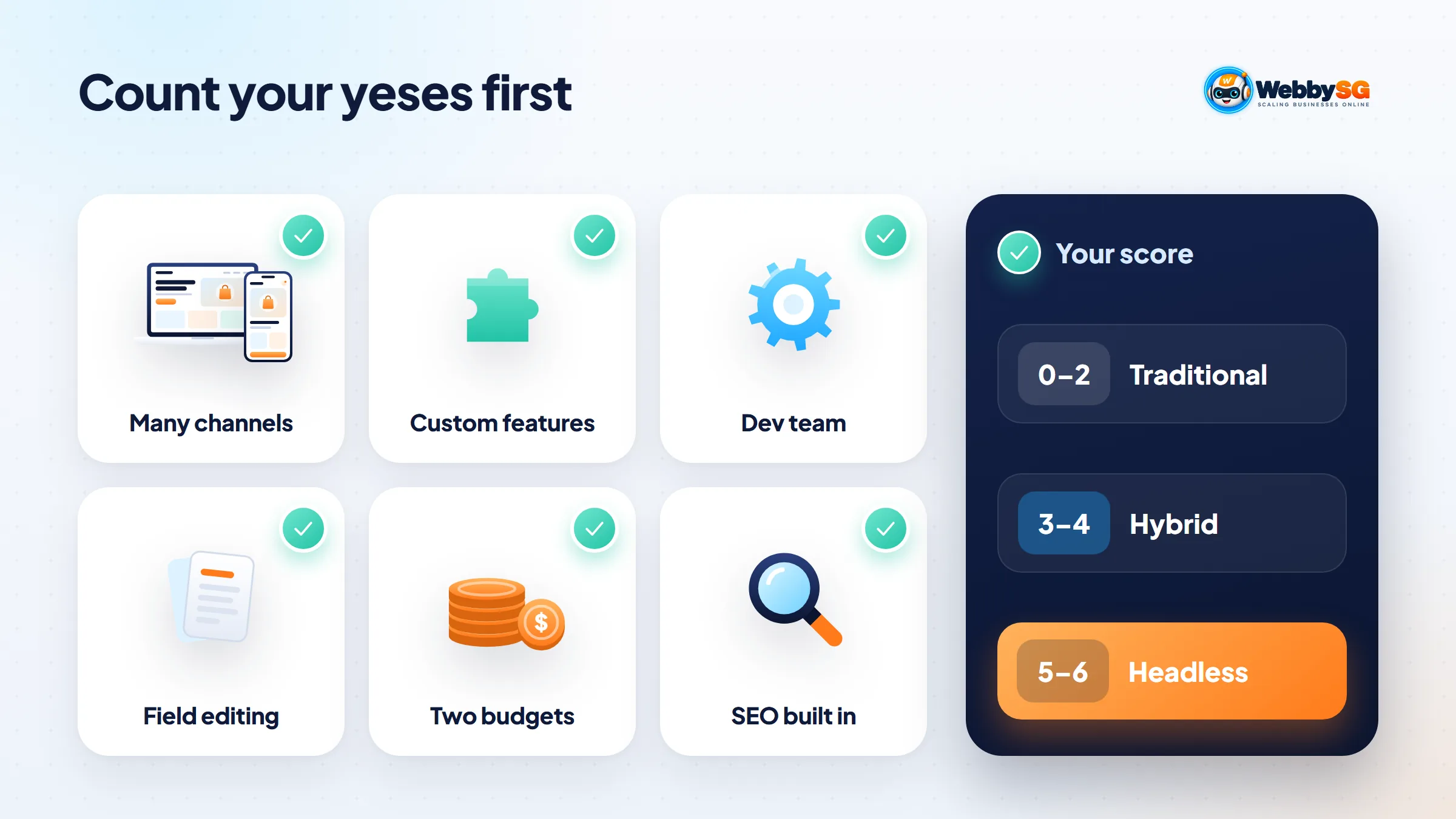
Count how many of these are true for your business:
- The same content must appear on a website and at least one other channel, such as a mobile app.
- You need interfaces a theme or page builder cannot handle well, such as configurators or customer dashboards.
- You have in-house developers or a long-term development partner with a maintenance budget.
- Your marketing team is comfortable editing structured fields and requesting new layouts from developers.
- You have budget for two builds and higher ongoing costs, not only the launch.
- Your developers will deliver server-side rendering, SEO fields, redirects and sitemaps from day one.
| Score | What it suggests |
|---|---|
| 0–2 | Stay with a traditional CMS. Invest in a good theme, speed and content instead. |
| 3–4 | Consider a hybrid CMS or decoupled WordPress or Shopify, and get a scoped quote for both routes. |
| 5–6 | Headless is a reasonable choice. Plan the content model and SEO requirements before design. |
Two Singapore examples
These are illustrative, not client cases. A tuition centre with three outlets, a blog and a new promotion page every school holiday would score 0 or 1. Its staff need to publish pages without waiting for a developer, so a well-built WordPress site is the better buy.
A retail group with a website, a loyalty app and screens in its stores, publishing product and promotion content in English and Chinese, could easily score 5. Writing each promotion once and sending it to every channel is exactly the problem headless solves, and a group of that size usually has the development budget to support it.
Getting advice before you choose
The most expensive outcome is going headless because it sounded modern, then discovering that every new landing page needs a developer. The second most expensive is outgrowing a theme-based site and rebuilding twice. A short scoping conversation usually settles it: what content you have, where it needs to go, who will edit it, and who will maintain the code.
Webby SG's custom development service covers headless and API-driven builds as well as traditional CMS sites, so we can compare both honestly for your project. If you want a second opinion on a proposal you have received, contact us.
Frequently asked questions
Is WordPress a headless CMS?
WordPress is a traditional CMS by default, because its themes render the pages. It can also be used headlessly: its REST API, and plugins such as WPGraphQL, let a separate front end pull content from WordPress. Many businesses use it this way to keep a familiar editor while building a custom front end.
Is a headless CMS more expensive?
Usually, yes, over the life of the site. You pay to build the content model and a separate front end, then for CMS seats, front-end hosting and developer maintenance. Some headless CMS platforms have free tiers, but the front-end build and upkeep are normally the larger costs.
Is headless better for SEO?
Not automatically. Google recommends server-side rendering or pre-rendering, and a headless site that relies on browser-side JavaScript can be slower to index. A headless site performs well in search only when rendering, metadata, redirects and sitemaps are built in deliberately.
What is the most popular headless CMS?
There is no single leader for every use. Commonly used options include Contentful, Sanity, Strapi and Storyblok, and WordPress is widely used in headless mode. The right choice depends on your developers' preferred stack, how you want editors to work, hosting preferences and per-seat pricing.
Can marketers edit content in a headless CMS without developers?
Yes, for content within existing templates: text, images, products, FAQs and blog posts. New page layouts, sections or page types usually need a developer unless the build includes a flexible page-building component or visual editor. Ask to see the editing screens before you sign off on the design.