Shopify SEO: A Practical Guide for Singapore Stores
How to do Shopify SEO step by step: what Shopify handles, keyword mapping, collection and product pages, duplicate URLs, apps, and tracking results.
Shopify SEO is the work of getting your Shopify store's collection, product and blog pages to rank in Google. Shopify handles much of the technical groundwork for you: it generates your sitemap and robots.txt, adds canonical tags, turns on SSL and, in its own themes, includes product structured data. What it cannot do is choose your keywords, write useful collection and product copy, or keep apps from slowing the store down. Those are page-by-page decisions, and they are the difference between a store that gets orders from Google and one that pays for every visit.
This guide walks through the work in the order we would tackle it on a Singapore store, using current Shopify admin paths, with notes on selling beyond Singapore and tracking results.
In short
- Shopify is good for SEO out of the box on the technical basics, but keyword targeting and content are up to you.
- Target broad category searches with collection pages and specific searches with product pages. Use blog posts for questions and guides.
- Edit each page's title, meta description and URL handle in its "Search engine listing" section, and keep the redirect box ticked when you change a handle.
- You cannot remove the /products/ and /collections/ prefixes; focus on clean handles and internal links instead.
- Connect Google Merchant Center for free product listings (available in Singapore), and track progress in Search Console and GA4.
Is Shopify good for SEO? What it handles for you
Shopify's SEO overview lists what is automatic and what is left to you:
| Shopify handles automatically | You still need to do |
|---|---|
| sitemap.xml and robots.txt are generated | Submit the sitemap in Google Search Console |
| Canonical tags are added to reduce duplicate content | Link internally to the clean product URL |
| SSL is on by default | Make sure your custom domain is connected and set as primary |
| Themes generate title tags and, in Shopify's themes, product schema markup | Write unique titles and descriptions for important pages |
| Hosting and a content delivery network | Keep images, apps and theme code light |
| Nothing | Keyword research, collection and product copy, blog content, links from other sites |
So the honest answer is yes, Shopify is a sound SEO platform for most product-led stores. Its main limits are a fixed URL structure and less control over technical details than a self-hosted platform such as WooCommerce.
Keyword mapping: collections, products and blog posts
The most common Shopify SEO mistake is trying to rank product pages for broad searches. Someone searching "office chairs singapore" wants to compare a range, so Google tends to rank category pages. Someone searching a specific model name wants that product. Map each search to the page type that matches it:
| Search type | Example | Best page type |
|---|---|---|
| Broad category | "ergonomic office chairs singapore" | Collection page |
| Category plus attribute | "mesh office chair with headrest" | Collection page (a sub-collection) or a product page if you sell only one |
| Specific product or model | A chair's brand and model name | Product page |
| Question or comparison | "how to choose an office chair for back pain" | Blog post linking to the relevant collection |
| Local intent | "office chair showroom singapore" | Contact or store-locator page, plus Google Business Profile |
A simple way to start: list your top 10 to 20 collections, find the main phrase customers use for each (Google's autocomplete and the "People also ask" box are free starting points), and give each phrase to exactly one page. If two collections target the same phrase, merge them or differentiate them.
Editing titles, meta descriptions and URL handles in Shopify
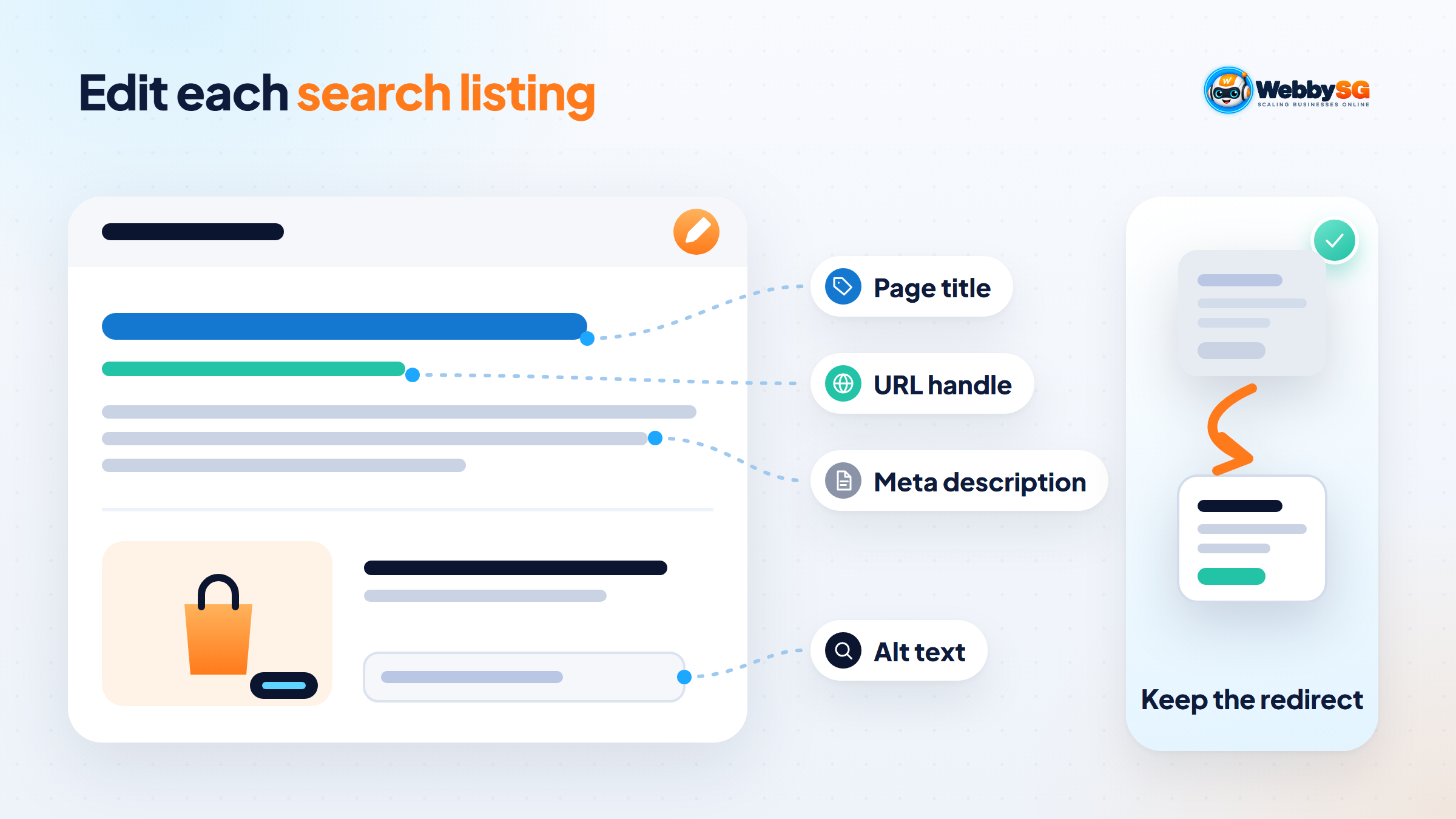
Every product, collection, page and blog post in the Shopify admin has a Search engine listing section near the bottom. Click the edit (pencil) icon to change three things:
- Page title. Put the main keyword near the start and keep it to about 60 characters so it is not cut off. Example: "Ergonomic Office Chairs in Singapore | Brand Name".
- Meta description. One or two sentences that make someone want to click: range, delivery and a reason to choose you. Google does not always use it, but a good one helps.
- URL handle. The part after /products/ or /collections/. Keep it short, lowercase and descriptive, such as /collections/ergonomic-office-chairs.
When you change a handle on a live page, Shopify shows a checkbox to create a URL redirect from the old address. Leave it ticked; otherwise the old URL returns a 404 and you lose any links and rankings it had. Your homepage title and meta description are set separately under Online Store > Preferences.
Image alt text is edited in the product media or the media library. Describe what is in the photo in plain words ("grey mesh office chair, side view"), rather than repeating the keyword on every image.
Writing collection and product pages that rank
Collection pages
Many Shopify themes show a collection as a product grid with no text, which gives Google little to work with. Add:
- A short introduction (two or three sentences) above the grid that names the category and who it suits
- A longer section below the grid: how to choose, sizes or materials, delivery and returns in Singapore, and links to related collections
- A clear H1 that matches the collection's main keyword
Most current Shopify themes let you place the collection description above or below the products, or add a rich text section in the theme editor.
Product pages
Write your own product descriptions instead of copying the supplier's text, which is likely to appear on many other sites. A useful product page answers what a buyer would ask in a shop:
- What it is, who it is for and how it differs from similar items
- Specifications in a scannable list: dimensions, materials, compatibility, warranty
- Delivery times and costs within Singapore, self-collection if offered, and the returns policy
- Real photos from several angles, and reviews if you collect them
For variants (size, colour), keep one product page with variant options rather than separate near-identical products, unless people search for each variant by name.
Fixing common Shopify technical issues
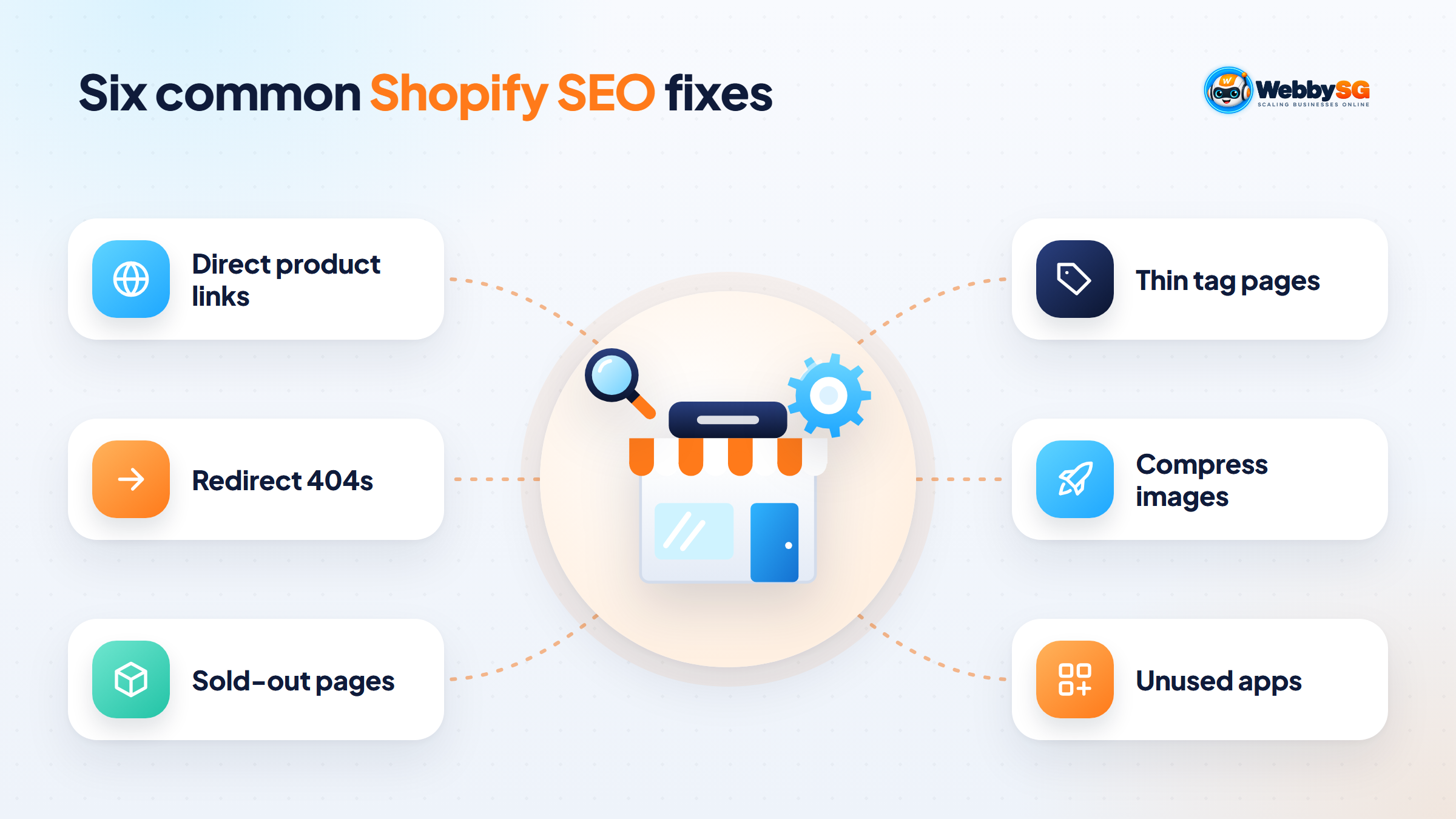
Shopify avoids most technical problems, but a few come up again and again. When we audit a Shopify store, product links that run through collection paths and deleted products with no redirect are usually the first two things we find:
| Issue | Why it matters | Fix |
|---|---|---|
| Product links through collection paths (/collections/chairs/products/model-a) | Creates many URLs for one product. Shopify's canonical tag points to /products/model-a, but internal links to non-canonical URLs waste crawling and dilute signals | Check how your theme links products from collection grids; many themes can be set or edited to link to /products/ URLs directly |
| Fixed /products/ and /collections/ prefixes | Cannot be removed on a standard Shopify store | Accept the structure; focus on clean handles |
| Deleted products returning 404 | Lost links and rankings | Redirect to the closest replacement product or collection |
| Out-of-stock products hidden or deleted | Pages that ranked disappear | Keep the page live if the item returns; show a restock note and alternatives |
| Thin tag and filter pages | Many low-value URLs | Do not link to every tag combination; use proper collections for important categories |
| Large images and many apps | Slow pages, especially on mobile | Compress images before upload; remove apps you no longer use |
Google Search Central's guidance on SEO for ecommerce sites covers URL structure, site navigation and pagination in more depth.
Structured data and Google Merchant Center free listings
Structured data helps Google show product details such as price and availability in search results. Shopify's own themes include product schema; third-party themes vary, so test a product URL with Google's Rich Results Test. Google's product structured data documentation notes that you can provide product information through on-page structured data, a Merchant Center feed, or both, and that providing both maximises eligibility.
The feed route is easy on Shopify. Install Shopify's Google & YouTube app, connect a Google Merchant Center account and sync your products. Singapore is on Google's list of countries where you can show products for free on Google, and Google states that if you set up Merchant Center through the Shopify app and meet the requirements, approved products can appear in the Shopping tab automatically. Free listings are not guaranteed to show, so keep titles, prices, images and availability accurate.
Selling beyond Singapore: Shopify Markets, currencies and domains
If you ship to Malaysia, Australia or further, Shopify Markets lets you set up country-specific prices, currencies and languages. For SEO, the key choice is the URL structure for each market:
- Subfolders (yourstore.com/en-my/) share the main domain's authority. Shopify recommends them for most stores.
- Subdomains (my.yourstore.com) build authority separately and start with less SEO value.
- Country domains (yourstore.com.my) give the strongest local signal but need their own domain and more work.
According to Shopify's help centre on international SEO for markets, hreflang tags are generated automatically from your market and language settings, sitemaps include market-specific URLs, and automatic redirection by location applies to customers but not to search engine crawlers. Still, check the result: if two markets show identical English content with only the currency changed, there is little reason for both to rank separately.
SEO apps: what you need and what slows you down
Many stores install several SEO apps they do not need. Before adding one, check whether Shopify or your theme already does the job.
| Task | Built in? | App worth considering? |
|---|---|---|
| Titles, meta descriptions, handles | Yes | Only for bulk editing large catalogues |
| Sitemap, robots.txt, canonicals | Yes | No |
| Redirects | Yes, including bulk import by CSV | Rarely |
| Product schema | In Shopify themes; varies in others | If your theme's markup is missing or incomplete |
| Image compression | Shopify serves resized images | Optional, if your uploads are very large |
| Product reviews | No | Yes, if you want reviews on product pages |
Each app can add scripts to your storefront. When you uninstall one, check that it has not left code in your theme files. Test speed with PageSpeed Insights before and after installing anything.
Tracking Shopify SEO results in Search Console and GA4
A simple monthly routine is enough for most SMEs:
- Verify your domain in Google Search Console and submit yourstore.com/sitemap.xml.
- Check the Pages report for product or collection URLs that are not indexed, and why.
- Review the Performance report by page: which collections gain impressions and clicks, and which queries they appear for.
- In GA4, filter to organic search and compare sessions, add-to-carts and purchases by landing page.
- Pick two or three pages to improve each month: pages with many impressions but few clicks need better titles; pages with traffic but no sales need better content or offers.
Expect gradual results. New collection copy and fixes are often picked up within weeks, but ranking gains on competitive searches usually take several months and depend on competition and links.
Getting help with Shopify SEO
Many store owners handle titles, descriptions and Merchant Center themselves. Help is worth it for theme-level fixes, migrations from another platform where redirects matter, and stores with large catalogues. Our Shopify website design service covers builds and theme work, and our SEO services cover ongoing keyword, content and technical work. To understand budgets first, see our guide to SEO costs in Singapore. If you are still choosing a platform, compare WooCommerce as well. For a second opinion on your store, get in touch.
Frequently asked questions
Does Shopify have SEO built in?
Yes, for the technical basics. Shopify generates your sitemap and robots.txt, adds canonical tags, turns on SSL, and lets you edit titles, meta descriptions and URL handles on every page. Shopify's own themes also include product schema markup. Keyword targeting, content and links are still up to you.
Is Shopify or WooCommerce better for SEO?
Both can rank well. WooCommerce on WordPress gives more control over URLs, technical settings and content, which suits content-heavy sites. Shopify needs less technical upkeep and handles the basics automatically, but has a fixed URL structure. For most product-led SMEs, content quality matters more than the platform.
Do I need a Shopify SEO app?
Usually not at the start. Titles, meta descriptions, handles, redirects, sitemaps and canonicals are built in. An app can help with bulk editing on large catalogues, review markup or a theme with missing structured data. Install only what you need, because each app can add scripts that slow the store.
How long does Shopify SEO take to work?
Technical fixes and new page copy are often picked up within a few weeks once Google recrawls the pages. Meaningful ranking and traffic gains on competitive searches usually take several months. Progress depends on competition, the quality of your pages and links from other sites.
Can I change the /products/ and /collections/ URL structure in Shopify?
No. On a standard Shopify store the /products/, /collections/ and /pages/ prefixes are fixed; only the handle after them can be edited. This does not stop a store from ranking. Keep handles short and descriptive, and use redirects whenever you change one.