Product Page Best Practices for Ecommerce Stores
A practical checklist for ecommerce product pages: photos, copy, pricing, delivery, returns, reviews, schema and mobile layout, plus what to fix first.
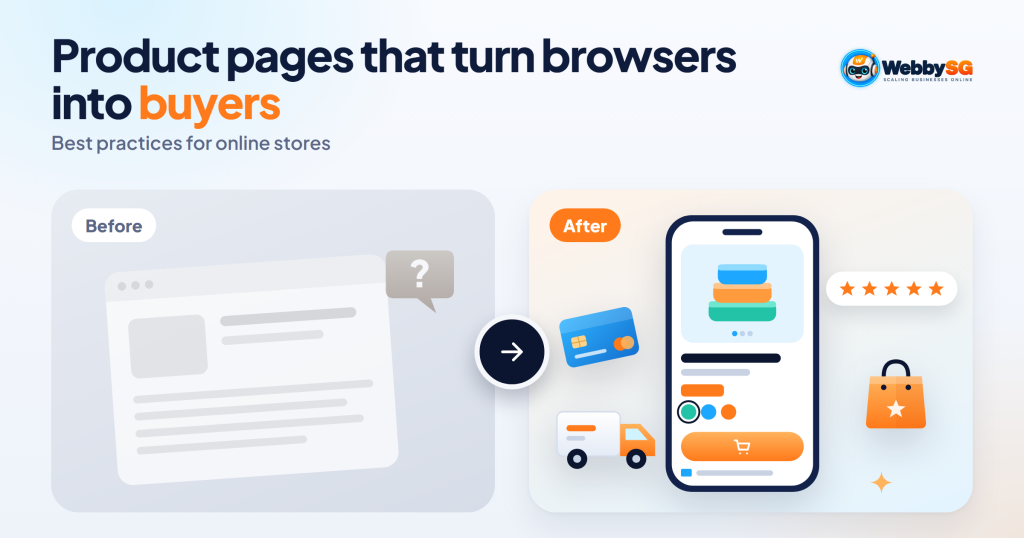
Product page best practices come down to one idea: answer every question a buyer has before they have to ask it. A good product page shows a clear title, the full price and clear photos at the top, then explains what the product does, what it costs to deliver, how returns work and what other buyers think. For Singapore shoppers, that also means delivery windows, local payment options such as PayNow, and prices that include any mandatory fees. Getting these basics right usually does more for sales than redesigning the whole store.
This checklist is written for small and medium online stores with tens or hundreds of products, not thousands. It joins conversion and SEO in one place and ends with a fix-first order, so you know where to start.
In short
- Above the fold, show the product name, price, main photo, key variant choices and the add-to-cart button. On mobile, all of these should be reachable without hunting. If shoppers add products and leave before paying, see our guide to recovering abandoned carts.
- Write your own descriptions: benefits first, then specs. Copying the manufacturer's text gives Google and buyers no reason to choose your page.
- Put delivery cost, delivery time and the returns policy on the product page, not only in the footer.
- Show reviews, buyer photos and payment logos near the buy button.
- Add Product structured data so Google can show price, availability, shipping and returns in search results, though it does not guarantee a rich result.
Product page best practices start with the page's job
A product page has to help the right buyer decide, remove reasons to hesitate, and give search engines enough to show it for the right searches. When we look at weak product pages, it is nearly always the middle one that fails. The product is fine, but the buyer cannot see the delivery fee, is unsure whether the size will fit, or cannot tell whether returns are possible.
Think of the page as a conversation with a shop assistant. What would a customer ask in person? "How big is it?" "When will it arrive?" "Can I return it?" "Is it any good?" Each answer belongs on the page.
Above the fold: title, price, photos and add-to-cart
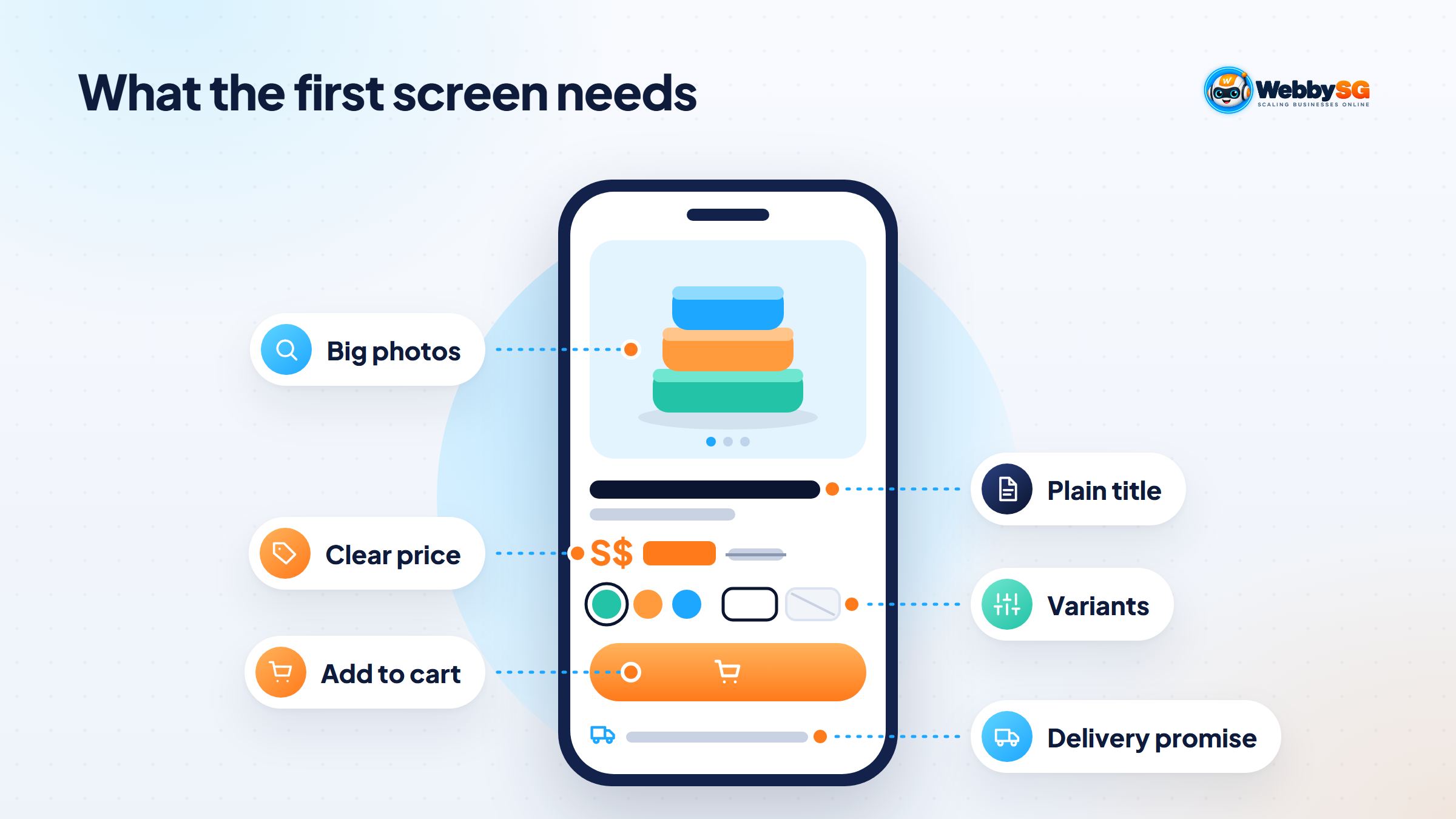
The first screen decides whether a visitor scrolls or leaves. It should include:
- A plain product title that says what it is, plus the brand, model, size or colour where relevant. "Bamboo Bath Towel, 70 x 140 cm, Sage" beats "Cloud Comfort".
- The price, and the original price if it is on sale. If you are GST-registered, show GST-inclusive prices.
- A large main photo with a swipeable gallery on mobile.
- Variant selectors (size, colour) that show what is in stock, with sold-out options marked rather than hidden.
- The add-to-cart button, in a strong colour, with nothing competing for attention beside it.
- A one-line delivery promise close to the button, such as the delivery window or the free-delivery threshold.
Photos
Photos do the job a shop's shelf and fitting room do offline. Aim for a clean main image on a plain background, then the product in use, close-ups of materials and details, a shot that shows scale (in a hand, beside a common object or on a model with their height listed), and every colour variant. Keep the same aspect ratio across the catalogue so the gallery does not jump around, and compress images so they load quickly on mobile data.
Product copy: benefits, specs and unique descriptions
Good product copy has two layers. The first is a short paragraph on who the product is for and what problem it solves. The second is a scannable list of specifications that a careful buyer will check.
| Section | What to include | Example for a towel |
|---|---|---|
| Opening lines | Who it is for and the main benefit | Quick-drying bamboo towel for humid bathrooms |
| Benefits | Three to five points in plain language | Dries faster than cotton, soft after washing, does not smell musty |
| Specs | Size, weight, material, care instructions, what is in the box | 70 x 140 cm, 500 gsm, 70% bamboo viscose, machine wash at 40°C |
| Fit or compatibility | Size guide, model compatibility, measurements | Size comparison with a standard bath towel |
| FAQs | The questions customers actually ask you | Will it shrink? Is the colour the same as in the photo? |
Write your own descriptions, even if you resell branded goods. When many stores use the same manufacturer text, search engines have little reason to rank yours, and buyers learn nothing new. Adding your own photos, sizing notes and answers to customer questions makes the page more useful and more distinct.
Delivery, returns and payment info Singapore shoppers expect
Surprise costs at checkout are a common reason people abandon a purchase. Singapore's competition and consumer watchdog has published Guidelines on Price Transparency, in effect since 1 November 2020, which say unavoidable or mandatory charges such as taxes, surcharges and service fees should be included in the headline price. Where a charge cannot reasonably be calculated in advance, its existence should be disclosed clearly alongside the price. For optional add-ons, the guidelines encourage an opt-in approach, where the buyer ticks the box rather than having to untick it. The product page sets expectations for checkout, so check which payment methods your Singapore payment gateway can support.
On the product page, that translates into:
- Delivery fee and threshold, for example the fee below a set order value and free delivery above it.
- Delivery window in working days, plus self-collection if you offer it.
- Returns in one sentence: the window, the condition items must be in, and who pays return delivery, with a link to the full policy.
- Payment logos for the methods you accept, such as cards, PayNow, GrabPay or Apple Pay.
Payment options depend on your platform. On Shopify, Shopify Payments covers cards and, for eligible Singapore stores, GrabPay; PayNow is usually added through a third-party provider. On WooCommerce, payment methods come from gateway plugins. Stripe, for example, supports PayNow for Singapore businesses charging customers in SGD. If you are building on Shopify, the Shopify Singapore guide explains how product pages fit into the rest of the store setup.
Reviews, photos from buyers and other trust signals
Reviews answer "is it any good?" better than any copy you write. Show the average rating and review count near the title, and full reviews lower down. Ask for reviews in the order follow-up email, and invite buyers to add photos, which are especially useful for clothing, furniture and anything where colour or size matters.
Do not hide negative reviews. A mix of ratings looks more believable than a wall of five stars, and replying politely to complaints shows buyers you deal with problems.
Other trust signals that help small stores:
- Your registered business name and contact details (email, WhatsApp) in the footer
- A real "About us" page with photos of the team or shop
- Clear stock status, such as "In stock, ships in 1–2 working days"
- Secure checkout with familiar payment logos
Mobile layout and page speed
On most small stores, phones account for the bulk of product page visits (your analytics will tell you the exact split), so design for the small screen first:
- Keep the add-to-cart button visible, either near the top or as a sticky bar when the visitor scrolls.
- Use tap-friendly variant buttons rather than small dropdowns.
- Put long specs and policies in collapsible sections so the page stays short.
- Compress and size images properly, and limit apps or plugins that load scripts on every product page.
Speed is often a hosting and theme issue as much as an image issue. Our guide to web hosting in Singapore covers what affects load times, and a website UX audit is a good way to find where buyers get stuck.
Product page SEO: structured data, variants and images
Google's merchant listing structured data documentation sets out what to add to pages where people can buy a product:
| Type | Properties |
|---|---|
| Required (Product) | name, image, offers |
| Required (Offer) | price (above zero) and priceCurrency, such as SGD |
| Recommended (Product) | aggregateRating, review, brand, GTIN, SKU, description, colour, size, material |
| Recommended (Offer) | availability, itemCondition, shippingDetails, hasMerchantReturnPolicy |
Google states that search enhancements are shown at its discretion, so markup makes a page eligible rather than guaranteeing a rich result. A few other points matter for SEO:
- Variants. Google's documentation says each variant should have a distinct URL if you mark up variants, and variants can be grouped as one product group. Most platforms handle this with a variant parameter in the URL.
- Images. Use descriptive file names and alt text, such as "sage bamboo bath towel folded", not "IMG_2041".
- Titles and meta descriptions. Include the product type and a key attribute; keep the brand name for the end.
- Internal links. Link from category pages and related products so every product is reachable in a few clicks.
Fix-first order for small catalogues
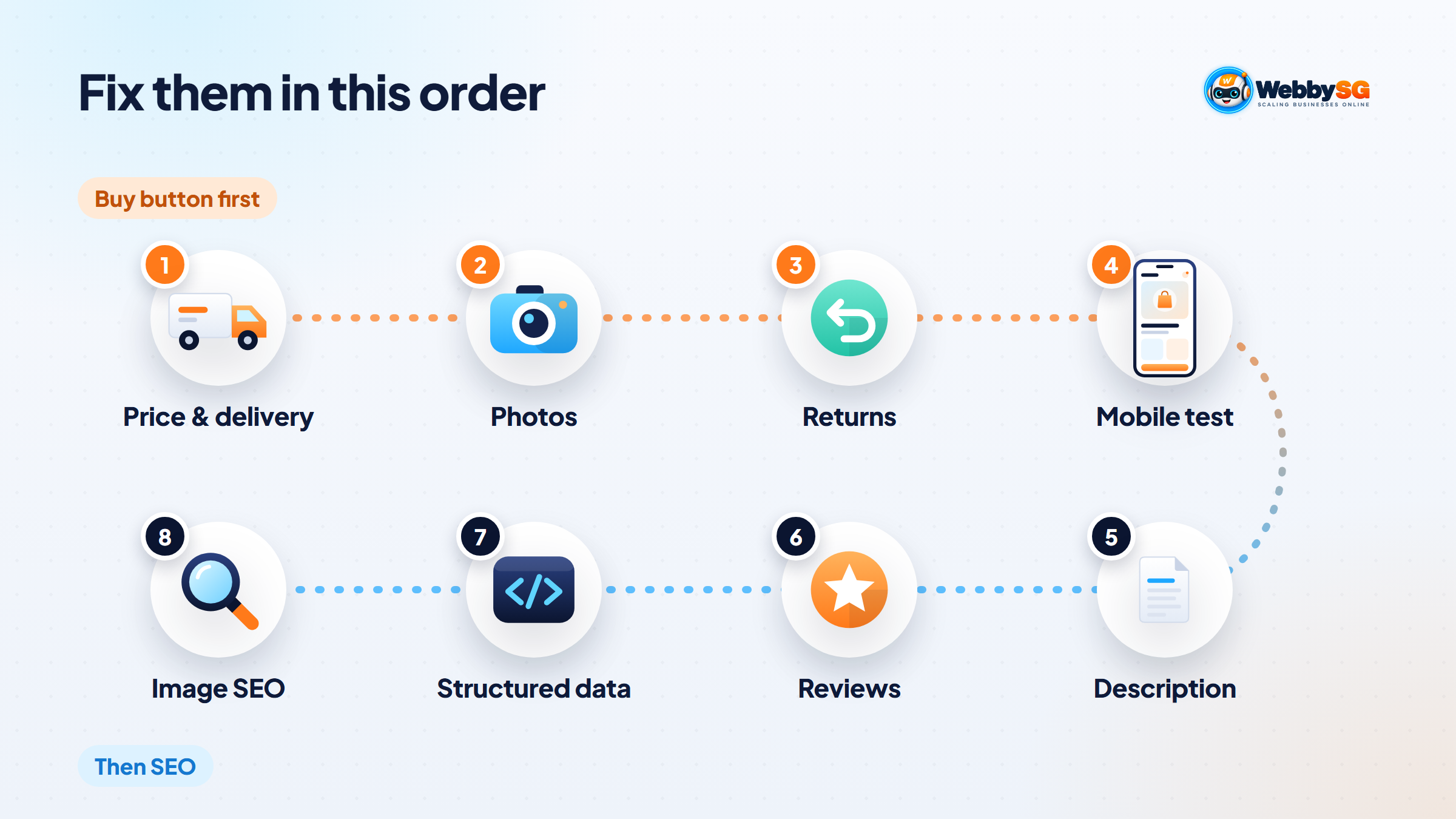
If you have limited time, work through your best-selling or highest-margin products first, in this order:
- Price, delivery fee and delivery time visible near the add-to-cart button.
- Main photo and gallery, with at least one in-use and one scale shot.
- Returns summary in one sentence on the page.
- Mobile check: open the page on your phone and buy something.
- Unique description with benefits and a specs list.
- Reviews: start collecting them if you are not yet.
- Structured data: test pages in Google's Rich Results Test and fill in missing fields.
- Images and titles for SEO: rename files, write alt text, tidy titles.
Setting it up on Shopify and WooCommerce
Shopify
- Edit each product under Products: title, description, media, price and compare-at price, variants and inventory.
- Use the search engine listing section at the bottom of the product to edit the page title, meta description and URL handle.
- Add delivery and returns summaries through your theme's product page blocks (often collapsible tabs) so they appear on every product.
- Many themes output basic Product structured data. Test a product URL to see what is missing, such as shipping or returns.
See our Shopify website design page if you would rather have the theme and templates set up for you.
WooCommerce
- In the product editor, use the Product data panel for price, sale price, inventory, shipping class and attributes. Variable products handle sizes and colours.
- Write the short description (shown near the price) for benefits and the main description for detail and specs.
- Use an SEO plugin to set titles and meta descriptions and to extend structured data with brand, GTIN, shipping and returns.
- Show delivery and returns information with a reusable block or template part so it stays consistent.
Our WooCommerce development page explains how we build and customise WooCommerce stores.
Getting help with your product pages
Most of these fixes are content and settings, not code, so many store owners can work through the list themselves. Template changes, such as a sticky add-to-cart bar, delivery estimates or complete structured data, are where a developer saves time. Webby SG designs and improves online stores through our e-commerce website service. If you want a second opinion on your product pages, send us a message.
Frequently asked questions
How long should a product description be?
Long enough to answer the questions buyers ask, and no longer. For most products, that is a short opening paragraph on who it is for and why, three to five benefit points, and a specs list. Complex or expensive products need more detail, such as size guides, comparisons and FAQs.
Do I need unique descriptions if I resell branded products?
Yes, if you want your pages to stand out. When many stores use the same manufacturer text, search engines have little reason to prefer your page. Add your own photos, sizing or compatibility notes and answers to customer questions; you can keep the manufacturer's specs as a list.
Should I show delivery fees on the product page?
Yes. Show the fee, the free-delivery threshold and the delivery window near the add-to-cart button. Singapore's Guidelines on Price Transparency say mandatory charges should be included in the headline price or, if they cannot be calculated in advance, disclosed clearly with it. The guidelines do not name delivery fees specifically, but showing them early follows the same principle and stops buyers abandoning at checkout.
How many product images are enough?
There is no fixed number. Cover a clean main shot, the product in use, close-ups of materials or details, something that shows scale, and each colour variant. For most products that means somewhere between four and eight images.
Does Product schema help my product show in Google?
It makes your page eligible for richer search results, such as price, availability, ratings, shipping and returns shown in Google. Google requires name, image and an offer with price and currency for merchant listings, and recommends fields such as availability, shipping details and return policy. Google decides whether to show enhancements, so markup does not guarantee them.