404 Page: What It Is, What to Include and How to Fix
What a 404 page is, what a good one includes, how to set one up on WordPress, Shopify or Wix, and how to find and fix 404 errors for SEO.

A 404 page is the page your website shows when someone requests an address that does not exist, usually because a page was deleted, moved or mistyped. The server returns the HTTP status code 404 ("Not Found"), and the visitor sees a "page not found" message. A good 404 page does two jobs: it tells the visitor plainly that the page is missing, and it gets them back on track with search, links to your main services and a quick way to contact you. Behind the scenes, it should still return a real 404 status so search engines understand the page is gone.
This guide covers what causes 404 errors, how Google treats them, what to put on the page, how to set one up on WordPress, Shopify and Wix, and a simple routine for finding and fixing broken links, especially after a redesign.
In short
- A 404 means the requested URL does not exist. A few 404s are normal and do not hurt the rest of your site in Google.
- Problems start when pages that matter break, such as old service pages that other sites link to, or when the site shows a "not found" message without a real 404 status (a soft 404).
- A useful 404 page has a clear message, a search box, links to your main pages and a WhatsApp or contact link.
- After a redesign or migration, redirect each old URL to its closest new page with a 301. Do not send everything to the homepage.
- Check Search Console's Page indexing report every month for new "Not found (404)" pages.
What a 404 page is (and what causes 404 errors)
Every time a browser requests a page, the server replies with a status code. 200 means the page loaded, 301 means it has moved permanently, and 404 means nothing exists at that address. The 404 page is simply the content shown alongside that status.
Common causes on small business websites:
- A page or product was deleted, for example a discontinued service or sold-out product.
- A page's URL was changed without a redirect, often during a redesign or platform move.
- A link on your site, in an email campaign or on another website contains a typo.
- Old URLs from a previous platform, such as a Wix site moved to WordPress, still appear in Google or in other sites' links.
- Someone typed the address wrongly.
404 vs soft 404 vs 410: what Google sees
| Response | What it means | How Google handles it | When to use it |
|---|---|---|---|
| 404 Not Found | Nothing exists at this URL | Removes the URL from the index if it was indexed, and gradually crawls it less | Pages removed with no replacement |
| 410 Gone | The page existed and was removed deliberately | Treated the same as 404 by Google | Optional; some developers use it for permanently removed content |
| Soft 404 | The page says "not found" or is empty, but the server returns 200 (success) | Reported as a soft 404 in Search Console | Never: fix it so the server returns a real 404 |
| 301 redirect | The page has moved permanently to a new URL | Follows the redirect and passes signals to the new URL | Pages that moved or were replaced by a close equivalent |
Google's documentation on HTTP status codes states that all 4xx errors except 429 are treated the same, so for Google there is no practical difference between a 404 and a 410.
Do 404 errors hurt SEO?
Not by themselves. Google has long said that 404s on some URLs do not count against the rest of your site in search results. Search Console's own help on the Page indexing report says 404 responses are not necessarily a problem if a page has been removed without any replacement.
404s do cost you in three situations:
- The missing page used to rank or bring enquiries. Its traffic disappears unless you redirect it to the new version.
- Other websites link to the missing page. Those links stop helping your site.
- Your own menus or buttons link to it. Visitors hit a dead end in the middle of a buying journey.
A handful of 404s is normal and you do not need to chase every one. What you should guard against is an important URL breaking without a redirect, and a 404 page that leaves visitors with nowhere to go.
What a good 404 page should include
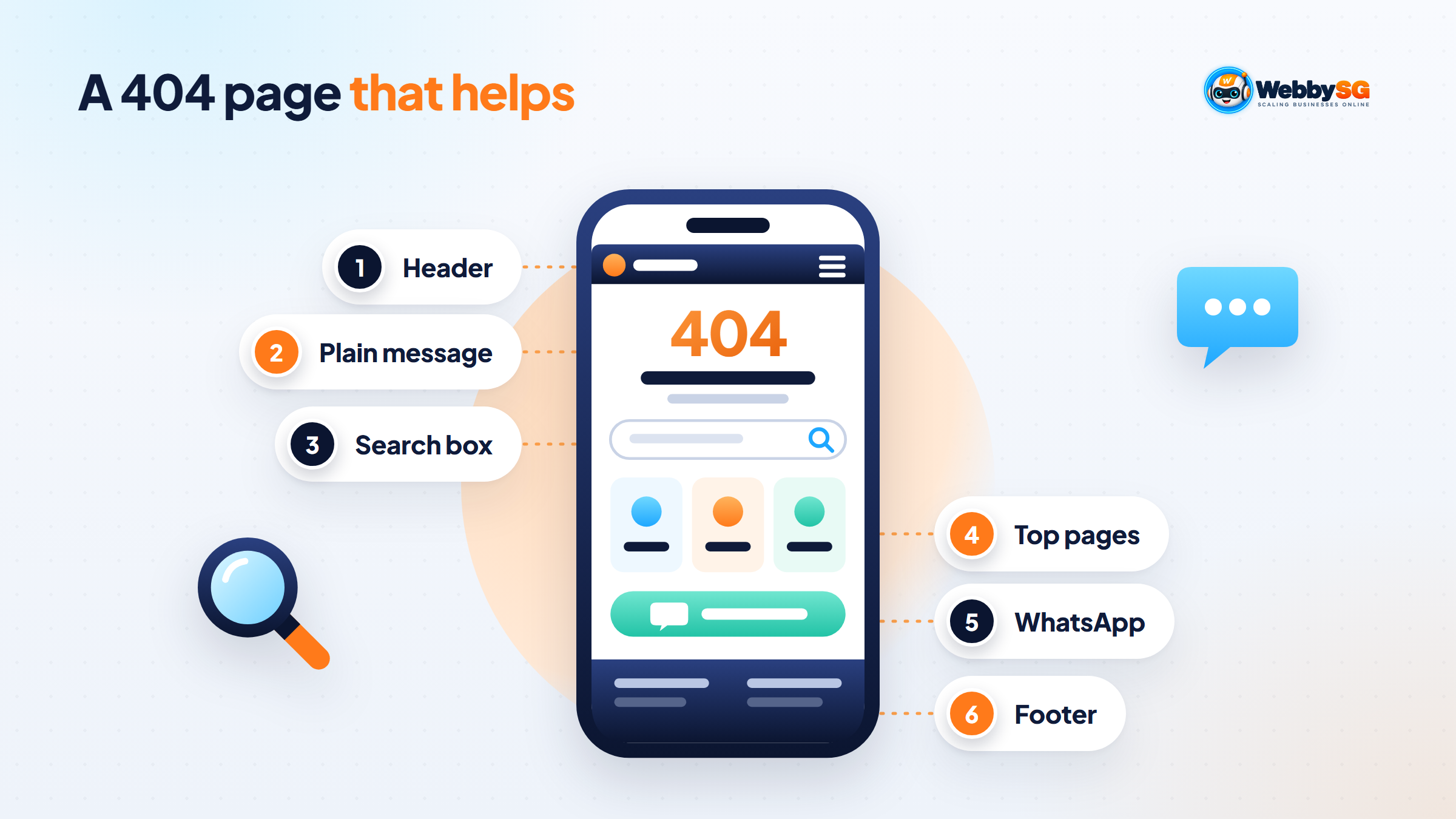
- A plain message. "Sorry, we can't find that page" is better than a joke visitors may not understand. One line of humour is fine if it suits your brand.
- Your normal header and footer. Visitors should recognise they are still on your site, with the menu available.
- A search box, if your site has more than a handful of pages.
- Links to your most visited pages: main services or categories, pricing and the homepage.
- A contact option: a WhatsApp button or link to your contact page, so someone looking for a specific service can still reach you.
- A light design. No heavy animation or large video; the page should load quickly on mobile data.
- A real 404 status code. Check this after any change; see the testing tip below.
For an online store, add links to bestselling categories and current promotions. For a service business, list your top three services with a single line each.
How to set up a custom 404 page on WordPress, Shopify and Wix
| Platform | Where the 404 page lives | Notes |
|---|---|---|
| WordPress (classic theme) | The theme's 404.php template file | If the theme has no 404.php, WordPress falls back to index.php. Edit it in a child theme so updates do not overwrite your changes. |
| WordPress (block theme) | The 404 template in the Site Editor | Block themes use HTML templates with the same hierarchy, so you can design the 404 template with blocks. |
| Shopify | The 404 page template in the theme editor (Online Store, then Edit theme, then choose the template) | Shopify's developer docs suggest including a search bar or links to the homepage or a collection. |
| Wix (Wix Editor) | Pages & Menu, add a new page and choose the 404 Error Page category | Wix says a premium plan is needed, and custom 404 pages are not available for some sections such as Wix Stores and Wix Bookings. |
The WordPress behaviour is set out in the template hierarchy documentation. Menu names in each platform change from time to time, so follow the current help article if a label differs. We build and maintain sites on WordPress, Shopify and Wix.
Test the status code. Visit a made-up address on your site, such as yourdomain.sg/test-missing-page, with your browser's developer tools open on the Network tab. The document request should show status 404, not 200. A 200 there means you have a soft 404.
Finding 404 errors with Google Search Console
Search Console lists the 404s Google has found:
- Open Search Console and go to Pages (the Page indexing report).
- Under "Why pages aren't indexed", open Not found (404). Also check Soft 404.
- Export the list and sort it: pages that should exist, pages that moved, and pages that are truly gone.
- Use the URL Inspection tool on a few examples to see where Google found the link, if a referring page is shown.
- Fix the ones that matter, then use Validate fix to ask Google to recheck.
Search Console only shows what Google has crawled. A site crawler run from your computer will also find broken links in your own menus and content. Check your analytics too: visits to the 404 page show which broken URLs real people are reaching.
Fixing 404s with 301 redirects after a redesign
Large batches of 404s usually follow a redesign or platform move, because that is when URLs change. Google's guide to site moves with URL changes recommends mapping old URLs to new ones with permanent server-side redirects, keeping them in place for generally at least a year, and warns that sending many old URLs to one irrelevant page, such as the homepage, can confuse users and might be treated as a soft 404.
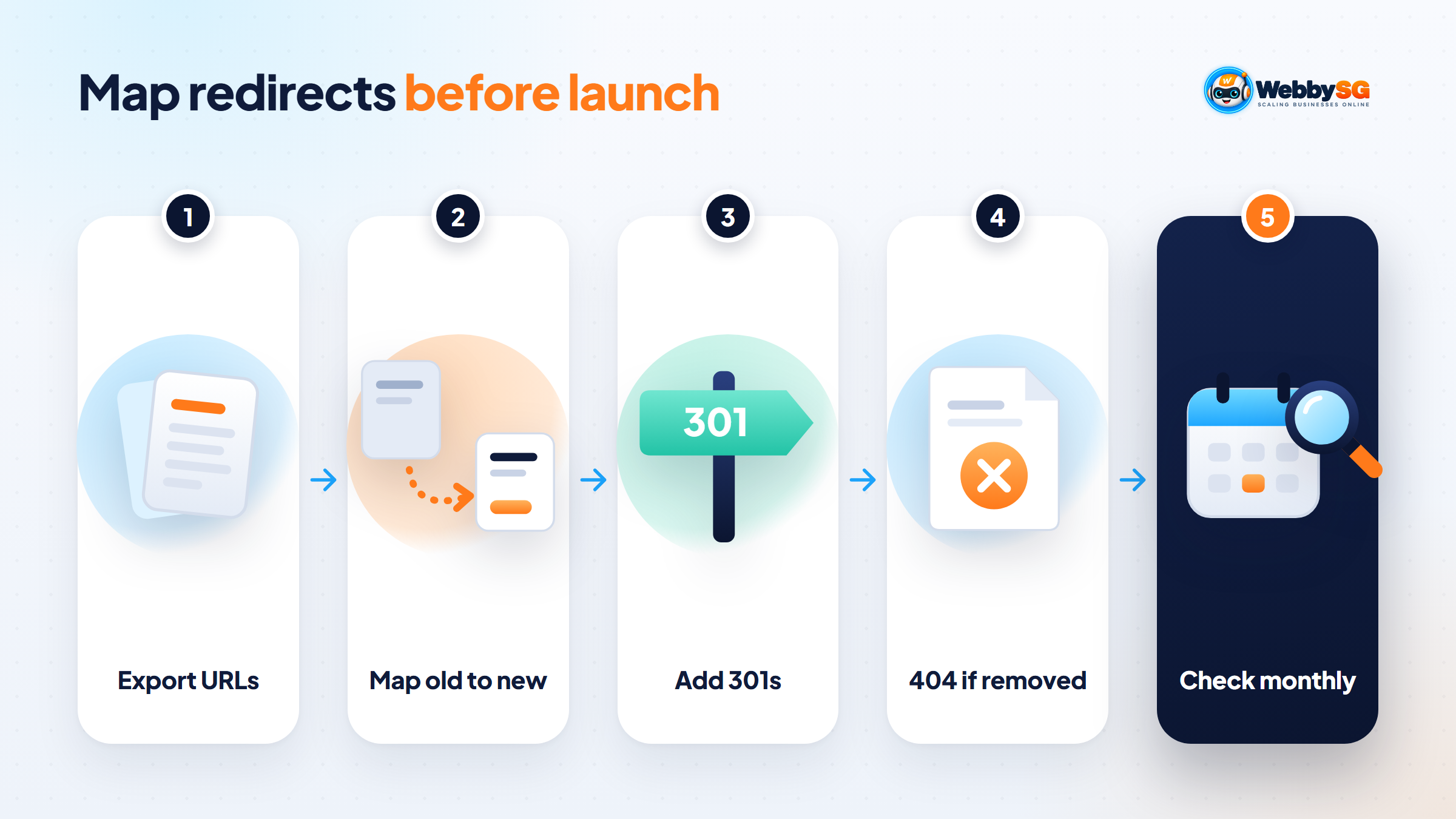
- Before the redesign, export every current URL from your sitemap, analytics and Search Console.
- Map each old URL to its closest new page. Old "/services/office-cleaning" goes to new "/office-cleaning", not to the homepage.
- Add 301 redirects with your platform's tools: a redirect plugin or server rules on WordPress, URL redirects in Shopify's admin, or Wix's URL redirect manager.
- Let removed pages return 404. If nothing on the new site meets the same need, a 404 is the honest answer.
- Check Search Console weekly for the first month after launch, then monthly.
Our corporate website redesign guide covers the full pre-launch checklist.
Tracking 404 page visits in GA4
Give your 404 page a distinctive title, such as "Page not found", then in GA4 open the Pages and screens report and filter by that title. Add the page path as a secondary dimension to see which missing URLs visitors reached. If you want an alert, create a custom event that fires when the 404 template loads and include the requested URL as a parameter.
Review this list monthly alongside Search Console. URLs real visitors keep reaching are the ones most worth redirecting.
Finding and fixing broken links is routine maintenance, the same as updates and backups. Our website maintenance service includes regular checks for broken pages and redirects. If a redesign has left you with a pile of 404s, get in touch and we will take a look.
Frequently asked questions
Do 404 errors hurt my Google rankings?
Not on their own. Google treats a 404 as a sign that the page does not exist and removes it from the index, and it does not count against your other pages. You lose out only when the missing page used to rank, brought enquiries or had links from other sites, so redirect those to their closest replacement.
Should I redirect all 404 pages to the homepage?
No. Google's site move guidance warns that sending many old URLs to one irrelevant page, such as the homepage, can confuse users and might be treated as a soft 404. Redirect each URL to its closest equivalent, and let truly removed pages return a 404 with a helpful 404 page.
What is a soft 404 error?
A soft 404 is a page that tells visitors the content is not found, or is nearly empty, while the server reports success (status 200). Search Console flags these in the Page indexing report. Google recommends returning a real 404 status for pages that do not exist.
How do I find broken links on my website?
Start with the Not found (404) list in Search Console's Page indexing report. Then run a site crawler to catch broken links in your own menus and content, and check visits to your 404 page in GA4 to see which broken URLs real visitors reach.
What is the difference between a 404 and a 410?
A 404 means nothing was found at the address; a 410 says the page was deliberately and permanently removed. Google's documentation says it treats all 4xx errors except 429 the same way, so for search purposes either works. Most small business sites can simply use 404.