
Core Web Vitals Explained for Business Owners
What LCP, INP and CLS measure, the scores Google counts as good, how to read your Search Console report, and the fixes that usually matter most.
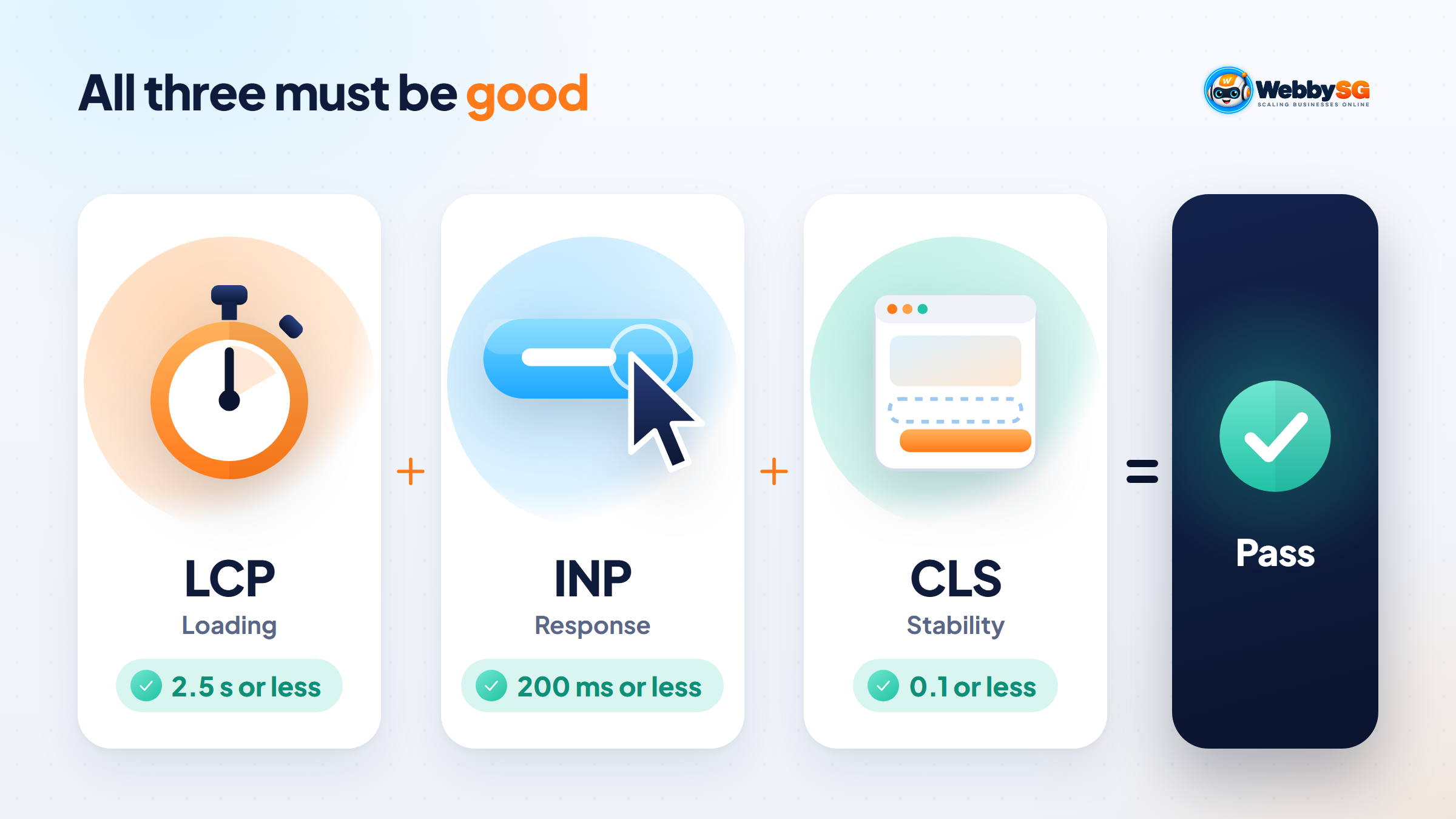
Core Web Vitals are three measurements Google uses to judge how a web page feels to real visitors: how quickly the main content appears (Largest Contentful Paint, or LCP), how quickly the page responds when someone taps or clicks (Interaction to Next Paint, or INP), and how much the layout jumps around while it loads (Cumulative Layout Shift, or CLS). A page passes when at least 75% of real visits score "good" on all three: LCP of 2.5 seconds or less, INP of 200 milliseconds or less and CLS of 0.1 or less. Google's ranking systems use these signals, but they rarely outweigh relevant, helpful content.
This guide is written for business owners rather than developers. It explains what the numbers mean, why your reports sometimes disagree or show no data at all, how much the scores really matter for rankings, and which fixes to ask for on WordPress, Shopify and Wix.
In short
- Core Web Vitals measure loading (LCP), responsiveness (INP) and visual stability (CLS), using data from real Chrome users.
- "Good" means LCP within 2.5 seconds, INP within 200 milliseconds and CLS of 0.1 or less, measured at the 75th percentile of visits, separately for mobile and desktop.
- INP replaced First Input Delay (FID) as a Core Web Vital on 12 March 2024.
- Field data covers a rolling 28-day period, so fixes take weeks, not hours, to show up in Search Console.
- Google says Core Web Vitals are used by its ranking systems, but good scores do not guarantee top rankings. Treat them as a tie-breaker and a conversion issue, not a shortcut to page one.
What Core Web Vitals are and why Google uses them
Core Web Vitals are part of Google's Web Vitals programme. Instead of technical timings that mean little to visitors, they focus on three things a visitor notices: did the page show up quickly, did it react when I tapped, and did things stay where I expected them?
The official scores come from the Chrome User Experience Report (CrUX), a dataset of how real Chrome users experience popular websites. So your scores reflect your actual visitors on their actual phones and networks, and a site needs enough traffic to appear in the dataset at all, which is why small sites often see "no data".
Google's Core Web Vitals documentation for Search says good scores, together with other page experience aspects, align with what its core ranking systems seek to reward. The business case is wider than search: a page that appears quickly and responds to taps is easier to buy from or enquire on.
LCP, INP and CLS in plain English
Largest Contentful Paint (LCP): does the main content appear quickly?
LCP measures how long the largest visible element, usually a hero image, banner or big heading, takes to appear. On a typical SME homepage it is the hero image, and if that is an uncompressed camera photo, LCP will suffer however fast your hosting is.
Interaction to Next Paint (INP): does the page respond when I tap?
INP measures how long the page takes to respond visually after a visitor clicks, taps or types, across the interactions in a visit. A poor INP feels like a menu that opens a beat late or an "Add to cart" button that seems to do nothing. The usual cause is too much JavaScript, often from plugins, apps, chat widgets and tracking scripts.
INP replaced First Input Delay (FID) on 12 March 2024. FID only measured the delay before the first interaction was handled, so many sites passed FID easily while still feeling sluggish. INP is stricter, and some sites that used to pass now fail on it.
Cumulative Layout Shift (CLS): does the layout stay put?
CLS measures unexpected movement of content, such as a banner loading above the button you were about to tap and pushing it down. It is a score rather than a time, and lower is better.
Good, needs improvement and poor: the Core Web Vitals thresholds
Google sorts each metric into three bands. These are the thresholds used in Search Console's Core Web Vitals report as of November 2026:
| Metric | What it measures | Good | Needs improvement | Poor |
|---|---|---|---|---|
| LCP (Largest Contentful Paint) | Loading of the main content | 2.5 s or less | Up to 4 s | Over 4 s |
| INP (Interaction to Next Paint) | Response to taps, clicks and typing | 200 ms or less | Up to 500 ms | Over 500 ms |
| CLS (Cumulative Layout Shift) | Unexpected layout movement | 0.1 or less | Up to 0.25 | Over 0.25 |
Three rules decide whether a page "passes":
- The 75th percentile counts, not the average. At least three in four visits must reach the good threshold. A fast experience on your office Wi-Fi does not cancel out slow visits on older phones.
- All three metrics must be good. In Search Console, a group of URLs takes the status of its worst metric. Good LCP and good INP with poor CLS is reported as poor.
- Mobile and desktop are assessed separately. Check your analytics, but for most consumer-facing businesses here phones bring the majority of visits, and mobile scores are usually the weaker of the two. Start there.
How to check your scores in Search Console and PageSpeed Insights
Two free Google tools cover most owners' needs.
Google Search Console: the site-wide view
Open your property, find the Core Web Vitals report in the menu, and open the mobile or desktop view. You will see counts of URLs rated good, needs improvement and poor over time. Click into an issue, such as "LCP issue: longer than 2.5s (mobile)", to see example URLs. Search Console groups similar pages together, so one slow product template can put hundreds of URLs into the poor bucket at once. That is actually good news: fixing the template fixes the whole group.
When you believe an issue is fixed, click Start Tracking on the issue's page. Search Console then runs a 28-day monitoring session, as explained in Google's Core Web Vitals report help page.
PageSpeed Insights: the single-page view
Enter a URL at pagespeed.web.dev. The top section shows field data from CrUX and the pass or fail verdict for the Core Web Vitals assessment. Below it, a Lighthouse lab test gives a performance score out of 100 and diagnostics. Owners often fixate on that score, but the assessment is based on the field data at the top.
A simple monthly routine
- Check the Search Console Core Web Vitals report for mobile first, then desktop.
- Note which issue affects the most URLs and which page template those URLs share.
- Run that template's most important page (homepage, a key service page or a top product page) through PageSpeed Insights.
- Pass the diagnostics to your developer, ask for a fix on the template, then start tracking the issue in Search Console.
- Re-check after four weeks rather than daily.
Why your reports disagree or show no data
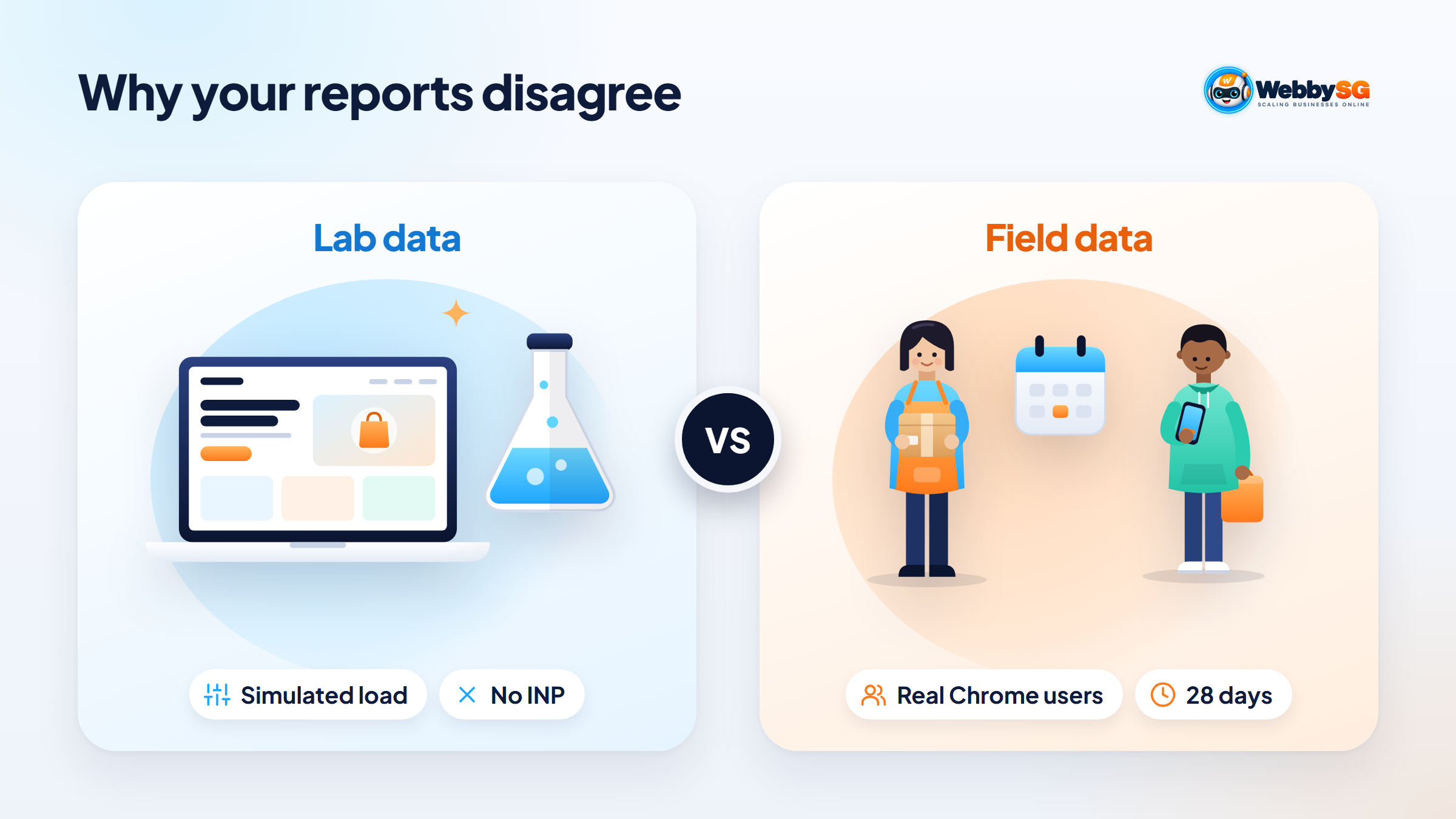
Most confusion comes from mixing field data and lab data, or from not knowing how much data Google needs.
| What you see | Why it happens | What to do |
|---|---|---|
| Lab score of 45 but the Core Web Vitals assessment passes | The lab test simulates one load on a throttled device; field data reflects your real visitors, who may have faster phones or cached files | Trust the field data for SEO; use lab diagnostics to find improvements |
| Lab score of 95 but the assessment fails | Lab tests cannot measure INP, and real visitors may be on slower devices, scroll and tap more, or trigger pop-ups the lab never sees | Look at which field metric fails, often INP or CLS |
| "No data" or no real-user section in PageSpeed Insights | The page, and possibly the whole site, does not have enough Chrome visitors to appear in CrUX | Use lab data as a guide; this is common for small sites and is not a penalty |
| PageSpeed Insights shows "origin" data | The single URL lacks enough data, so PSI falls back to all pages on the same site | Treat it as a site-wide average, not a verdict on that page |
| You fixed a page but the report still shows poor | Field data covers the previous 28 days, so old slow visits are still counted | Wait about four weeks and use Start Tracking in Search Console |
Also note that Search Console drops URL groups that lack the minimum data, so a shrinking URL count does not always mean pages were fixed.
How much Core Web Vitals affect rankings
Google's page experience guidance is clear on both sides. Core Web Vitals are used by its ranking systems. At the same time, Google says it always seeks to show the most relevant content even when the page experience is sub-par, and that good results in the Core Web Vitals reports do not guarantee top rankings.
In practice, fixing Core Web Vitals will not rescue a page that does not answer the searcher's question; content and relevance matter far more. Where several pages are similarly helpful, a better experience can help you edge ahead, and the commercial payoff of a fast, responsive page applies either way. Prioritise poor scores on your money pages, such as the homepage, service pages, product pages and checkout, rather than chasing a perfect 100 on every URL.
Common Core Web Vitals fixes on WordPress, Shopify and Wix
The causes are similar across platforms. What you can change, and who should change it, differs.
| Problem | WordPress | Shopify | Wix |
|---|---|---|---|
| Slow LCP from large hero images | Resize and compress images; serve modern formats such as WebP; don't lazy-load the hero image | Upload images at sensible dimensions; avoid oversized slideshow banners | Replace oversized images and video backgrounds above the fold |
| Slow LCP from the server | Use page caching and decent hosting; reduce heavy page-builder layouts | Hosting is managed; focus on theme weight and apps | Hosting is managed; simplify heavy pages |
| Poor INP from too much JavaScript | Remove unused plugins; delay non-essential scripts such as chat and tracking | Uninstall unused apps and check for leftover app code in the theme | Limit third-party embeds, widgets and animations |
| Poor CLS from layout jumps | Set image dimensions; reserve space for banners, ads and cookie notices | Use a theme that sets image sizes; avoid pop-ups that push content | Avoid elements that load late and shift the page; check the mobile editor layout |
WordPress
WordPress gives you the most control and the most ways to go wrong. Slow sites usually combine cheap hosting, a heavy page builder and many plugins each adding scripts. Caching and image optimisation help, but removing what you do not need often helps more. Server location matters too: if your customers are in Singapore and the site sits on a server in the US or Europe, every request travels further, so a host or CDN with a Singapore point of presence usually trims the wait before anything appears. Our guide to web hosting in Singapore covers what to look for in a host, and our WordPress website service page explains how we build on the platform.
Shopify
On Shopify, the platform handles hosting, so the main levers are the theme and apps. Storefront apps can add JavaScript, and uninstalling an app does not always remove its code from the theme. Review apps every few months. See our Shopify store design service for how we set stores up.
Wix
Wix manages hosting and much of the technical optimisation for you, so you have fewer settings to change. Most improvements come from design choices: fewer large images and videos above the fold, fewer third-party embeds, and simpler mobile layouts. Our Wix website design page covers what the platform suits best.
Getting help with Core Web Vitals
Fixing Core Web Vitals is usually a one-off clean-up followed by ongoing discipline, because new plugins, apps and scripts can slowly undo the work. If you would like your site checked as part of a wider search review, our SEO services include technical fixes like these, and our website maintenance plans help keep scores stable after updates. If you are not sure where to start, send us your website address and we will tell you what the reports are showing.
Frequently asked questions
What is a good LCP score?
An LCP of 2.5 seconds or less is good. Between 2.5 and 4 seconds needs improvement, and over 4 seconds is poor. The score that counts is the 75th percentile of real visits, measured separately for mobile and desktop.
What replaced First Input Delay?
Interaction to Next Paint (INP) replaced First Input Delay (FID) as a Core Web Vital on 12 March 2024. INP looks at responsiveness across the interactions in a visit, not just the first one, so it gives a fuller picture of how responsive a page feels. A good INP is 200 milliseconds or less.
How do I pass the Core Web Vitals assessment?
In PageSpeed Insights, a page passes when the 75th percentile of real-user LCP, INP and CLS are all in the good range. If there is not enough INP data, LCP and CLS must both be good. Focus on the failing metric for your most important page templates, then allow about four weeks for the field data to update.
Why does PageSpeed Insights say there is no field data?
Field data comes from the Chrome User Experience Report, which only includes pages and sites with enough real Chrome visitors. If the page lacks data, PageSpeed Insights shows the whole site's (origin) data instead; if the site also lacks data, no field data appears. This is common for small business websites and is not a penalty, so use the lab results as a guide.
How long until fixes show in Search Console?
Expect around four weeks. The Core Web Vitals report uses a rolling 28-day window of real-user data, and the Start Tracking check monitors the issue over 28 days. Earlier, slower visits keep counting until they drop out of that window.