Abandoned Cart Recovery: A Practical Guide for Stores
How to win back shoppers who leave items in the cart: fix checkout causes, set up recovery emails and retargeting, stay compliant and measure results.
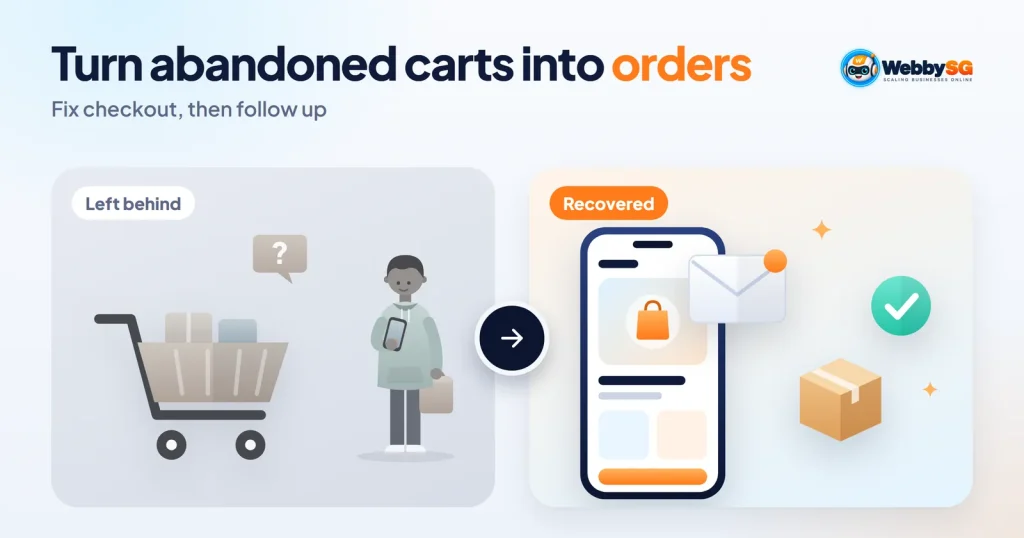
Abandoned cart recovery is the process of winning back shoppers who add items to their cart or start checkout but leave without paying. It works best in two stages: first fix the problems on your site that make people leave, such as surprise delivery fees or a forced account sign-up, then follow up with a short series of reminder emails and, where you have consent, SMS, WhatsApp or retargeting ads. For a Singapore store, the follow-ups also need to respect the PDPA, the Do Not Call rules and the Spam Control Act. When reviewing checkout drop-off, check whether your Singapore payment gateway supports the payment methods your customers use.
We cover both stages below, with set-up notes for Shopify and WooCommerce and a plain way to measure what you actually get back.
In short
- Baymard Institute's average documented cart abandonment rate is 70.22%, based on 50 studies (page updated October 2026). Most of those shoppers will never return, so fixing the cause matters more than the reminder.
- The top reason in Baymard's survey of US shoppers was extra costs such as delivery and fees. Show the full price early.
- A typical sequence is two or three emails over a few days. Hold back discounts until the last message, if you use them at all.
- Shopify's built-in abandoned checkout automation sends only to email marketing subscribers by default. WooCommerce needs an extension or plugin.
- Measure recovered orders and revenue, not open rates.
What abandoned cart recovery is (cart vs checkout)
Two terms are often used interchangeably, but they mean different things:
- Abandoned cart: a shopper adds products to the cart and leaves. Unless they are logged in or have already given you their email, you usually cannot contact them.
- Abandoned checkout: a shopper starts checkout, enters their email or phone number, and leaves before paying. This is the group you can follow up with directly. Shopify, for example, counts a checkout as abandoned when it stays incomplete for more than ten minutes after the customer has entered their email.
Recovery emails mostly target abandoned checkouts. Shoppers who left at the cart stage are usually reached with retargeting ads instead.
Why shoppers leave: causes you can fix on the site
Baymard Institute reports an average documented online cart abandonment rate of 70.22%, calculated from 50 studies published between 2006 and 2025. Its survey of US online shoppers asked why they abandoned during checkout. Excluding people who were just browsing, the most common reasons were:
| Reason for abandoning checkout | Share of shoppers | Fix on your site |
|---|---|---|
| Extra costs too high (delivery, tax, fees) | 40% | Show delivery fees on product and cart pages; state a free-delivery threshold |
| Delivery was too slow | 20% | Show delivery timeframes before checkout; offer self-collection if you can |
| Did not trust the site with card details | 19% | Recognised payment options, clear contact details, HTTPS, a professional design |
| Site wanted an account created | 18% | Enable guest checkout |
| Checkout too long or complicated | 17% | Remove unnecessary fields and steps |
| Website errors or crashes | 17% | Test checkout on phones and after every update |
| Returns policy unsatisfactory | 13% | Link a clear returns policy near the checkout button |
| Could not see total cost up front | 12% | Show the order total, including delivery, before payment |
| Not enough payment methods | 9% | Add the methods your customers expect |
Source: Baymard Institute, cart abandonment rate statistics, updated 28 October 2026. Shoppers could give more than one reason, and the survey covers US shoppers, so treat it as a guide to the likely causes rather than a Singapore figure.
Checkout fixes to make before sending reminders
Reminders bring back a small share of shoppers. Fixing the checkout helps every shopper. Work through this list first:
- Show delivery costs early. Put your delivery fees and free-delivery threshold on product pages and in the cart, not only at the last step.
- Allow guest checkout. Offer account creation after the order, not before it.
- Offer the payment methods Singapore shoppers use. Cards, digital wallets and PayNow are common expectations. Check which your platform and payment provider support.
- Cut form fields. Ask only for what you need to deliver the order. Use postcode lookup if your platform supports it.
- Show delivery dates and self-collection options before checkout.
- Make trust visible. Business name, UEN, contact details, returns policy and secure checkout should all be easy to find.
- Test on a phone. Place a real order on a mobile phone at least once a month and after every theme or plugin update.
If your store has deeper problems, such as slow pages or a confusing product layout, a website UX audit will usually find more lost sales than any reminder email.
A simple recovery email sequence and timing
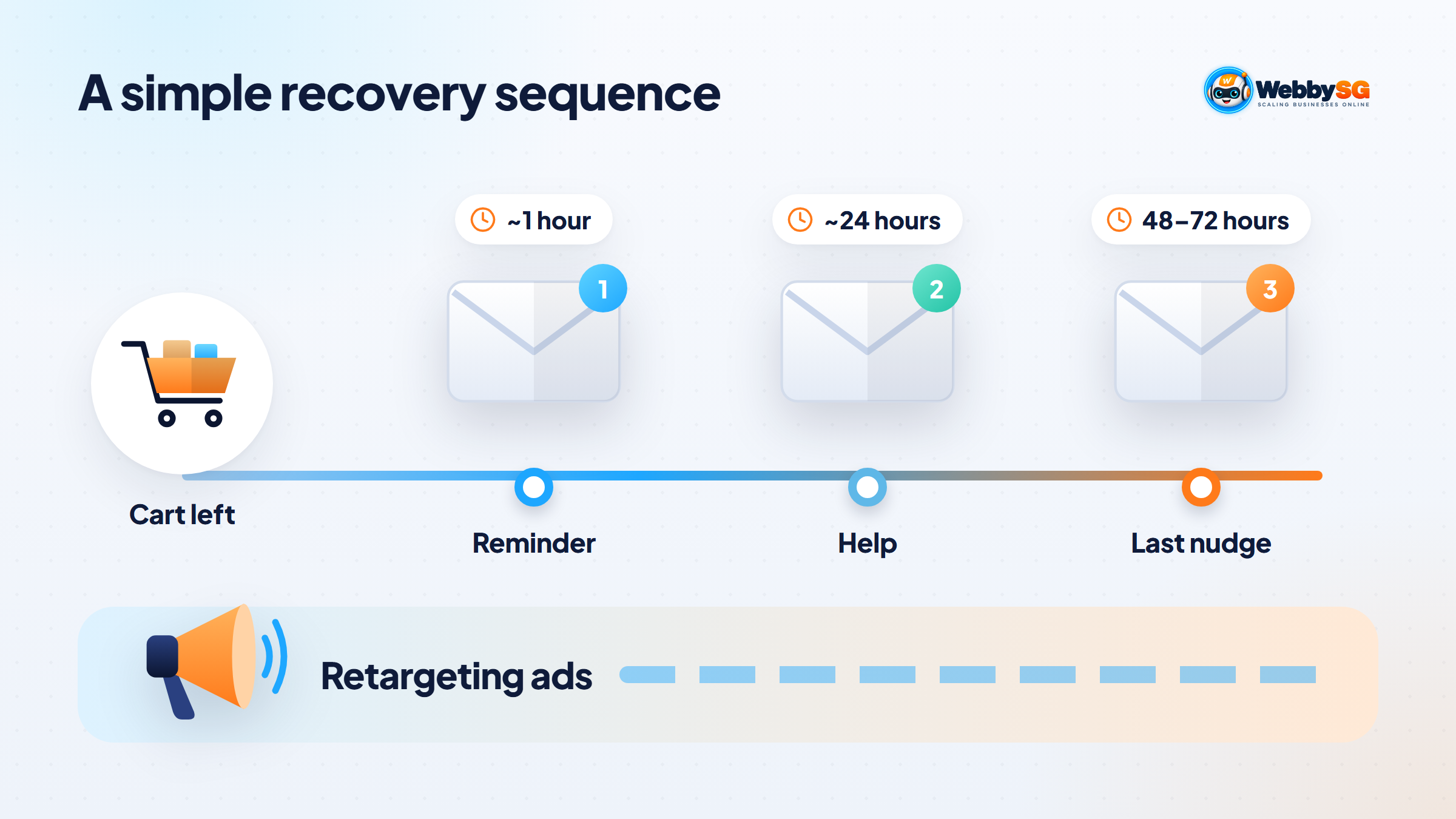
Most stores do well with two or three emails. Shopify's newer abandoned checkout automation lets you set the wait time yourself; its help centre notes that a second abandoned checkout automation defaults to a 10-hour wait. A practical starting sequence:
| Timing (starting point) | Purpose | Content | |
|---|---|---|---|
| 1. Reminder | About 1 hour after abandonment | Catch people who were interrupted | Product image, name and price; one button back to the checkout; your contact details |
| 2. Help | About 24 hours later | Answer the likely objection | Delivery fees and timing, returns policy, payment options, a WhatsApp or email contact for questions |
| 3. Last nudge (optional) | About 48 to 72 hours later | Final reminder | Stock or availability note if true; optional incentive (see below) |
These timings are a sensible starting point, not a rule. Test one change at a time, such as sending the first email at one hour versus three, and compare recovered orders.
A few details matter more than clever subject lines. The email should link straight back to the filled checkout, show exactly what was left behind, come from your store's name, and be easy to read on a phone. Shopify warns that anyone with the checkout link can continue that checkout, so send it only to the customer who started it.
Discounts: when to offer one and when not to
A discount in the first reminder is tempting, but it has costs. It cuts margin on orders that would have come back anyway, and regular customers can learn to abandon carts on purpose to get a code.
A more measured approach:
- Keep the first one or two emails free of discounts.
- If you offer an incentive, put it in the last email, make it single-use and time-limited, and consider free delivery instead of a percentage off, since delivery cost is the top reason people leave.
- Restrict incentives to first-time customers or carts above a set value.
- Compare the margin you give away with the extra orders recovered before making it permanent.
SMS, WhatsApp and retargeting ads as follow-ups
Email is the default channel, but not the only one.
- SMS and WhatsApp are read quickly and suit higher-value carts. They need more care with consent (see the next section), and many shoppers find them more intrusive than email, so one message is usually enough. Shopify does not let you send its SMS or WhatsApp automations to customers who have not subscribed.
- Retargeting ads reach shoppers who left before giving any contact details. Ads on Meta or Google can show the exact products viewed to people who visited the cart. Our social media advertising service runs this kind of campaign. Cap how often people see the ads, and exclude buyers once they have ordered.
Consent and unsubscribe rules for Singapore stores
This section is general information, not legal advice. Three sets of rules are relevant.
PDPA: purpose and consent
Under the PDPA, you should tell customers why you collect their email and phone number and use the data only for those purposes. If you plan to send checkout reminders, say so in your privacy policy and at checkout. For general marketing, such as newsletters and promotions, collect a separate marketing opt-in that the customer ticks themselves.
Do Not Call rules for SMS, calls and other text messages
The PDPC's advisory guidelines on the Do Not Call provisions explain that before sending a marketing message (a "specified message") to a Singapore telephone number, you must check the DNC Registry unless you have the person's clear and unambiguous consent in evidential form. The registers cover voice calls, text messages and faxes, and the guidelines state that the rules apply to every channel that uses a Singapore number, naming data apps such as WhatsApp, iMessage and Viber alongside SMS. Messages whose sole purpose is to complete a transaction the customer has already agreed to are excluded, but an unfinished checkout is not a completed order, and a message that promotes the products or offers a discount is marketing. The safest approach is to send SMS or WhatsApp reminders only to customers who ticked a box agreeing to them, and to keep a record of that consent.
Spam Control Act for email and SMS
The Spam Control Act 2007 sets requirements for unsolicited commercial electronic messages sent in bulk, including a working unsubscribe facility and an <ADV> label on unsolicited messages. Recovery emails are automated and often commercial in tone. To keep them clean, include an unsubscribe link and your business details in every reminder, honour unsubscribes promptly, and stop the sequence as soon as the customer orders or opts out.
Setting it up on Shopify and WooCommerce
Shopify
- In Shopify admin, open the Shopify Messaging app and go to Automations.
- Open the abandoned checkout automation and set the wait time.
- Check the recipients. According to Shopify's help centre, the automation sends only to customers subscribed to email marketing by default; you can change the email's To: field to All customers if your privacy notice and consent approach allow it.
- Edit the email content and add further emails to the sequence if needed.
- Place a test order, abandon it, and check the email arrives and the link works.
Moving to the newer automation is permanent, so read Shopify's notes before switching. For help with set-up and the wider store, see our Shopify website design service.
WooCommerce
WooCommerce does not send abandoned cart reminders on its own; you need an extension. AutomateWoo, sold on the WooCommerce marketplace by Woo, includes abandoned cart reminder emails at set intervals; it was listed at $159 for a one-year plan in November 2026 (the listing shows a $ price without naming the currency). Several email marketing platforms also offer WooCommerce integrations with cart recovery. Whichever you choose, make sure it records consent, includes unsubscribe links and stops once an order is placed. Our WooCommerce development page covers how we set up stores on the platform.
Measuring recovered revenue
Open and click rates tell you whether emails are seen, not whether they make money. Track these instead, monthly:
- Checkouts abandoned: the number of checkouts started with contact details but not completed.
- Recovered orders: orders placed from a recovery link or within your chosen window after a reminder.
- Recovery rate: recovered orders divided by checkouts abandoned.
- Recovered revenue, minus any discounts given.
- Overall checkout completion rate. If this improves after a checkout fix, that change is worth more than any email.
A quick worked example with made-up numbers: say a store logs 400 abandoned checkouts in a month, and 32 of them turn into orders after a reminder. That is a recovery rate of 8%. If those 32 orders total S$2,880 and you gave away S$180 in free-delivery codes, recovered revenue is S$2,700. Next month, after moving the delivery fee onto product pages, abandoned checkouts fall to 330. Fewer recoveries may follow, but more orders come through the front door, and that is the number that pays the bills.
Shopify's abandoned checkouts page and marketing reports show recovered orders, and most WooCommerce cart recovery tools include similar reports. Compare against your own previous months rather than a published benchmark.
If you would like your checkout reviewed or a recovery sequence set up, our e-commerce website service covers both, or you can get in touch with a link to your store.
Frequently asked questions
Is abandoned checkout the same as abandoned cart?
Not quite. An abandoned cart means items were added but the shopper left, often before giving any contact details. An abandoned checkout means the shopper started checkout and entered an email or phone number, so you can follow up directly.
How soon should the first recovery email go out?
Within a few hours is a common starting point, often around one hour, while the purchase is still on the shopper's mind. In Shopify you set the wait time in the automation. Test different timings and compare recovered orders rather than opens.
Can I send recovery emails to guests who did not opt in?
Shopify's automation sends only to email marketing subscribers by default, and widening it is a choice you should make deliberately. If you do, tell customers at checkout and in your privacy policy that you may send a reminder about an unfinished order, keep the email focused on that order, and include an unsubscribe link. SMS and WhatsApp reminders should go only to customers who have agreed to receive them.
Do recovery discounts train customers to wait?
They can, particularly if every abandoned checkout gets a code in the first email. Keep early reminders discount-free, limit any incentive to the last message, and make codes single-use and time-limited.
What is a good cart recovery rate?
There is no reliable universal benchmark, because stores define abandonment and recovery differently. The useful comparison is your own rate month to month: if fixes to the checkout and the sequence raise recovered orders and revenue, they are working.