How to Write a Meta Description (With Examples)
How to write meta descriptions that earn clicks: length, structure and wording, with before-and-after examples and steps for WordPress, Shopify and Wix.
To write a meta description, summarise what the page offers in one or two plain sentences, written for the person searching: say what the page is about, who it is for, and why it is worth clicking, using the words they searched for. Keep it unique to that page and front-load the important part, because Google truncates long snippets. This guide shows how to write meta description text that earns clicks, with a simple formula, before-and-after examples for five Singapore business page types, and the steps to add one in WordPress, Shopify and Wix.
A meta description will not lift your rankings on its own, but it is often the text people read before deciding whether to visit you. That makes it one of the cheapest improvements you can make to search traffic.
In short
- A meta description is a short summary in the page's HTML that Google may show under your title in search results.
- Google sets no fixed length limit, but truncates snippets to fit the screen. Aiming for roughly 120 to 160 characters, with the key point first, works well in practice.
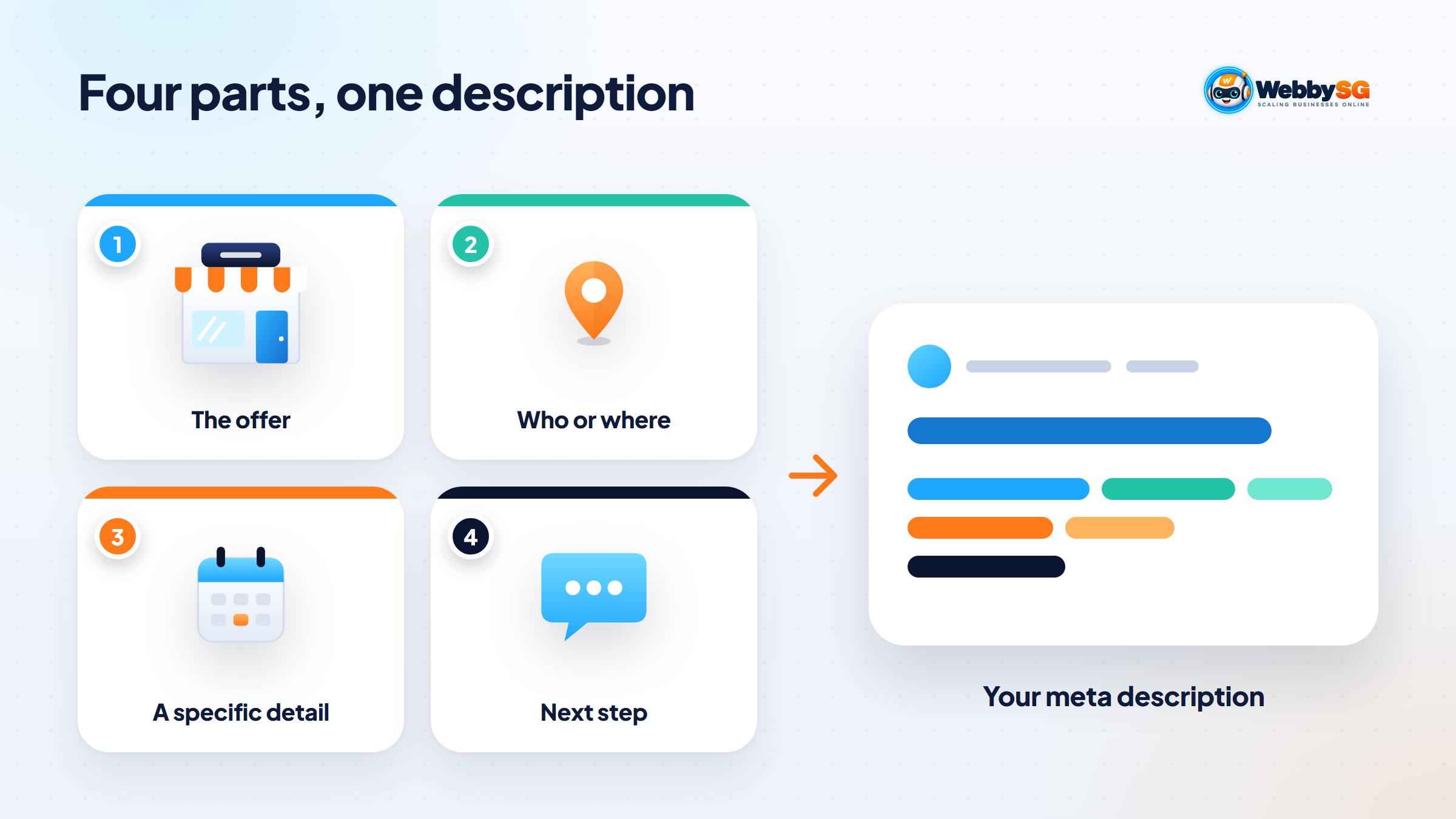
- Formula: what the page offers + who or where it is for + a specific detail or reason + a next step.
- Google often shows its own snippet instead. Clear, accurate descriptions that match the page are the ones most likely to be used.
- Every important page should have its own description. Do not copy one description across many pages.
What a meta description does (and does not do)
The meta description is an HTML tag, <meta name="description" content="...">, that describes the page. Visitors do not see it on the page itself. Google may use it as the snippet, the grey text under the blue title link in search results.
Google's documentation on controlling snippets in search results says snippets are primarily created from the page content, and that Google may use the meta description when it gives a more accurate description of the page than the on-page text. In practice that means:
- It does: influence what searchers read about your page, and so whether they click.
- It does not: work as a ranking shortcut. Stuffing keywords into it will not move you up the results.
- It can also: be used as the default text when the page is shared on some social platforms and messaging apps, if no separate social description is set.
Length: what to aim for and why there is no fixed limit
Google states that there is no limit on how long a meta description can be, but that snippets are truncated as needed, typically to fit the device width. So a description that shows in full on a laptop may be cut short on a phone.
Practical guidance:
- Aim for about 120 to 160 characters. Most SEO plugins show a length bar based on this range. Treat it as a guide, not a rule.
- Put the most important information first. If the end gets cut off, the searcher should still understand the page.
- Do not pad short descriptions. A clear 110-character description is better than a vague 160-character one.
How to write meta description text: a simple formula
Most good meta descriptions follow the same pattern. Use it as a starting point, then edit for natural wording:
- What the page offers. Name the service, product or topic in the words people search for.
- Who or where it is for. Homes or offices, HDB or condo, a specific area of Singapore, a type of business.
- A specific detail. Something concrete that sets this page apart: a price, a range of options, a time frame, what is included.
- A next step. Book, get a quote, see examples, compare options. Keep it honest and match what the page actually offers.
Then check it against Google's own best practices: each page should have a unique description, it should accurately summarise the page, and it should not be a list of keywords. Product pages can include details such as price, and articles can include the author or date.
Before-and-after examples for five page types
These examples are for illustrative Singapore businesses. The character counts include spaces.
| Page type | Before | After | Length |
|---|---|---|---|
| Homepage (aircon servicing) | Welcome to our website. We are a leading company providing quality services. | Aircon servicing, chemical wash and repairs for homes and offices across Singapore. Same-week appointments. Get a quote on WhatsApp. | 132 |
| Service page (renovation) | Renovation, renovation Singapore, HDB renovation, condo renovation, interior design. | HDB and condo renovation in Singapore, from kitchen and bathroom works to full makeovers. See past projects, typical timelines and request a site visit. | 152 |
| Location page (clinic) | Our Jurong branch. | Physiotherapy clinic in Jurong East, five minutes from the MRT. Sports injuries, back pain and post-surgery rehab. Book online or call to check slots. | 150 |
| Product page (furniture) | Buy now! Best price! Free shipping! | Solid teak dining table, 180cm, seats six. Oiled finish, made to fit HDB dining areas. S$1,290 with GST, delivery across Singapore or self-collection. | 150 |
| Blog post (GST guide) | In this article we will talk about GST. | When does a Singapore business have to register for GST? The S$1 million threshold explained, with examples and what changes once you register. | 143 |
What changed in each case:
- Homepage: replaced generic claims with the actual services, the audience and a contact method.
- Service page: replaced a keyword list with a sentence a person would want to read, while still naturally including "HDB" and "condo renovation".
- Location page: added the area, a landmark and the main treatments people search for.
- Product page: replaced sales shouting with facts: size, material, price including GST and delivery options.
- Blog post: led with the question the reader has and the key fact the article answers. The GST registration threshold is S$1 million in taxable turnover.
Why Google rewrites descriptions and how to check
Google often shows a snippet taken from the page content instead of your meta description, especially when the search is more specific than the description. An Ahrefs study updated in October 2020, which compared meta descriptions with Google's desktop snippets for 20,000 keywords, found that Google rewrote them 62.78% of the time. That is a dated, single-tool study, but the pattern is clear: Google picks whatever text best matches the query.
You cannot force Google to use your description, but you can make it more likely:
- Make the description an accurate summary of the page, not a slogan.
- Cover the main thing people search for on that page.
- Avoid duplicates across pages, which Google says are not helpful.
To check what Google actually shows, search for your main keyword in a private browser window and find your page, or search "site:yourdomain.sg" plus the page topic. Check on both phone and desktop, since truncation differs. If Google keeps showing a different snippet, look at which on-page sentence it chose: that often tells you what searchers care about.
Adding meta descriptions in WordPress, Shopify and Wix
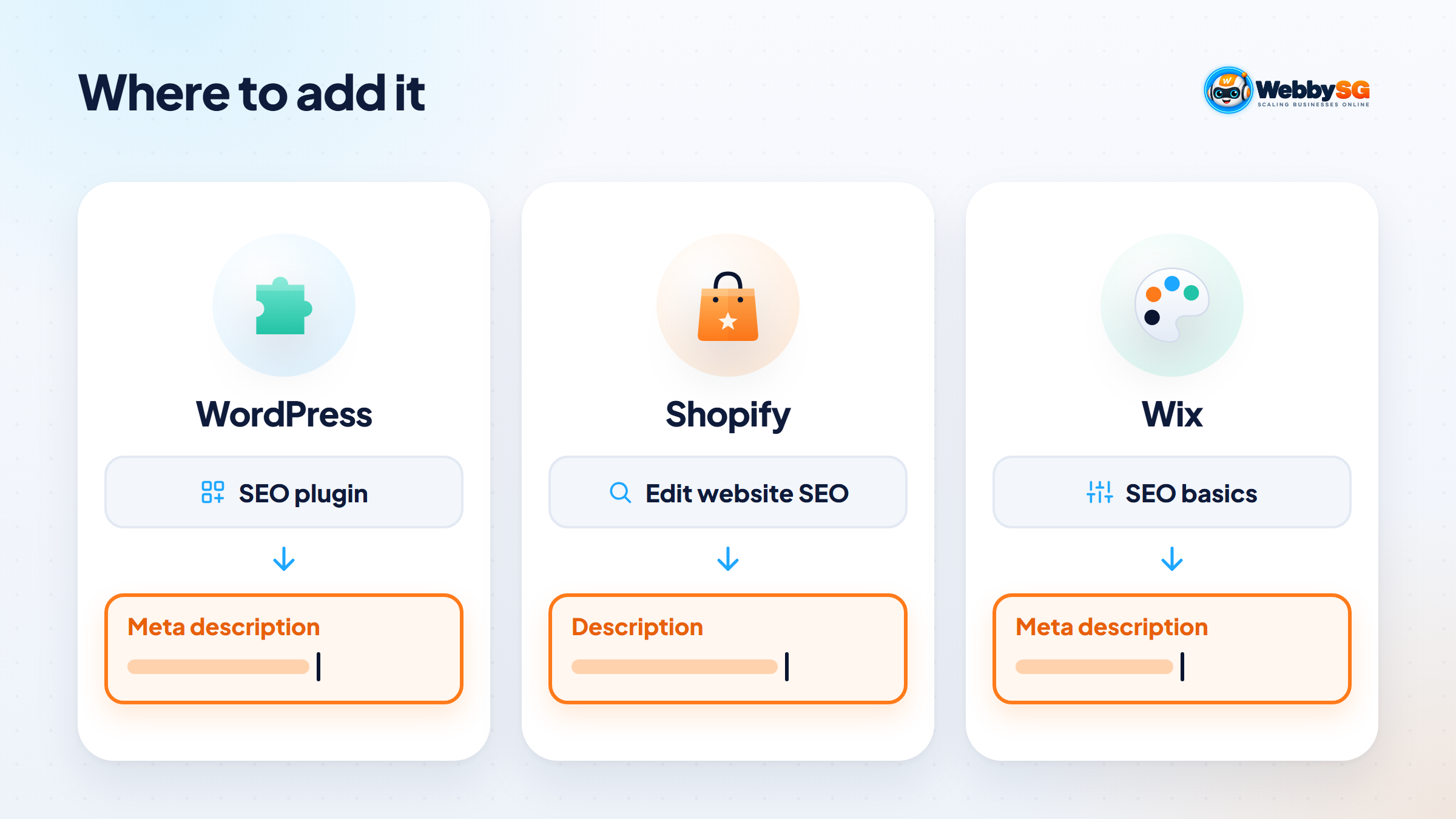
WordPress (Yoast SEO or Rank Math)
- Open the page or post in the WordPress editor.
- Yoast SEO: scroll to the Yoast SEO section below the content (or open the Yoast sidebar), find the search appearance preview and type in the Meta description field.
- Rank Math: open the Rank Math panel, click Edit Snippet, and fill in the Description field.
- Update the page. To set default templates for posts or products, Yoast's settings are under Yoast SEO > Settings > Content types.
Our WordPress website design builds come with an SEO plugin configured.
Shopify
According to Shopify's help centre on editing titles and meta descriptions:
- For pages, go to Online Store > Pages, open the page, and in the Search engine listing section click Edit website SEO. Type in the Description field and save.
- For products, collections and blog posts, open the item and use the same search engine listing section at the bottom of the editor.
- For the homepage, go to Online Store > Preferences and fill in the meta description.
See our Shopify website design page for store builds.
Wix
- In the Wix Editor, open Pages & Menu, click the More Actions icon next to the page and choose SEO basics.
- Type your text in the field labelled Meta description (description in search results).
- Publish the site. Google picks up the change the next time it crawls the page. Wix's guide to adding title tags and meta descriptions covers other editor versions and site-wide settings for page types.
Meta descriptions and AI search results
AI-generated answers, such as Google's AI Overviews and chat-based search tools, usually summarise the content of your page rather than quoting the meta description. So the page copy itself carries more weight than it used to. The meta description is still the snippet for plenty of ordinary results, and the exercise of writing one is useful in its own right: if you cannot say what a page is for in a sentence, an AI summary will struggle too. Our guide to answer engine optimisation covers how to structure pages for AI answers.
Common mistakes to avoid
- Duplicate descriptions across many pages, often from a theme or plugin default.
- Keyword lists instead of sentences.
- Generic claims like "leading provider of quality solutions".
- Promises the page does not keep, such as "free quote" when there is none, which leads to quick exits.
- Burying the point at the end, where it gets truncated.
- Leaving key pages blank and relying entirely on Google to choose a snippet.
- Forgetting GST on product prices: if you are GST-registered, any price you quote should be GST-inclusive, as it must be on the page.
Start with the pages that matter most: your homepage, main service or category pages, and top blog posts. If you want help reviewing descriptions and titles across your site, our SEO services include on-page optimisation, or you can send us a few pages to look at.
Frequently asked questions
Do meta descriptions affect SEO rankings?
Not directly. Google does not use the meta description as a ranking shortcut. It matters because it can be shown as the snippet in search results, and a clear, relevant snippet makes people more likely to click your result.
What is the ideal meta description length?
Google sets no fixed limit and truncates snippets to fit the screen. About 120 to 160 characters is a practical target, with the most important information in the first part. A shorter description that is clear and complete is fine.
Can I use the same meta description on several pages?
Avoid it. Google says identical or similar descriptions on every page are not helpful. Each important page should have its own description. For very large sites, such as stores with thousands of products, Google says generating descriptions programmatically from page data can be appropriate.
Should I include a call to action?
Usually, yes, if it is short and genuine: "book online", "get a quote on WhatsApp" or "see past projects". Make sure the page actually offers what the call to action promises, otherwise visitors leave quickly.
Why is Google ignoring my meta description?
Google picks the text it thinks best matches each search, which may be a sentence from your page rather than your description. This is common for specific or long searches. Make sure your description accurately summarises the page and is not a keyword list, and accept that Google will sometimes choose its own snippet.