Google Business Profile Optimisation for Singapore SMEs
A practical Google Business Profile checklist for Singapore SMEs: categories, service areas, home-based set-ups, photos, reviews and the insights to track.
Google Business Profile optimisation means making your free listing on Google Search and Maps complete, accurate and active, so that you appear for nearby searches and people choose you once they see you. For a Singapore SME, the work that matters most is simple: the right primary category, a correct name, address or service area, hours and phone number, a clear description and services list, real photos, a steady flow of reviews with replies, and tracking of the calls and clicks your profile sends. Most of it takes an hour to fix and 15 minutes a week to keep up.
In short
- Google ranks local results mainly on relevance, distance and prominence. You cannot pay for a better local ranking, but you can make your profile more complete and more trusted.
- Start with the basics: real business name (no keywords), most specific primary category, accurate hours and a local phone number.
- Home-based and mobile businesses should usually set up as a service-area business and hide their address. Virtual offices are not eligible.
- Photos, posts and review replies show the profile is active. A short weekly routine beats a big clean-up once a year.
- Track calls, direction requests and website clicks, and tag your website link so you can see profile traffic in GA4.
What Google Business Profile optimisation actually changes
Google's help page on how local ranking works says local results are based mainly on three factors:
- Relevance: how well your profile matches the search. Categories, services and description drive this.
- Distance: how far you are from the searcher or the location in the search. You cannot change this, which is why a café in Tampines will rarely show for "café near me" searched in Jurong.
- Prominence: how well known the business is, using signals such as reviews and links from other websites.
Google also states that businesses with complete and accurate information are more likely to show up, that more reviews and positive ratings can help, and that there is no way to pay for a better local ranking. Optimisation works on the two factors you control: relevance and prominence. It also improves the part rankings ignore: whether people who see your profile actually call, visit or click.
For the wider picture of how your profile, website and citations work together, see our local SEO guide for Singapore.
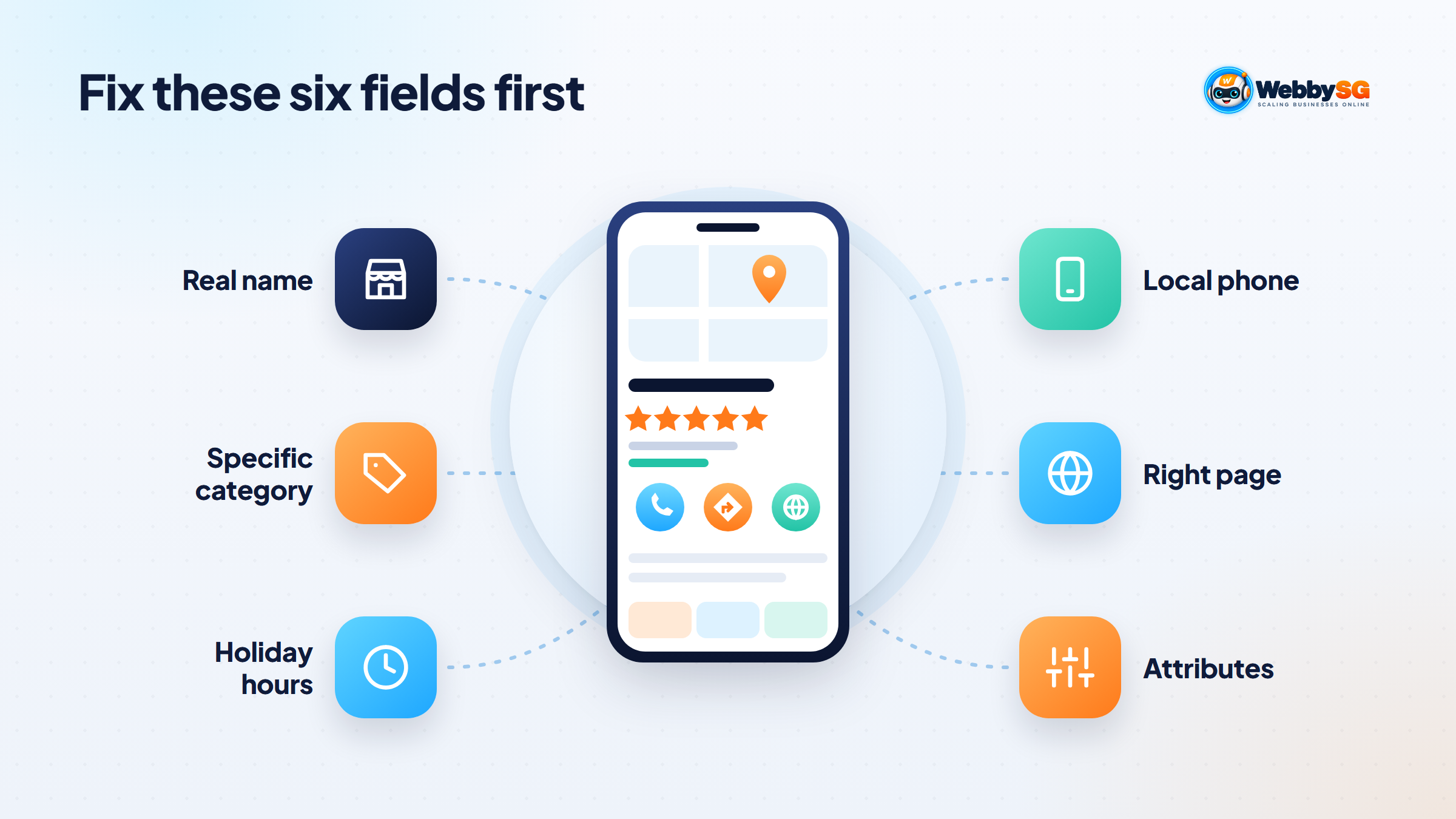
The first-hour fix list: name, category, hours, phone, website
Open your profile from Google Search or the Google Maps app, choose Edit profile, and work through this list in order. These fields are where most Singapore profiles lose out.
- Business name. Use your real-world name as it appears on your signage and website. Google's guidelines for representing your business do not allow taglines, keywords, locations or phone numbers in the name, and breaking this rule can get the profile suspended. "Ah Hock Plumbing" is fine; "Ah Hock Plumbing 24hr Plumber Singapore Cheap" is not.
- Primary category. Choose the most specific category for what the business is. Google lets you add up to nine more categories, but its guidelines say to use as few as possible to describe your core business.
- Hours. Set regular customer-facing hours, then add special hours for public holidays such as Chinese New Year, Hari Raya and National Day before they arrive.
- Phone number. Use a number you control that rings at this location, ideally a local number rather than a central hotline. If customers prefer WhatsApp, make sure the same number works there.
- Website. Link to the most relevant page. A single-location business can use the homepage; a multi-outlet business should link each profile to its outlet page.
- Attributes. Tick what applies: wheelchair accessible entrance, Wi-Fi, payment options and similar details people filter by.
| Field | Common mistake in Singapore | Better |
|---|---|---|
| Name | Adding "Singapore", "Best" or service keywords | Exact name on your signage and ACRA records |
| Primary category | Broad category such as "Contractor" | Specific category such as "Electrician" or "Interior designer" |
| Hours | Not updated for public holidays | Special hours set ahead of each holiday |
| Phone | Personal mobile that no one answers during jobs | A business line or mobile someone picks up |
| Website | Missing, or a Facebook page | Your own site, on the most relevant page |
Storefront, service-area or hybrid: choosing the right setup in Singapore
The set-up depends on one question: do customers come to you, do you go to them, or both? Getting this wrong is the most common reason we see home-based Singapore businesses run into verification trouble.
| Setup | Who it suits | Address shown? |
|---|---|---|
| Storefront | Shops, clinics, cafés, salons, offices that receive customers during stated hours | Yes, with permanent signage |
| Service-area business | Aircon servicing, plumbers, movers, cleaners, home tutors who travel to customers | No; hide the address and set service areas |
| Hybrid | Businesses that serve customers at their premises and also travel, such as a renovation firm with a showroom | Yes, plus service areas |
Home-based businesses
Google's guidelines say that a service-area business, such as a plumber working from a residential address, should hide the address from customers. That is usually the right setup for a business run from an HDB flat or private home.
There is also a Singapore rule to bear in mind. URA's home-based business guidelines state that no advertisements, signage or posters may be displayed at the residential premises, and HDB runs its own Home-Based Business Scheme with conditions for flats. Since Google expects businesses that show an address to keep permanent signage there, a home business generally should not show its address publicly. If customers collect orders from your home, read HDB's or URA's current conditions before deciding what to show, and give pickup details privately after an order is placed.
Writing the description, services and products sections
Google's description field allows up to 750 characters, and Google asks you not to include URLs or HTML. Only the first part shows before people expand it, so lead with the essentials. A simple structure:
- What you do and for whom, in one sentence
- Where you serve, such as "the whole of Singapore" or "the east, from Tampines to Pasir Ris"
- What makes you different: specialisations, licences, languages spoken, response time
- How to get started: call, WhatsApp or book online
Here is an illustrative description for a fictional aircon servicing business, at about 410 characters, well inside the 750 limit:
Cool Breeze Aircon services, repairs and installs aircon for homes and small offices across Singapore. We handle general servicing, chemical cleaning and chemical overhaul for most major brands, and our technicians speak English, Mandarin and Malay. Most bookings are done within three working days, with Saturday slots available. WhatsApp us your aircon model and unit count for a fixed quote before we visit.
Notice what it leaves out: no "best", no list of every estate name, no phone number repeated from the field above.
Then fill in services (or products for retail). List each main service with a short description in plain words customers search for, such as "chemical aircon cleaning" or "HDB toilet renovation". This feeds relevance without stuffing keywords into your name or description.
Photos, posts and Q&A: what to update and how often
- Photos: add a logo and cover photo, then real photos of your premises, team, vehicles and finished work. Storefronts should include the entrance and signage so people recognise it. Add new photos monthly; avoid stock images.
- Posts: use updates for offers, events and news, such as a festive promotion or new service. They keep the profile looking active and give searchers a reason to click, even though Google does not list posting as a ranking factor.
- Reviews: ask every satisfied customer, ideally with a short link sent by WhatsApp after the job. Reply to every review, including negative ones, briefly and politely. Never offer discounts or gifts in exchange for reviews.
- Questions: if your profile shows customer questions or messages, answer them promptly. If people keep asking the same thing, put the answer in your description or services too.
Reviews also build prominence, which is covered in more detail in our explainer on what local SEO is.
Avoiding suspensions: names, addresses and virtual offices
Suspensions often hit legitimate small businesses because of set-up mistakes. Google's guidelines are clear on the main ones:
- Virtual offices are not eligible. A registered-office or mail-forwarding address cannot have a Business Profile.
- Co-working spaces only qualify if your office there has clear signage and is staffed during business hours to receive customers.
- PO boxes and remote mailboxes are not acceptable addresses.
- Keyword-stuffed names can lead to suspension.
- Duplicate profiles for the same location are not allowed. Each location should have one profile.
Verification follows the same logic. Google's verification help page lists phone or text, email, live video call, postcard and video recording, and says Google decides which methods you are offered based on your business type, public information, region and business hours. You cannot pick the method yourself. Video verification usually means showing your signage, premises or vehicle and proof you manage the business, so a virtual-office address will struggle. If you are waiting for a postcard code, do not change your name, address or category, because Google warns that this can stop the code working.
Tracking calls, directions and website clicks from your profile
The Performance section of your profile shows how people found you and what they did: calls, direction requests, website clicks, bookings and messages where available, along with the searches that showed your profile. Check it monthly and compare with the same month last year, as seasonality is strong for many Singapore trades.
To see profile visitors properly in Google Analytics, add UTM parameters to your website link, for example ?utm_source=google&utm_medium=organic&utm_campaign=gbp. Profile traffic then shows separately instead of being mixed into general Google organic visits. If clicks arrive but enquiries do not, the problem is usually on the website, which our guide on why a website is not generating leads covers.
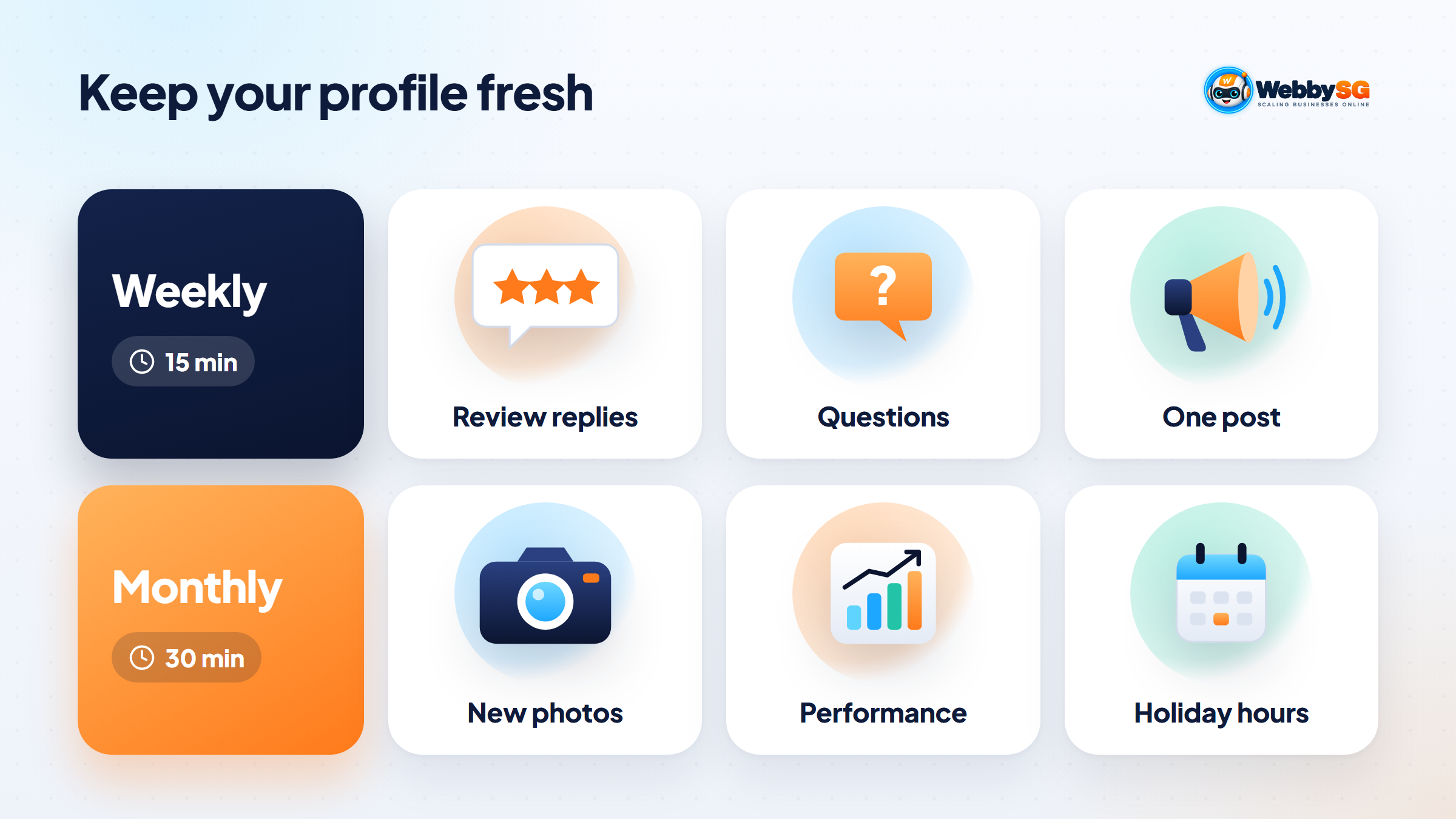
A weekly and monthly GBP maintenance routine
| When | Task | Time |
|---|---|---|
| Weekly | Reply to new reviews; send review requests to recent customers | 5 minutes |
| Weekly | Check and answer new questions and messages; check for suggested edits | 5 minutes |
| Weekly | Publish one update or offer | 5 minutes |
| Monthly | Add 3–5 new real photos | 10 minutes |
| Monthly | Review Performance: calls, directions, website clicks, top searches | 10 minutes |
| Monthly | Set special hours for upcoming holidays; update services and prices mentioned | 10 minutes |
Time estimates assume a single-location business with the basics already fixed.
When to get help with your profile
Most owners can handle the steps above themselves. Help is worth it when a profile is suspended or stuck in verification, when you manage several outlets, or when the profile is complete but competitors with weaker businesses still outrank you, which usually points to website, citation and review issues beyond the profile.
Webby SG's local SEO service covers Google Business Profile set-up and clean-up alongside the website and citation work behind local rankings. If you would like someone to look over your profile first, send us a message.
Frequently asked questions
How many categories can I add to my Google Business Profile?
One primary category plus up to nine additional categories. Google's guidelines say to use as few as possible to describe your core business, and the primary category matters most. Most small businesses need the primary category and two or three closely related ones.
Can I list my HDB address for a home-based business?
Usually you should not show it. Google says service-area businesses working from a residential address should hide the address, and URA's home-based business guidelines do not allow signage or advertisements at residential premises. Set up as a service-area business, add the areas you serve, and check HDB's current Home-Based Business Scheme conditions if customers ever come to your home.
How long does it take for GBP changes to affect rankings?
Edits usually appear after Google reviews them, which can take from minutes to several days. Any ranking effect is less predictable and depends on competition and on your reviews and website. Give changes a few weeks before judging them, and avoid repeatedly editing your name, address or category.
Do Google Posts help my Maps ranking?
Google does not list posts as a ranking factor in its local ranking help page. Posts help people who already see your profile, by showing offers, events and that the business is active, which can lift calls and clicks. Treat them as a conversion tool rather than a ranking lever.
How much does GBP optimisation cost in Singapore?
The profile itself is free. Agency fees vary widely depending on whether the work is a one-off clean-up or ongoing management bundled with local SEO, so ask for a written scope listing exactly what is included. Many owners do the first-hour fixes themselves and pay only for help with suspensions, multiple locations or wider local SEO.