Website Not Showing on Google? How to Find and Fix It
Why your website or page is missing from Google, how to check indexing in minutes, and step-by-step fixes for WordPress, Wix and Shopify sites.
Website not showing on Google? The first job is to find out which of two problems you have: Google has not indexed the site at all, or it has indexed the site but does not rank it for the searches you tried. You can tell the difference in a few minutes with a site: search and Google Search Console. Missing sites are usually caused by a setting that blocks search engines, a new site Google has not crawled yet, or a redesign that broke something. Sites that are indexed but invisible usually need better pages, clearer targeting or more local signals.
Work through the checks below in order. They include the exact settings to look at in WordPress, Wix and Shopify, plus what changes when your customers mostly search locally in Singapore.
In short
- Search site:yourdomain.com on Google. No results means an indexing problem; results means a ranking problem.
- Google says to allow at least a week after submitting a sitemap or an indexing request before assuming something is wrong.
- The most common blockers are a noindex setting left on, a robots.txt block, or a password-protected site.
- After a redesign or migration, check noindex settings, the domain version and redirects first.
- Google does not accept payment to index or rank a site. Ads are a separate, paid placement.
First, check whether Google has indexed your site
Google's own guide for sites missing from search starts with a simple check:
- Turn off SafeSearch, since it can filter results.
- Search site:yourdomain.com (no space after the colon). To check one page, search site: followed by that page's full URL.
- If results appear, the site is indexed. If only some pages appear, the missing ones need checking individually.
- If nothing appears, Google has not indexed the site. Work through the sections below on new sites and blocking settings.
The site: search is a quick test, not a precise count. For a definitive answer about any page, use Search Console, covered further down.
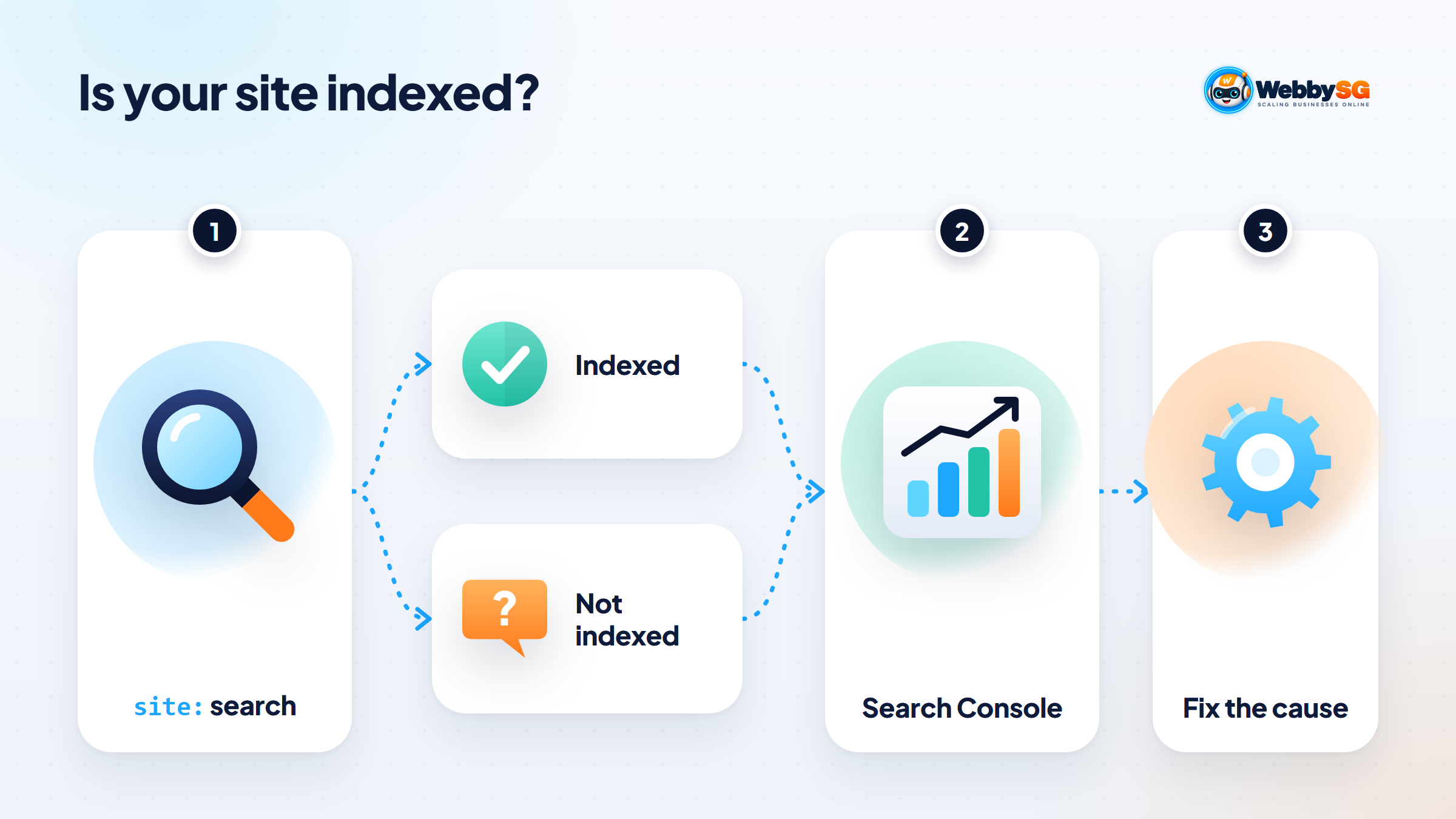
Not indexed vs indexed but not ranking
These two problems have different causes and different fixes, so it pays to know which one you have before changing anything.
| What you see | What it means | Where to look |
|---|---|---|
| site: search shows nothing | Google has not indexed the site | New-site timing, noindex, robots.txt, password protection, domain set-up |
| Some pages appear, others do not | Specific pages are excluded | Search Console page indexing report and URL Inspection |
| Pages appear for site: but not for your business name | Indexed, but brand signals are weak or the site is new | Homepage title, business name on the page, Google Business Profile |
| Pages appear for your name but not for services | Indexed but not ranking for competitive terms | Content, search intent, local signals and links |
| The site was there and suddenly disappeared | A recent change, security issue or manual action | Recent edits, redesigns, Search Console security and manual action reports |
New website: how long Google takes and how to speed it up
A brand-new site will not appear the moment it goes live. Google's help centre says new pages typically take anywhere from a day or two to a few weeks to be indexed, and recommends allowing at least a week after submitting a sitemap or requesting indexing before assuming there is a problem. Google also states plainly that it does not guarantee it will crawl, index or show any page.
You can help Google find a new site faster:
- Verify the site in Google Search Console and submit your XML sitemap. WordPress SEO plugins, Wix and Shopify all generate one automatically.
- Request indexing for the homepage and key service pages using the URL Inspection tool. There is a daily limit, so use it for important pages, not every URL.
- Get a few genuine links to the site, for example from your Google Business Profile, social media profiles and any industry or association directories you belong to.
- Link your pages to each other from the main menu and footer, so Google can reach every page from the homepage.
Settings that hide your site: noindex, robots.txt and passwords
This is the most common cause of a site that never appears, and the quickest to fix. Three mechanisms block search engines:
- Noindex. A meta tag or HTTP header telling Google not to index a page. Google's documentation on noindex notes that the page must not also be blocked by robots.txt, or Google will never see the noindex rule.
- Robots.txt. A file at yourdomain.com/robots.txt that tells crawlers which paths they may fetch. A line reading Disallow: / under User-agent: * blocks the whole site from crawling.
- Password protection. If a visitor needs a password to see the site, so does Google.
Where to check on each platform
| Platform | Setting to check | What it should be |
|---|---|---|
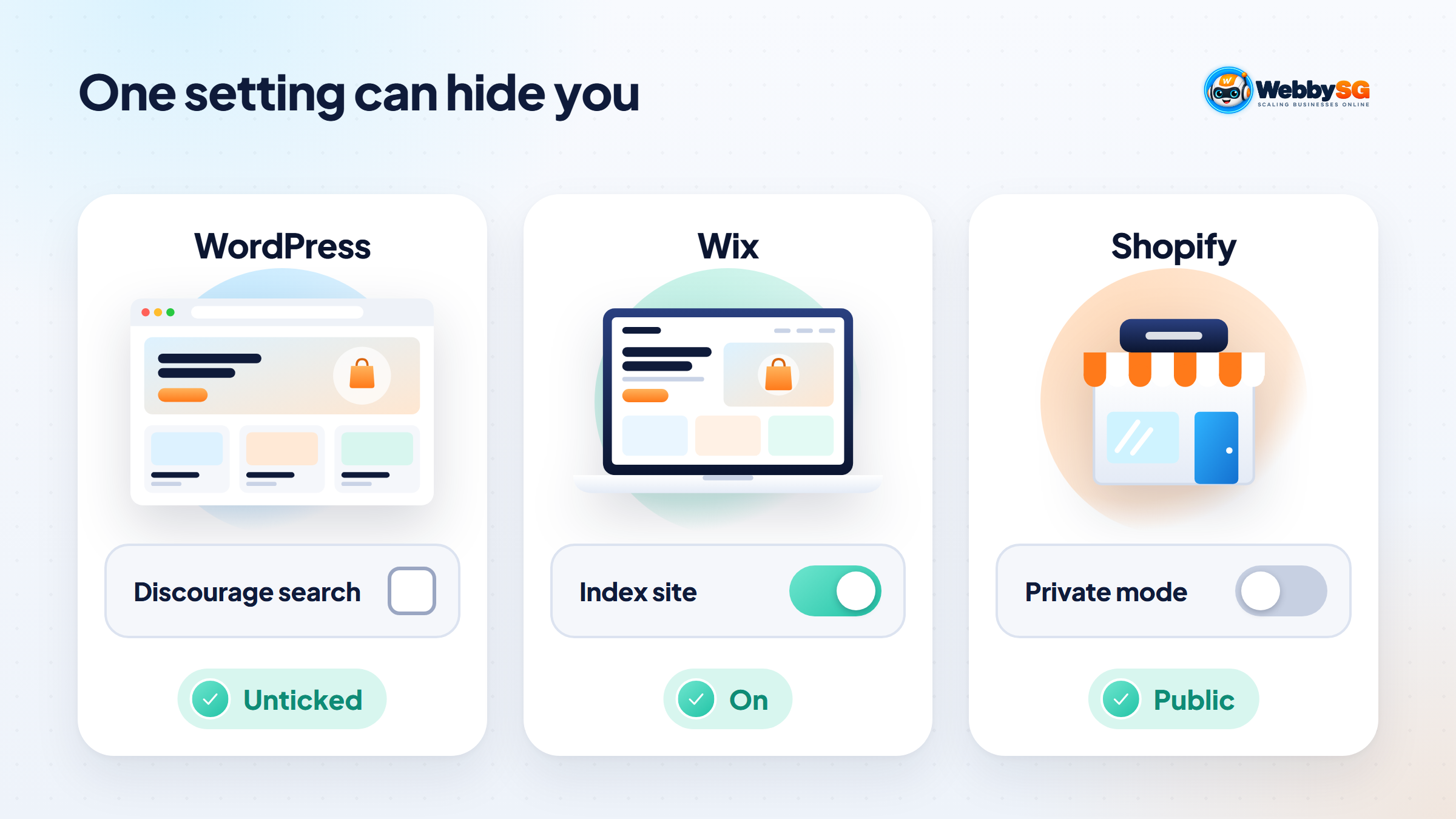
| WordPress | Settings › Reading › Search engine visibility: "Discourage search engines from indexing this site" | Unticked. When ticked, WordPress adds a noindex tag to every page. |
| WordPress SEO plugins | Per-page and per-post-type settings for showing content in search results | Pages and posts set to appear in search |
| Wix | Dashboard › SEO & GEO › Tools and settings › SEO Settings: "Let search engines index your site" | Toggle on. Also check each page's SEO Basics panel. |
| Shopify | Private mode (password), set under Online Store › Preferences › Store access; switched off from the access label on the Online Store page | Store set to Public after launch. Shopify hides every page of a store in private mode from visitors and search engines. |
The menu paths above were checked against each platform's help pages in November 2026. Labels sometimes change between updates, so search the platform's help centre if your screen looks different.
After a redesign or migration: the usual culprits
A site that ranked before a redesign and dropped afterwards usually has one of these issues. When a client calls us about a post-launch drop, the first item is what we check before anything else, because it takes thirty seconds to confirm and is easy to miss in a busy launch week.
- Noindex carried over from the staging site. Developers often block search engines while building. If that setting goes live with the new site, every page asks Google to drop it.
- A robots.txt file copied from staging that disallows the whole site.
- Missing redirects. If page addresses changed, old URLs that Google and other sites link to now return errors. Each old URL needs a permanent (301) redirect to its closest new page.
- The wrong domain version. The site should resolve to one version, for example https://www., with the others redirecting to it. Check that the Search Console property matches.
- Staging pages indexed instead. A public staging subdomain can compete with or be confused with the real site.
- Removed content. Pages that ranked were cut or merged without a redirect, or their text was trimmed so far that they no longer answer the search.
Our article on planning a corporate website redesign covers how to protect search rankings before launch day, which is far easier than recovering them afterwards.
Using Search Console to diagnose the exact page
Google Search Console is free and gives the definitive answer for any URL on your site. Two parts matter here.
URL Inspection
Paste a page address into the search bar at the top. The URL Inspection tool reports either "URL is on Google" or "URL is not on Google", with the reason. Click "Test live URL" to check the current version of the page, which is useful straight after you fix a setting. If the live test passes, click "Request indexing".
Page indexing report
This report lists every URL Google knows about and why non-indexed ones are excluded. The statuses you are most likely to see:
| Status | What it means | What to do |
|---|---|---|
| URL marked 'noindex' | The page asks not to be indexed | Remove noindex if the page should appear |
| URL blocked by robots.txt | Google is not allowed to crawl it | Edit robots.txt if the page should appear |
| Discovered - currently not indexed | Google knows the URL but has not crawled it yet | Improve internal links to it; give it time |
| Crawled - currently not indexed | Google fetched the page but chose not to index it | Make the page more useful and distinct from your other pages |
| Page with redirect | The URL redirects elsewhere | Normal for old URLs; make sure the target is indexed |
| Duplicate without user-selected canonical | Google treats it as a copy of another page | Merge similar pages or set a canonical |
Indexed but not ranking: content, intent and authority
If your pages are indexed but you cannot find them for the searches that matter, the issue is competition, not access. Check these points:
- One page per service. A single "Services" page listing everything rarely ranks for any one of them. Give each main service its own page with a clear heading.
- Match what searchers want. Look at what currently ranks for your target search. If it is all guides and you have a sales page, or the other way round, adjust.
- Say where you operate. Mention Singapore and, where relevant, the areas you serve.
- Write enough to be useful. Thin pages with a heading and two lines of text are often crawled but not indexed.
- Earn links and mentions from relevant local sites over time.
Ranking for competitive service terms takes sustained work. A structured SEO service covers the technical, content and authority sides together.
Penalties, security issues and manual actions
If a site that was visible disappears suddenly with no recent changes, check two reports in Search Console:
- Security issues. Hacked sites can be flagged or have spam pages injected. Clean the site, update all software and change passwords, then request a review in the report.
- Manual actions. These are issued when a reviewer at Google finds a site breaks its spam policies. The report shows which pages are affected. Fix every affected page, then select Request Review and explain what you changed. Reviews can take days or weeks.
Manual actions are rare for ordinary small business sites. In our experience, a sudden drop is far more often a setting change, an expired domain or hosting problem, or a hacked plugin.
Local searches: your Google Business Profile and website
For many Singapore SMEs, the real question is "why don't I appear when people search for my business or my service nearby?" That splits into two separate cases.
First, when someone searches your business name, Google may show your Google Business Profile panel prominently, with your website as a link inside it. That is normal and counts as being found. If neither appears, check that your homepage title and text include your exact business name, and that your profile is verified and links to your website.
Second, for searches like "renovation contractor Tampines" or "aircon servicing near me", the map results come from Google Business Profiles, not websites. A complete, verified profile with the right category, accurate address or service area, opening hours and genuine reviews is what earns a place there. Our local SEO guide for Singapore explains how the profile and website support each other.
Website not showing on Google after these fixes? Get a second pair of eyes
If you have worked through the checks above and the site is still missing, the cause is usually something specific to your set-up: a server returning the wrong status codes, a conflict between plugins, or a domain configuration issue. These are quick to spot with access to Search Console and the site. Our local SEO service handles the Google Business Profile side, and you are welcome to send us your website address and a description of what you have tried.
Frequently asked questions
How long does it take for a new website to show up on Google?
Google says new pages are typically indexed within a day or two to a few weeks, and suggests allowing at least a week after submitting a sitemap or requesting indexing before assuming a problem. Verifying the site in Search Console and submitting a sitemap helps Google find it sooner. Showing up for competitive searches takes longer than being indexed.
Why does my website not show up when I search my business name?
The most common reasons are that the site is not indexed yet, a noindex or password setting is still on, or your business name does not appear clearly in the homepage title and text. Run a site: search to check indexing first. If you have a Google Business Profile, make sure it is verified and links to your website.
Does submitting a sitemap guarantee my site appears on Google?
No. A sitemap helps Google discover your pages, but Google states it does not guarantee that it will crawl, index or show any page. Pages that are blocked, duplicated or thin may still be left out.
Why did my website disappear from Google suddenly?
Check recent changes first: a redesign, a new plugin, a theme update or a hosting move can switch on noindex or break pages. Then check the Security issues and Manual actions reports in Search Console. An expired domain or hosting account can also take a site offline.
Can I pay Google to index my website?
No. Google states in how Google Search works that it does not accept payment to crawl a site more often or rank it higher. You can pay for Google Ads, which appear in labelled ad positions; our comparison of SEM and SEO in Singapore explains the difference.