YouTube Ad Formats Explained: Skippable, Bumper, In-Feed & Shorts Ads
Each YouTube ad format does a different job. A plain breakdown of the main formats, when to use each, and how to match the format to your campaign goal.
// KEY TAKEAWAYS
→There’s no “best” format — only the right one for your goal, whether that’s reach, awareness or conversion.
→Skippable in-stream is the workhorse: flexible, cost-efficient and good for most goals.
→Bumper ads buy memorable reach; in-feed captures intent; Shorts ads ride a fast-growing surface.
→Match format to objective first, then write creative built for that format’s length and placement.
Run a YouTube campaign and the first real decision is the format. Each one behaves differently — in length, in where it appears, and in what it’s good at. Pick the wrong one and even great creative underperforms. Here’s what each format does and when to use it.
The main formats at a glance
Four formats cover most business campaigns. Each suits a different objective.
// WHICH FORMAT FOR WHICH GOAL
Skippable in-stream
Plays before/during videos, skippable after 5s. Best all-rounder — awareness to conversion. Pay when watched or clicked.
Bumper ads
Six seconds, unskippable. Best for memorable, high-frequency reach and reinforcing a simple message.
In-feed video
Shows in search results and suggestions. Best for capturing active interest and intent-led discovery.
Shorts ads
Vertical ads inside the Shorts feed. Best for reaching younger, mobile, short-form audiences.
Skippable in-stream: the workhorse
For most businesses this is the default. It’s flexible, works for everything from awareness to conversion, and you only pay when someone watches 30 seconds (or to the end) or clicks — so the skip button actually protects your budget. Because viewers can skip, the first five seconds have to earn attention immediately.
When to use the others
Reach for bumpers when you want a short, unskippable message to stick across many viewings — they’re ideal for reinforcing a brand or a single offer. Use in-feed video when you want to capture people already searching or browsing related content, since they choose to click. Use Shorts ads to reach the fast-growing, younger, mobile-first audience consuming vertical short-form video.
Don’t reuse one cut everywhere. A six-second bumper and a skippable in-stream ad need different edits — the format shapes the creative, not the other way around.
Match format to goal first
The sequence that works: define the goal, pick the format that serves it, then build creative for that format’s length and placement. Trying to force one video into every format is how campaigns waste budget. Often the strongest approach combines formats — bumpers for reach, skippable for depth — which our YouTube ads hub guide covers as part of a full campaign.
// FREQUENTLY ASKED
What are the main YouTube ad formats?
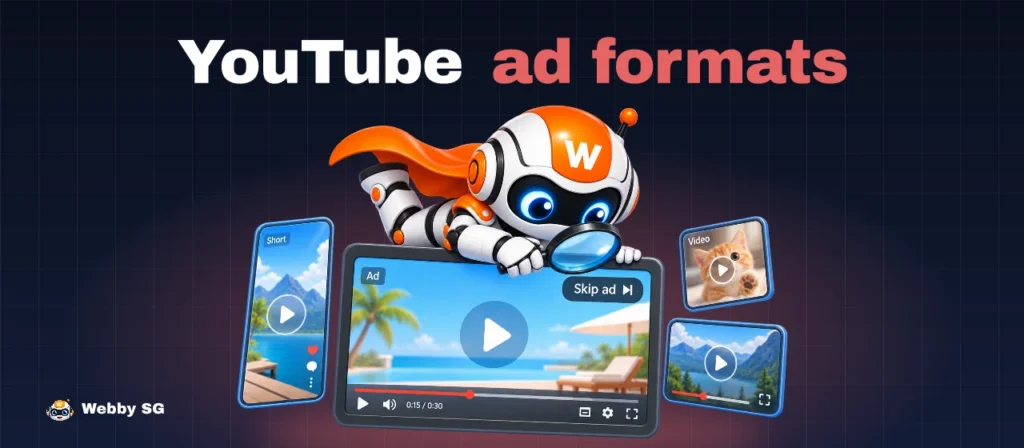
Skippable in-stream (plays before/during videos, skippable after 5s), bumper ads (six seconds, unskippable), in-feed video (in search and suggestions), and Shorts ads (vertical, in the Shorts feed). Each suits a different goal, from reach to conversion.
Which YouTube ad format is best?
There’s no single best — it depends on your goal. Skippable in-stream is the most flexible all-rounder; bumpers buy memorable reach; in-feed captures active interest; Shorts reaches younger mobile audiences. Match the format to your objective, then build creative for it.
Can I use the same video across formats?
You shouldn’t. A six-second bumper and a skippable in-stream ad need different edits and pacing. The format’s length and placement should shape the creative — reusing one cut everywhere usually underperforms.