Website Footer: What to Include (With Examples)
What a website footer should include, from contact details and legal links to SEO and mobile tips, with a checklist for Singapore businesses.
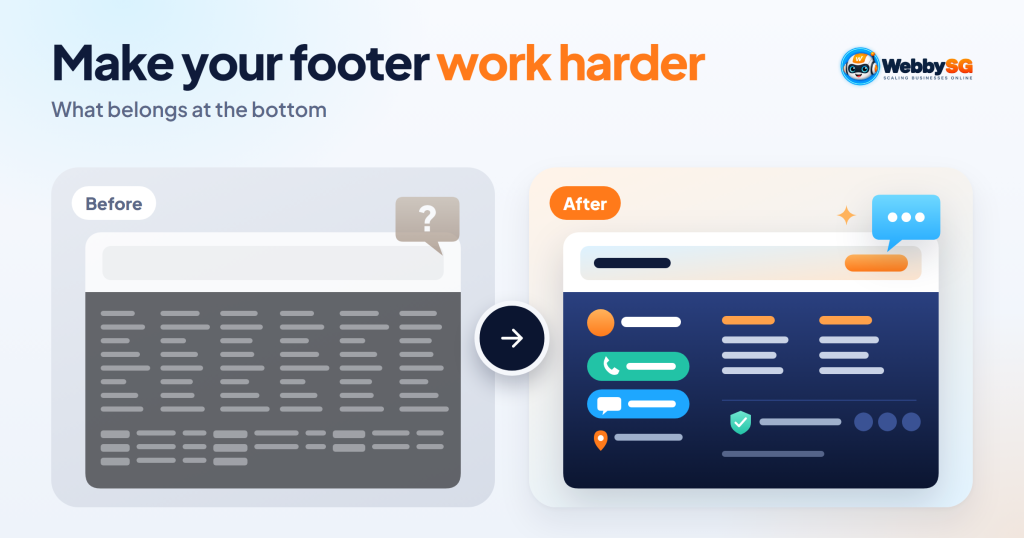
A website footer is the section at the bottom of every page that holds the details visitors look for when they are ready to act or need to check who you are: contact details, address, opening hours, key page links, legal pages and social links. For a Singapore small business, a good website footer should also show your registered business name and UEN, a privacy policy and data protection contact for the PDPA, and contact details that match your Google Business Profile exactly. Getting it right is a small job, and the result shows on every page of your site.
This guide covers what to include, which Singapore details matter, how footer links affect SEO, how to design the footer for phones, and a checklist to run before launch.
In short
- Visitors use the footer as a last stop for contact details, company information and policies, so keep those there on every page.
- Singapore companies must show their registration number (UEN) on business letters, invoices, official notices and publications. Many also show it in the footer as a simple trust signal.
- Link your privacy policy and give a way to reach your data protection officer.
- Use the same business name, address and phone number as your Google Business Profile.
- Keep footer links few, clearly labelled and big enough to tap on a phone.
What a website footer is and why visitors use it
The footer sits below the main content and normally repeats on every page. Research by the Nielsen Norman Group found that people scroll to the footer for two reasons: as a last resort when they have not found what they need higher up the page, and deliberately, because they expect to find contact details, company information or social links there.
That makes the footer a safety net. Someone who has read your service page and wants to call, check your address or confirm you are a registered business should find the answer there in seconds, without going back to the menu.
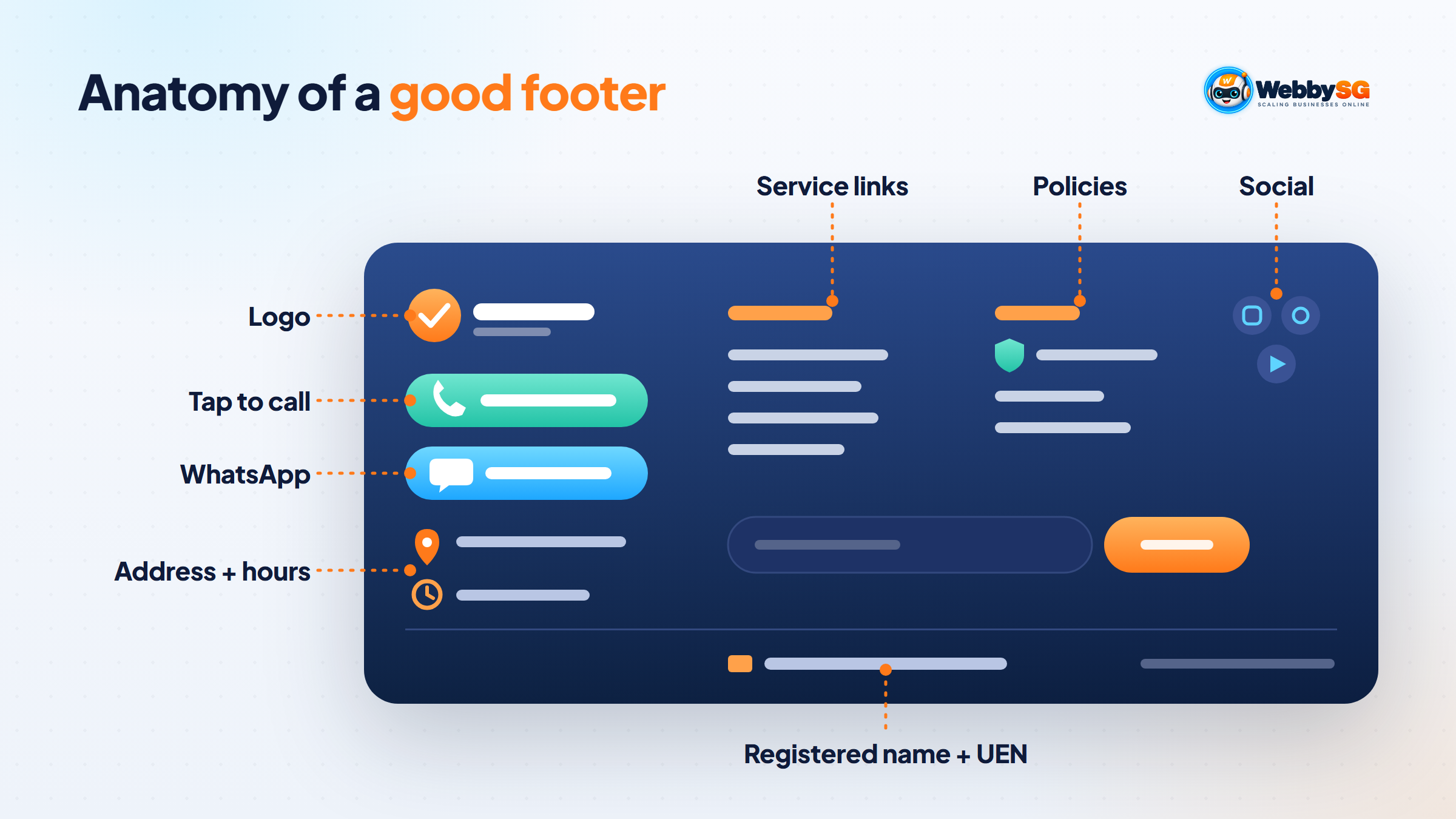
What every small business footer should include
| Element | Why it matters | Priority |
|---|---|---|
| Business name and logo | Confirms whose site this is | Essential |
| Phone number (tap to call) and WhatsApp link | Many Singapore customers would rather call or WhatsApp than fill in a form | Essential |
| Email or contact page link | For customers who prefer writing | Essential |
| Address or service area, and opening hours | Helps visitors plan a visit and supports local search | Essential if you serve customers locally |
| Links to main service or product pages | A second chance to find the right page | Recommended |
| Privacy policy and terms | Expected by customers; supports PDPA notice | Essential |
| Registered name and UEN | Shows you are a real, registered business | Recommended |
| Social media links | Lets people check your recent work and reviews | Optional |
| Newsletter sign-up | Captures people not ready to buy yet | Optional |
| Copyright line with the current year | A small sign the site is maintained | Optional |
Leave out what does not help a decision: long lists of every page, tag clouds, awards you cannot substantiate and duplicated menus.
Business and legal details Singapore companies should show
Registered name and UEN
Section 144 of the Companies Act 1967 requires a company's name to appear on a range of documents, and its registration number to appear on all business letters, statements of account, invoices, official notices and publications. The Act does not list websites specifically, so check with your company secretary or adviser if you are unsure whether it applies to yours. In practice, many Singapore companies show their registered name and UEN in the footer anyway. It costs nothing, matches what appears on your invoices and helps customers verify you.
If you trade under a brand name that differs from your registered name, show both: a short line stating that the brand is a trading name of your registered company, followed by the company's UEN.
Privacy policy and data protection contact
If your site collects names, emails or phone numbers through forms, chat or checkout, the PDPA applies. The PDPC's page on data protection obligations includes designating a data protection officer (DPO) and making the DPO's business contact information available to the public, as well as notifying people of the purposes for collecting their data. A footer link to your privacy policy, with a DPO email inside it, covers the practical side for most small businesses.
Cookie notices
Singapore does not have an EU-style cookie law. The PDPC's advisory guidelines for selected topics say consent is not needed for cookies that do not collect personal data, and may not be needed for activities a user has clearly requested, such as completing a purchase or logging in. Cookies used to collect personal data for other purposes, such as some advertising tracking, fall under the PDPA's consent and notification rules. Where cookies are used to target ads with personal data, the PDPC says consent is required and suggests, as good practice, letting visitors set their cookie preferences on the site. A "Cookie settings" link in the footer is a tidy place for that. If you serve customers in the EU, their rules may apply too. This is general information, not legal advice.
Footer links that help SEO (and ones that do not)
Footer links are ordinary links to search engines. Google's guidance on crawlable links says links should be standard HTML links (an "a" element with an href attribute), that good anchor text is descriptive and concise, and that cramming keywords into anchor text breaks its spam policies.
Helpful footer links:
- Your main service or category pages, labelled as customers would say them ("Aircon servicing", "Office cleaning").
- Contact, about and FAQ pages.
- Location pages, if you genuinely have separate branches.
Links to avoid:
- Long lists of "service + area" links, such as "plumber Tampines, plumber Bedok, plumber Jurong". These read as keyword stuffing.
- Paid or swapped links to other businesses.
- Hidden links or text in the same colour as the background.
Our local SEO guide for Singapore explains how service and location pages fit together.
Matching your footer details to your Google Business Profile
Google's Business Profile guidelines ask businesses to use their real-world name as it appears consistently on their storefront, website and stationery, to give an accurate address and to provide a phone number that connects directly to the business. Your footer is the version of these details that appears on every page of your site, so make it match:
- Use the same business name, without extra keywords.
- Write the address in the same format, including unit number and postal code.
- Use the same main phone number.
- Keep opening hours identical, and update both when public holiday hours change.
- If you serve customers at their location without a public address, show your service area rather than a home address. Google's guidelines tell service-area businesses, such as a plumber working from home, to hide the address on their profile too.
Designing a footer that works on mobile
On a phone, a three-column desktop footer becomes one long column. Plan the order deliberately:
- Contact first. Tap-to-call, WhatsApp and address at the top of the mobile footer.
- Tap targets. WCAG 2.2 sets a minimum target size of 24 by 24 CSS pixels at Level AA, with an exception for smaller targets that are spaced well apart. Footer links are often packed tightly, so add spacing between them.
- Contrast. Grey text on a dark footer often fails. Normal-sized text needs a contrast ratio of at least 4.5:1 against its background.
- Keep it visible. Do not hide the whole footer behind a "More" toggle. Grouping secondary links under small headings is fine.
- Watch sticky bars. A floating WhatsApp button or cookie bar should not cover the footer's last links.
If you are reviewing a whole site, our website UX audit guide covers the footer alongside navigation and forms.
Footer examples by business type
| Business type | Footer priorities | Example columns |
|---|---|---|
| Local service business (renovation, cleaning, tuition) | Phone, WhatsApp, service area, opening hours | Contact · Services · Company (about, reviews, FAQ) · Legal |
| Online store | Customer service, delivery and returns, payment methods, newsletter | Shop · Help (delivery, returns, FAQ) · Company · Newsletter and social |
| B2B or corporate site | Registered name and UEN, office address, enquiries, careers | Solutions · Company (about, careers, news) · Contact · Legal |
| Clinic or professional practice | Address with directions, hours, appointment line, credentials | Visit us · Services · About · Legal |
For an online store, link your delivery and returns policies from the footer, since customers check them before buying. For a corporate site, our list of essential corporate website pages shows which pages the footer should point to.
Footer checklist before you launch
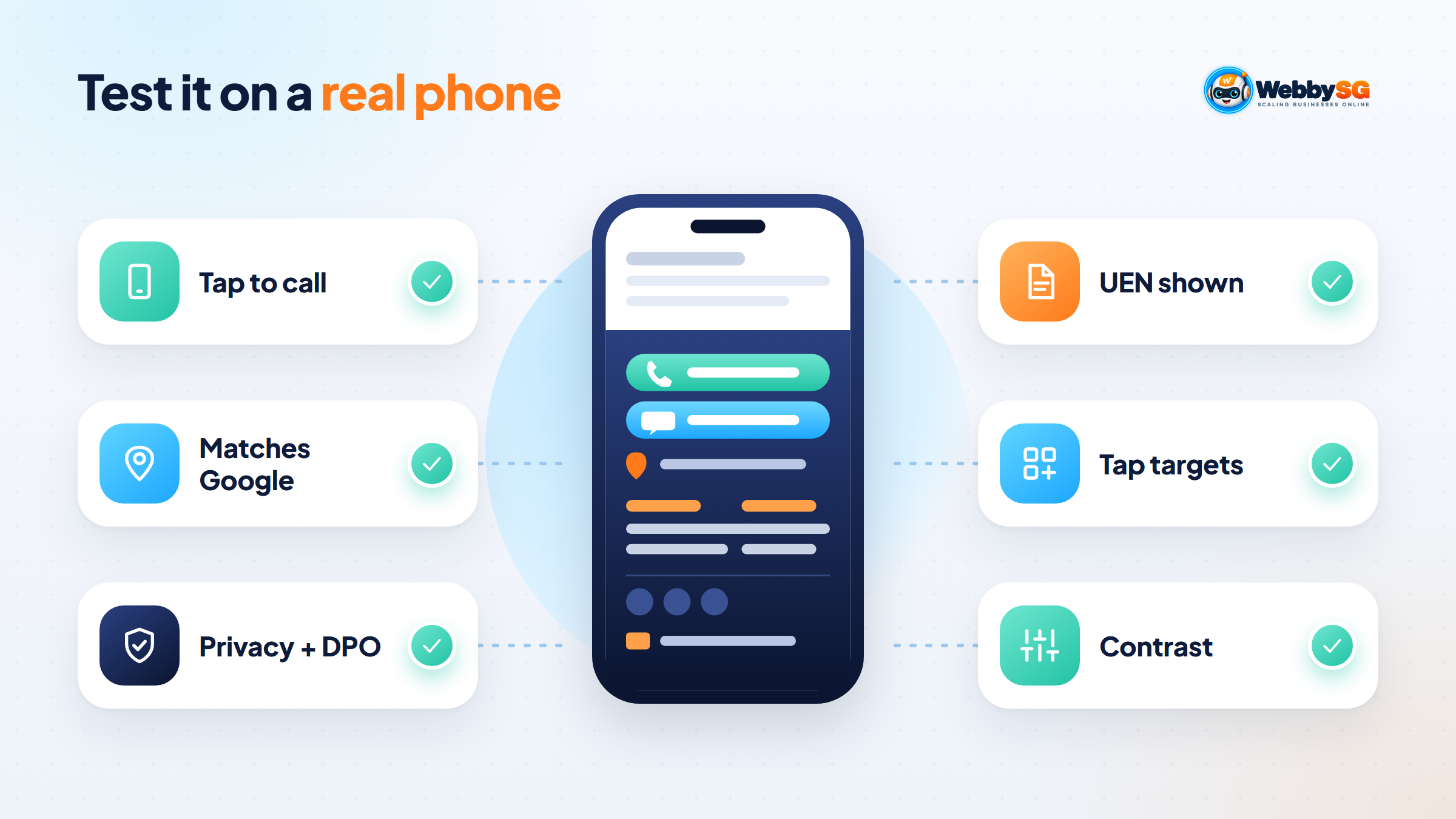
- Phone number is a tap-to-call link and WhatsApp opens a chat with your business number.
- Name, address and phone match your Google Business Profile exactly.
- Opening hours are correct, including public holiday notes.
- Privacy policy and terms links work, and the privacy policy includes a DPO contact.
- Registered business name and UEN are shown and correct.
- Footer links use descriptive labels and none are broken.
- Links and buttons are at least 24 by 24 pixels, or well spaced, on mobile.
- Footer text meets 4.5:1 contrast against the background.
- Social icons have accessible labels and open your real profiles.
- The copyright year updates automatically.
Footers rarely get redesigned, so mistakes in them tend to sit there for years. Our web design service includes footer, contact and legal page set-up for Singapore businesses. If you would like us to look over your current footer and contact flow, get in touch.
Frequently asked questions
Does every website need a footer?
Almost every business website benefits from one. Visitors expect contact details, policies and company information at the bottom of the page, and they look there when they cannot find something elsewhere. A very short landing page can use a minimal footer, but it should still link to your privacy policy and contact details.
Should I put my UEN on my website?
The Companies Act requires a company's registration number on business letters, statements of account, invoices, official notices and publications, but it does not mention websites specifically. Showing your registered name and UEN in the footer is common practice in Singapore and helps customers verify you. Ask your company secretary if you are unsure about your obligations.
Do footer links help SEO?
They help search engines find and understand your important pages, as any link does. They help most when they are few, descriptive and point to pages that matter, such as main services and contact. Long lists of keyword-stuffed links can do more harm than good.
What is the difference between a header and a footer?
The header sits at the top of each page and holds your logo, main navigation and usually your main call to action. The footer sits at the bottom and holds supporting information: contact details, secondary links, legal pages and company details. Both repeat across the site.
Should the footer be the same on every page?
Generally yes, because consistency helps visitors find information quickly. Some sites simplify the footer on checkout or landing pages to reduce distractions, but contact details and policy links should still be there.