Multilingual Website: How to Plan and Build One
When a business needs a multilingual website, how to structure URLs and hreflang, translate well, and set it up on WordPress or Shopify.
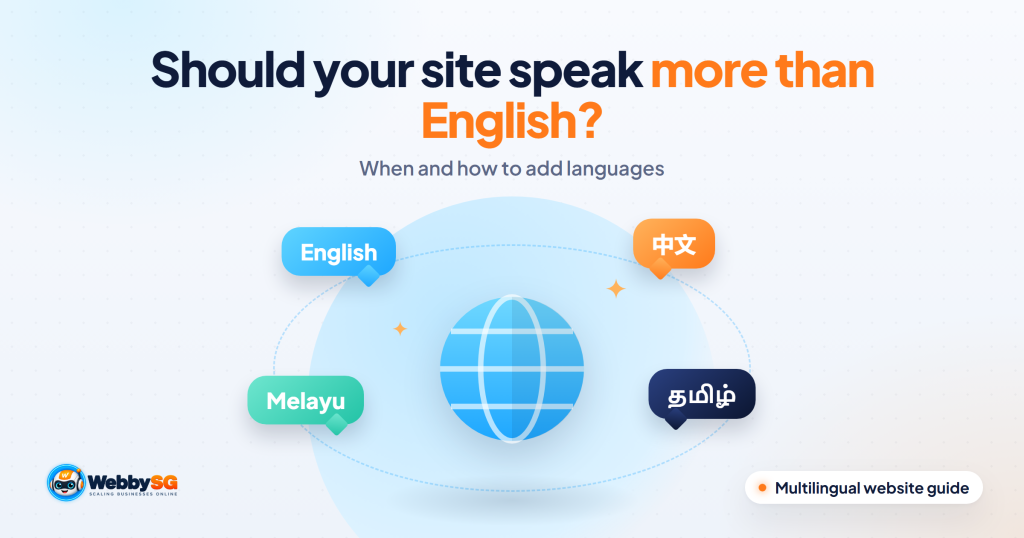
A multilingual website offers the same content in more than one language, with each language on its own URL so visitors and search engines can find the right version. For most Singapore businesses, English alone reaches the bulk of local customers, so adding Chinese, Malay or Tamil is worth it only when a clear group of customers prefers that language, or when you are expanding into markets such as Malaysia, Indonesia or China. If you do build one, plan the URL structure and hreflang tags first, use human-reviewed translation, design for different scripts, and budget for keeping every language up to date.
Below we cover how to decide, how to structure and build the site on WordPress or Shopify, and what it really takes to keep running.
In short
- English was the language most frequently spoken at home by 48.3% of Singapore residents aged five and over in the 2020 Census, followed by Mandarin, Malay and Tamil.
- Add a language for a specific customer group or market, not for appearances. Each language adds another full copy of the content you must maintain.
- Use subfolders such as /zh/ for most SMEs. Link the versions with hreflang tags, and let visitors choose their language rather than redirecting them automatically.
- Machine translation is a starting point. Have a fluent person review anything customers will read.
- WordPress needs a plugin such as WPML or Polylang. Shopify supports up to 20 languages on most plans.
When a Singapore business needs more than English
According to the Singapore Census of Population 2020, English was the language most frequently spoken at home by 48.3% of residents aged five and over, up from 32.3% in 2010. Mandarin was next at 29.9%, followed by Malay at 9.2% and Tamil at 2.5%. Many residents also use a second language at home.
Those numbers mean an English website reaches most local customers. A second language makes sense when:
- Your customers prefer it. For example, a clinic, tuition centre, property agent or funeral service whose customers, or their parents, are more comfortable in Mandarin, Malay or Tamil.
- Decision-makers read it. Older family members often influence purchases such as healthcare, insurance and home services.
- You sell abroad. Simplified Chinese for China, Malay for Malaysia, Bahasa Indonesia for Indonesia, and so on.
- You already handle enquiries in that language on the phone or WhatsApp, which shows real demand.
A useful test: if you could not reply to an enquiry in that language within a day, do not add it to the website yet.
To make this concrete, picture a hypothetical TCM clinic in Toa Payoh. Its front desk already takes about half its WhatsApp enquiries in Mandarin, often from adult children booking for their parents. That is a clear case for a Chinese version, but not of everything: the homepage, treatments, practitioners, prices, location and booking pages cover what those patients need. The English blog can stay English. Six or seven well-translated pages, reviewed by a staff member who speaks to these patients every day, will do more than a full machine-translated mirror of the site.
Choosing languages: local audiences vs regional expansion
| Goal | Languages to consider | What else changes |
|---|---|---|
| Serve Singapore customers who prefer another language | Simplified Chinese, Malay or Tamil, for key pages only | Usually the same prices, contact details and offers |
| Expand to Malaysia | English and Malay; Chinese for some audiences | Prices in MYR, local delivery, local contact details |
| Expand to Indonesia | Bahasa Indonesia | Prices in IDR, local payment methods and support |
| Expand to mainland China | Simplified Chinese | Different search engines and platforms are used there; get specialist advice on hosting and search |
| Hong Kong or Taiwan | Traditional Chinese | Different vocabulary as well as characters |
You do not have to translate everything. Many SMEs translate only the homepage, main service pages and contact page, and keep the blog in English. If you do this, make sure the translated pages are complete. Google's guidance on managing multi-regional and multilingual sites warns against translating only the menus and other boilerplate while the main content stays in another language.
URL structure: subfolders, subdomains or separate domains
Each language version needs its own URL. Google describes these options:
| Structure | Example | Pros | Cons |
|---|---|---|---|
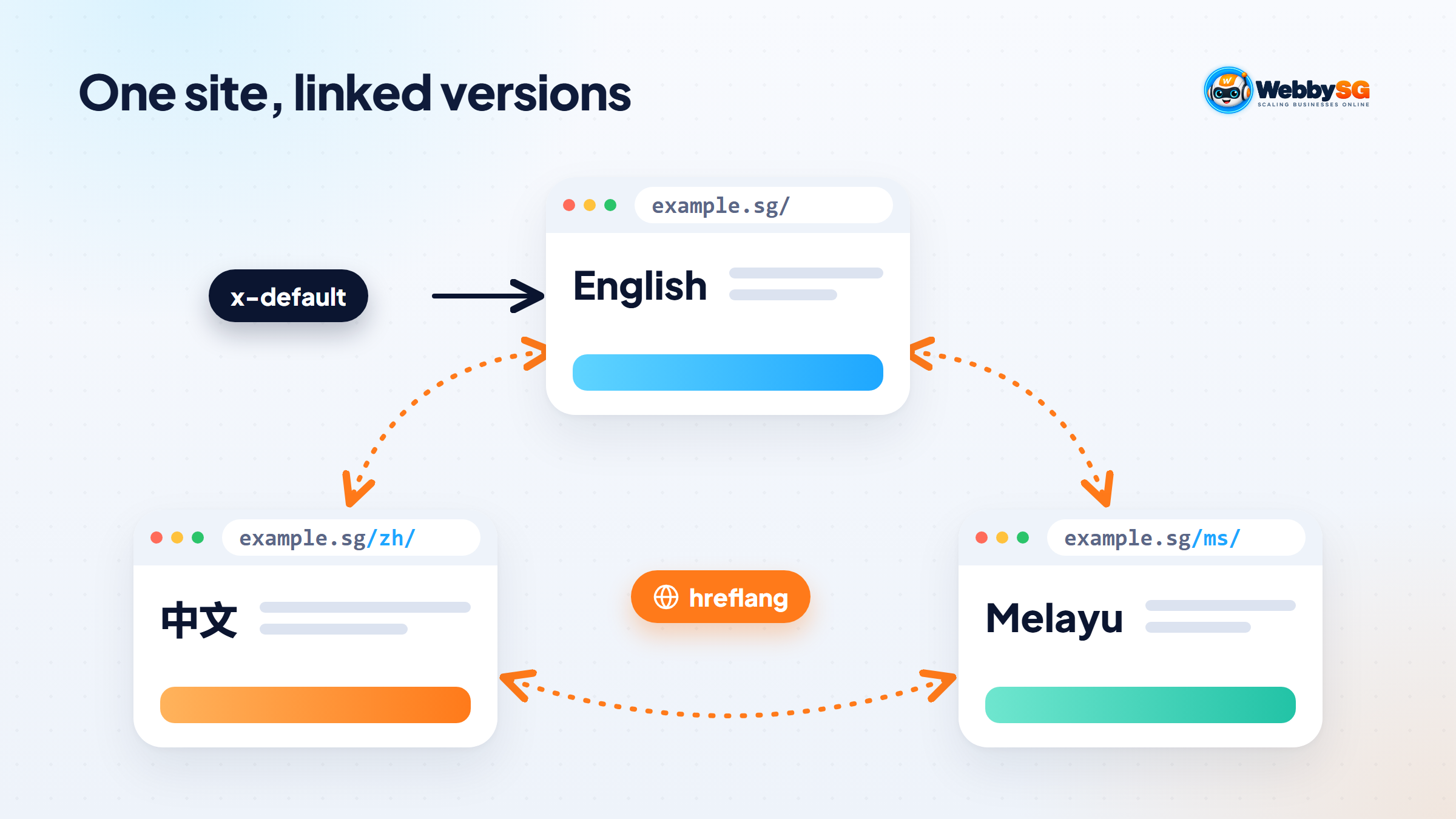
| Subfolder | example.sg/zh/ | Easy to set up; one site to maintain; shares the main domain's strength | One server location; harder to separate later |
| Subdomain | zh.example.sg | Easy to set up; can host separately | Users may not know if "zh" means a language or a country |
| Country domain | example.com.my | Clear signal for one country | Costs more; separate site to run; local registration rules may apply |
| URL parameter | example.sg/?lang=zh | None worth having | Not recommended by Google |
For most Singapore SMEs, subfolders are the simplest and cheapest choice. A separate country domain makes sense when you have a genuinely separate business, team and offer in another country.
hreflang and language switchers done right
hreflang tags tell Google which pages are translations of each other, so it can show the right version to each searcher. Google's documentation on localised versions sets out the rules:
- Every version lists every version, including itself. If two pages do not point to each other, Google ignores the tags.
- Use valid codes: an ISO 639-1 language code, optionally with an ISO 3166-1 region code, for example en, zh-SG, ms or ta. A region code cannot be used on its own.
- Use full URLs, including https://.
- Add an x-default version for visitors whose language does not match any version, often your English page or a language selector page.
- Pick one method: tags in the page head, HTTP headers or the XML sitemap. Google treats them as equivalent. Plugins and Shopify usually add them for you.
Google also says it does not use hreflang or the HTML lang attribute to detect a page's language; it reads the visible content. Set the lang attribute anyway, because screen readers and browsers use it.
Language switchers
- Show language names in their own language and script: English, 中文, Bahasa Melayu, தமிழ். Avoid flags, since a language is not a country.
- Link each page to its own translation, not to the other language's homepage.
- Do not redirect visitors automatically based on browser language or location. Google advises against it, because it can stop both people and search engines from seeing every version. Suggest a language with a banner if you like, but let the visitor choose.
Translation vs localisation: workflow and quality
Translation converts the words. Localisation adapts the content so it feels written for the reader: examples, units, payment methods, phone numbers, tone and calls to action. The difference shows: a localised page reads as if it was written for that customer, while a straight translation often sounds slightly off to a native reader, and that costs trust.
A practical workflow:
- Finalise the English first. Translating drafts multiplies every later edit.
- Write a short glossary of your product names, service names and terms that should stay in English.
- Machine-translate, then human-edit. Tools such as DeepL or Google Translate are useful first drafts. A fluent editor should check meaning, tone and anything legal or medical.
- Localise the details: addresses, opening hours, WhatsApp buttons with pre-filled messages in the right language, forms and error messages.
- Translate the SEO elements: page titles, meta descriptions, image alt text and URL slugs where your platform supports it. Research keywords in each language, because people do not search with literal translations.
- Review on the live site on a phone before publishing.
Designing for Chinese, Malay and Tamil text
Each script behaves differently, so a layout built only for English often breaks.
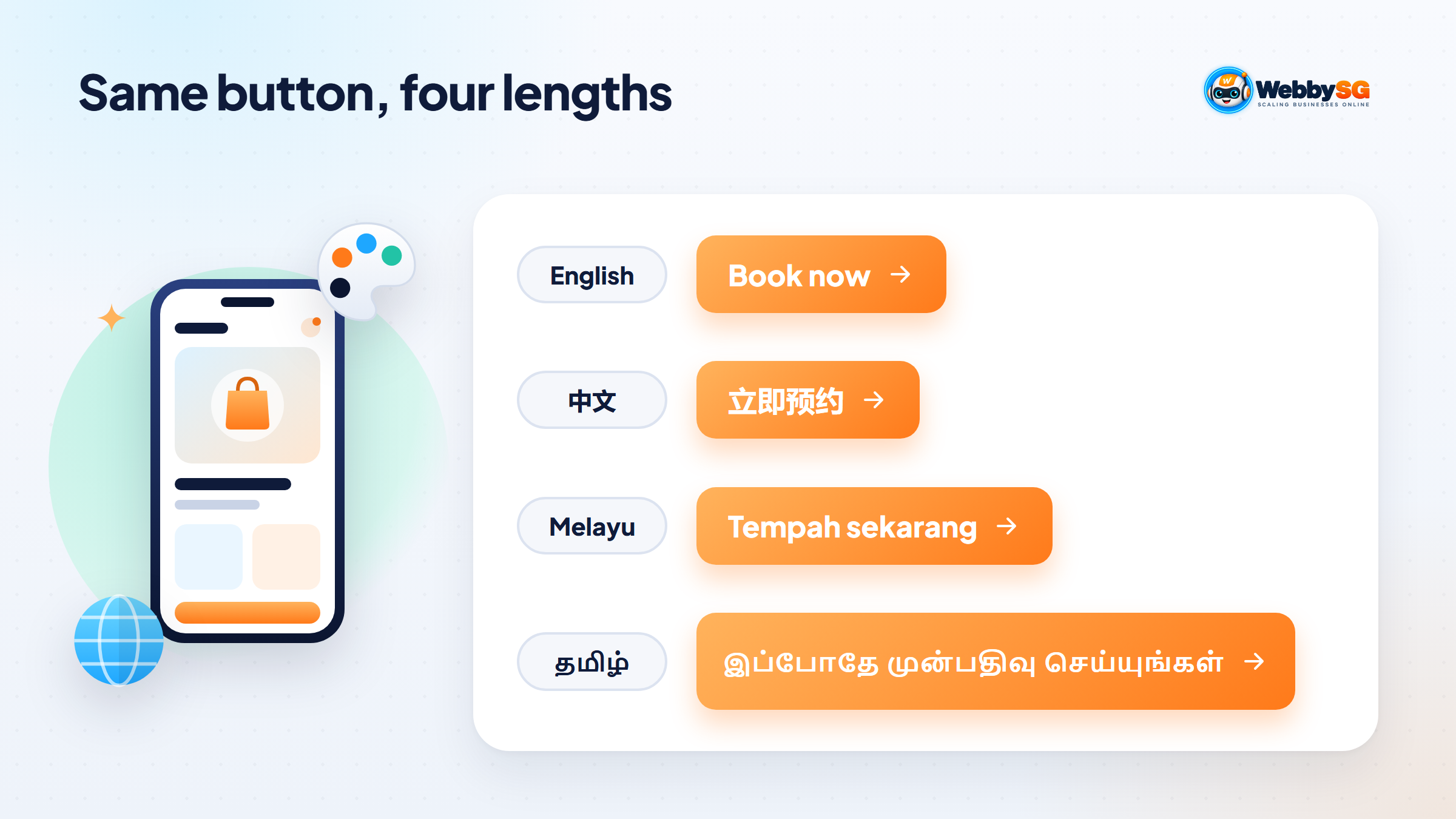
- Chinese is usually shorter than English for the same meaning, which can leave buttons and headings looking empty. Choose a font with full Chinese character support, and keep line height generous.
- Malay tends to run longer than English. Menus, buttons and headings need room to grow or wrap.
- Tamil words can be long and the characters tall, so they need extra line height and wider buttons. Test that your chosen font renders Tamil properly on Android and iPhone.
- Fonts and speed. Chinese fonts can be large files. Use system fonts or a web font service that loads only the characters a page needs.
- Images with text need a version for each language, so avoid putting important text inside images where you can.
Ask your designer to test every key page with real translated text before development finishes, not stand-in English text.
Setting up on WordPress and Shopify
WordPress
WordPress needs a multilingual plugin. The two most common are:
- WPML: a commercial plugin. As of November 2026 its plans were listed at €39 (Multilingual Blog), €99 (Multilingual CMS) and €199 (Multilingual Agency), each with one year of support and updates. It supports language directories, a domain or subdomain per language, or a URL parameter.
- Polylang: a free core plugin on WordPress.org, with a paid Pro version and a separate add-on for WooCommerce. The free version supports a language code in the URL, subdomains or separate domains. Features such as translated URL slugs for some content types and DeepL machine translation are in Pro.
Both add hreflang tags and a language switcher. Check that your theme, page builder and form plugin are compatible before choosing. Our WordPress website design builds can include multilingual set-up from the start.
Shopify
Shopify supports multiple languages natively. According to its language requirements, stores on the Basic, Grow, Shopify and Advanced plans can sell in up to 20 languages, and Shopify Plus in up to 30. Publishing a language adds a subfolder such as /fr to your store URLs. Translations are added with Shopify's Translate & Adapt app, another translation app or CSV import. Your theme must support multiple languages and include a language selector, which Shopify's free themes do. Checkout text is translated into 49 languages. For selling to other countries, Shopify Markets lets you combine languages with local currencies and domains. See our Shopify website design service for help with the set-up.
Multilingual website costs, maintenance and common mistakes
The main costs of a multilingual website are not the plugin or app. They are:
- Translation and review of every page, plus every future update
- Design and testing time for each script
- Keyword research and SEO in each language
- Replying to enquiries in each language
Common mistakes to avoid:
- Publishing raw machine translation on key pages
- Translating the menu but not the content
- Missing or one-way hreflang tags
- Redirecting visitors automatically by browser language or location
- Updating the English page and forgetting the translations
- Forms and confirmation emails left in English
To keep languages in step, add a "translation needed" step to your publishing checklist, and review translated pages every quarter. If you are planning a multilingual site or adding languages to an existing one, our web development service covers structure, set-up and testing, and our SEO service can research keywords in each language. You can also ask us whether a second language is worth it for your business.
Frequently asked questions
Is Google Translate good enough for my website?
It is a useful first draft but not good enough on its own for pages customers rely on. Machine translation can miss tone, product terms and local usage, and mistakes reduce trust. Have a fluent person review the homepage, service pages, forms and anything legal or medical.
Do I need a separate domain for each country?
Usually not. Subfolders such as /zh/ or /ms/ on your main domain are easier to manage and benefit from your existing site's authority. A separate country domain makes sense when you run a distinct business in that country with its own team, prices and support.
Will a Chinese version help me rank in Singapore?
It can help you appear for searches made in Chinese, which an English page is unlikely to rank for. It will not improve your English rankings. It is worth doing if your customers actually search in Chinese, so check with keyword research in Chinese first.
Should the site auto-redirect by browser language?
No. Google advises against automatic redirection by language or location because it can stop people and search engines from reaching every version. Use a clear language switcher, and optionally a banner suggesting the visitor's language.
How do I keep every language updated?
Treat translation as part of publishing: no English update is finished until the translations are done or scheduled. Keep a glossary, assign one person to coordinate, and check translated pages every quarter for outdated prices, offers and contact details.