Renovation Portfolio Photos: A Website Handover Checklist
Prepare renovation portfolio photos with clear project labels, confirmed work scope, captions, use notes and desktop/mobile crop checks before website approval.
What should a renovation website photo handover include?
For a renovation portfolio photo handover, send a project-labelled photo pack with a short record for each selected image: which project and room it shows, the work your business actually carried out, the proposed caption, useful alternative-text context, and any use or credit instructions. Keep original files separate from web copies. Review the actual desktop and mobile crops before approving publication.
A folder of attractive interiors does not tell a website editor which pictures belong together or what the renovation company can accurately claim. A finished kitchen may show cabinetry, appliances and styling supplied by different businesses. Without a clear handover, the page can describe a wider scope than the company delivered or pair a photograph with the wrong project.
Use the following handover as an optional working template for a Singapore renovation firm, carpentry business or interior-design practice preparing its portfolio. The aim is a usable record for one project page. For the wider site build, see the website design service. It does not replace a broader renovation marketing plan, a photography agreement or your own permission checks.
Start with one project, not the entire camera roll
Choose a project code that the person supplying the photographs and the person editing the website both recognise. Keep that code with every file and its notes. A simple code such as PROJECT-A is enough for a working example; it need not expose a customer's name or exact home address.
Within the project, identify the room or view: kitchen wide view, cabinet detail, entrance or living area. Add a separate field for the factual scope of work. “Kitchen cabinetry supplied and installed” communicates something different from “whole-home renovation”. Confirm the wording with the person responsible for the project before it becomes a public claim.
Do not combine photographs from two completed jobs to imply that they show one home. If the website needs a collection of different examples, label it as a collection and keep the project identity of each image available to the editor.
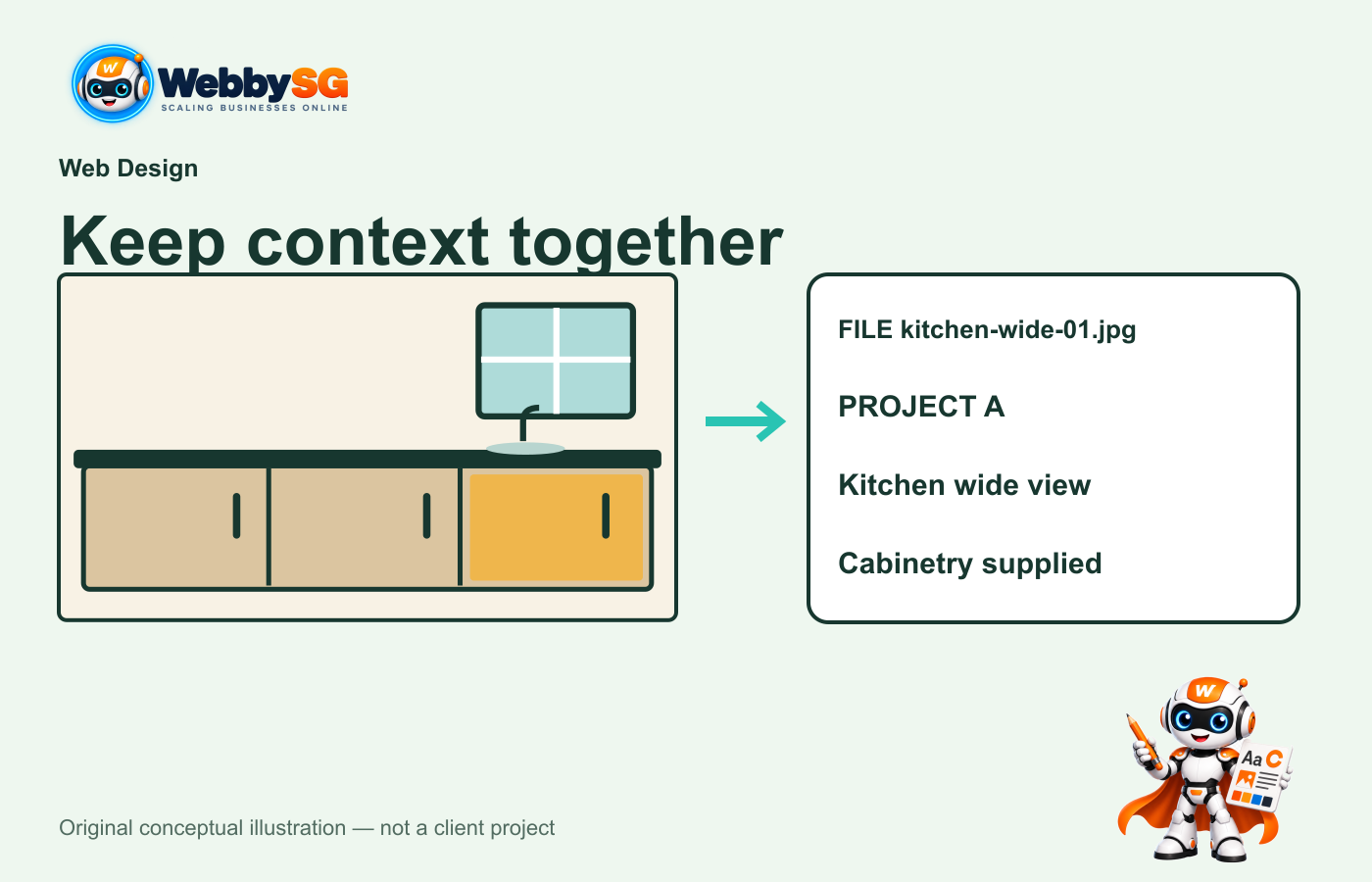
One image record keeps project identity and the description of the work together. The illustration is a planning example, not a client project.
Give the editor an image record that answers practical questions
A spreadsheet or shared document can work. The important part is that the notes identify the exact file, rather than describing a picture that might later be renamed or replaced.
| Record | What to supply and why |
|---|---|
| File and project | Exact filename and project code. Helps prevent: mixing photographs from different jobs. |
| Room or view | A short, factual description of what is visible. Helps prevent: guessing which space the photograph shows. |
| Confirmed scope | The work the business actually carried out. Helps prevent: attributing another party's work to your company. |
| Caption | Proposed visible wording beneath the image. Helps prevent: publishing an attractive but inaccurate story. |
| Alternative-text context | The relevant visual detail and purpose of this image. Helps prevent: repeating an unhelpful filename as the image description. |
| Use and credit notes | Who supplied the image, recorded permission or restrictions, and any agreed credit. Helps prevent: treating every file in a shared folder as cleared for publication. |
| Review decision | The exact file or preview reviewed, the reviewer and the decision date. Helps prevent: applying an old approval to a replacement image. |
For example, a fictional record might identify PROJECT-A, kitchen-wide-01.jpg, a wide kitchen view and a confirmed cabinetry scope. A proposed caption can describe that visible scope without adding an unverified floor area, material specification, completion time or customer endorsement. Leave uncertain details for clarification rather than filling them with plausible guesses.
Keep the filename, caption and alternative text distinct
A filename helps identify the asset. A caption is visible editorial text. Alternative text explains an image in its context for people who cannot see it. These fields can share useful facts, but they do not need to repeat the same sentence.
Google's image guidance recommends descriptive filenames and useful alternative text, and explains that surrounding page content also helps it understand an image. That is a reason to describe the actual photograph clearly, not a reason to put a list of Singapore renovation keywords into every field. No naming convention guarantees search visibility or enquiries.
The WordPress Image block provides image and caption controls. Confirm how the actual portfolio template uses those fields: an editor's saved caption is only useful if the chosen page layout displays it where intended. Review the rendered page rather than assuming a field name proves the public result.
Keep originals and website exports in separate folders
Preserve the original photograph and identify the working copy used for the website. This makes it easier to return to a wider image when a narrow crop removes an important detail. A practical folder arrangement is one project folder containing originals, selected website files and the image record.
Do not rely on names such as final-final-new.jpg to identify the accepted image. Give each replacement a clear version or file identifier and update the record. If an editor receives a new photograph after a page was reviewed, treat it as a changed asset and review the affected page again.
The website editor can prepare suitable delivery files for the agreed layout. Keep the source available so that a later change in page proportions does not require stretching or repeatedly editing an already cropped copy.
Check the crop in the page where buyers will see it
A wide room photograph can tell a different visual story when displayed in a narrow card. Before approval, open the portfolio listing and the project page at desktop and phone sizes. Check that the main subject, relevant workmanship and any visible labels remain understandable.
For a cabinetry example, ask whether a mobile crop removes the cabinet run that the caption describes. If it does, change the crop, choose another photograph or adjust the layout. Do not approve the desktop view and assume that the phone view is equivalent.
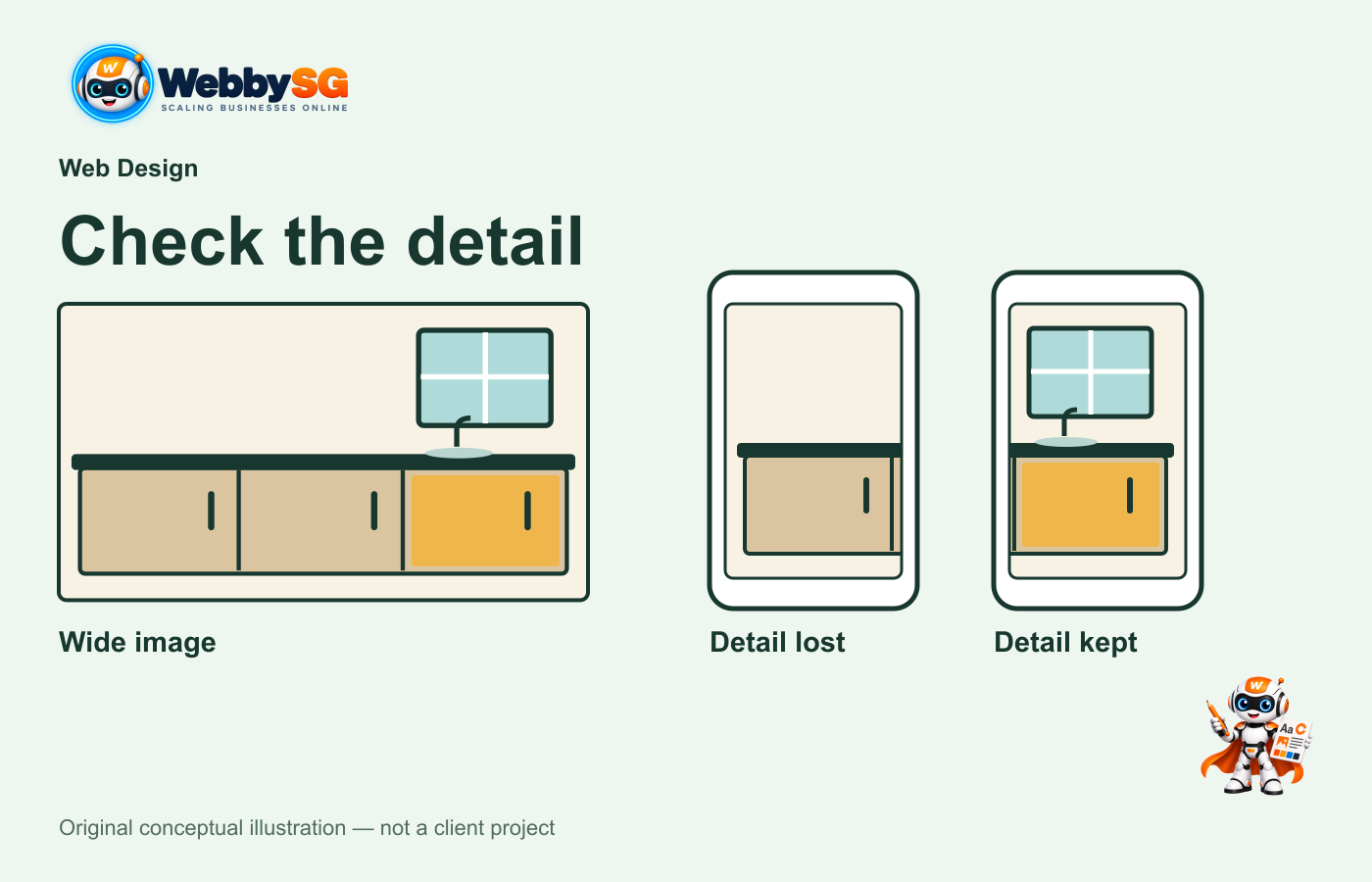
Approve the image in its actual layout. A different crop can remove the feature described by the caption.
When this handover is useful, and when to pause
This approach is useful when several people are supplying photographs, when a site contains many similar rooms, or when the team is adding project pages over time. It gives the website editor a clear connection between the picture, its description and the decision to use it.
Pause a photograph if the project identity, work scope or use instructions are unclear. A file being available in a chat or shared drive does not establish its publication status. Ask the relevant person to confirm the facts and permissions through your agreed process; this checklist does not determine legal ownership or grant a right to use an image.
If this work forms part of a larger company-site update, the corporate website redesign guide covers the wider planning.
Questions to settle before handing over the folder
Should before-and-after photographs always be shown together?
Use a pair when both images clearly relate to the same project and the comparison is accurate. Label the stages. If the views or stages cannot be verified, use an accurately described completed view instead of implying a comparison that the records do not support.
Who should approve the final portfolio page?
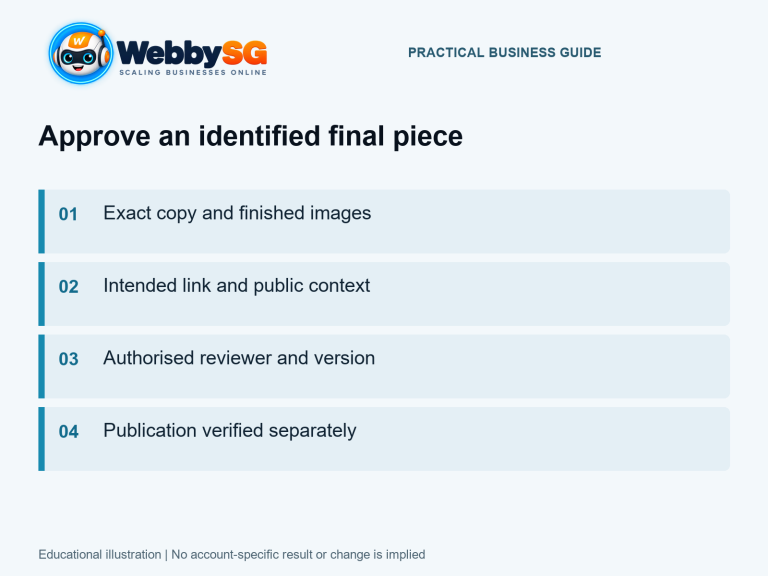
Choose a reviewer who can confirm the project details and the permitted use of its images. Have that person check the actual page, its captions and its phone layout. Record the accepted version. A general approval of the website design does not identify which later photographs or factual claims were reviewed.